Word Lookup
更新日期
当前版本
2024.1.0
提供者

爱玩Word Lookup的你,双手不应该被束缚在手机的小屏幕上。像职业选手一样用键盘和滑鼠来全面控制你的游戏吧。在电脑上下载、安装Word Lookup并尽情游玩。再也不用担心剩余电量、流量消耗和烦人的来电。全新的逍遥模拟器8是你在电脑上游玩Word Lookup的好选择!我们用心准备,完美的按键映射系统让Word Lookup宛如电脑游戏;
更多
透过逍遥模拟器,在电脑上下载Word Lookup,享受大荧屏的畅快体验。 Word Lookup is the ultimate Anagram, Word Finder and Dictionary for word games like Words With Friends, SCRABBLE®, Letterpress, WordFeud, WELDER and crossword puzzles.
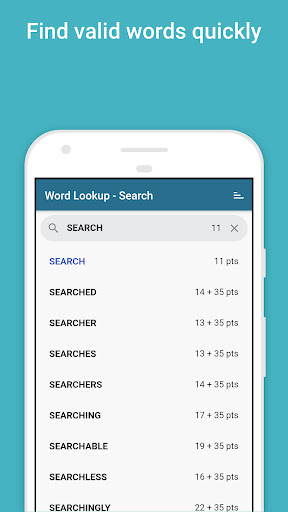
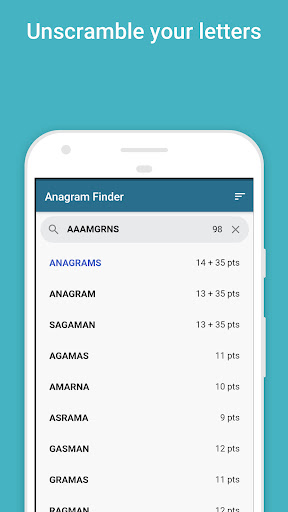
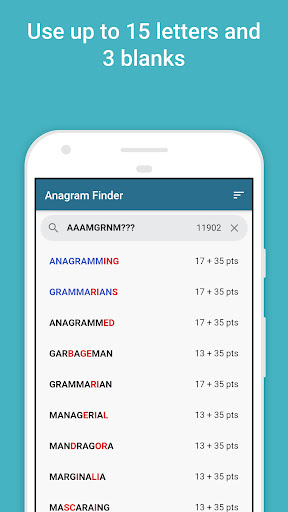
Word Lookup is the ultimate Anagram, Word Finder and Dictionary for word games like Words With Friends, SCRABBLE®, Letterpress, WordFeud, WELDER and crossword puzzles.
Use it to resolve a ‘challenge’, improve your game, and learn new words and their meanings.
Features:
◆ 170,000+ word English dictionary (as used in Words With Friends Classic / WWF2)
◆ Anagram Finder — enter up to 15 letters with 3 blanks to find all valid words (and sub-words)
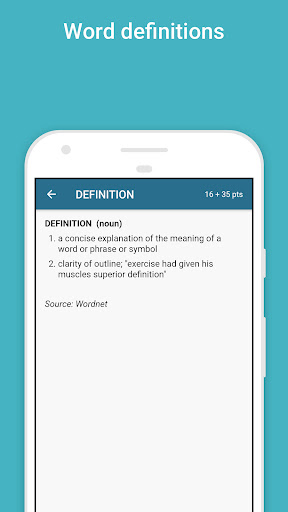
◆ Word definitions
◆ FAST. Search and display the point score as you type
◆ Useful Word Lists to improve your knowledge: 2 letter words, 3 letter words, Q not followed by U, All vowels, All consonants except Y, High scoring words, WWF Tile distribution (the quantity of each letter tile available in WWF)
* * * * *
Advanced Search example (Search Tab):
Use ? or [space] as a wildcard for one letter.
Example: l??kup returns linkup, lockup, lookup
Advanced Anagrams example (Anagrams Tab):
(1) Use a ? or space as a blank letter
Example: XZ? returns ZAX, ZA, AX …
* * * * *
Some user feedback:
“It’s great! Definitely improved my game!” — S.R.
“Word Lookup is easy to navigate. I now also use it as my everyday dictionary. Well done.” — A.C.
“Great vocabulary builder! Helps when you have a mind block — without cheating!” — R.V.
“Love this App. Awesome App! When I’m all out of words and need just that one, I check the words app and whala! That one word pops up! Love love this app!” - Happyasalark, 2019.
“Great app. Fun to use. Teaches you new words.” - Terry, 2019.
更多

1. 下载逍遥安装器并完成设置

2. 启动逍遥后打开位于桌面上的谷歌商店

3. 在谷歌商店中搜索Word Lookup
Install
4. 下载并安装Word Lookup
5. 下载完成后点击图标来启动

6. 通过逍遥在电脑上享受Word Lookup
逍遥安卓是优秀的安卓模拟器,全球超过5000万用户的优先选择。逍遥安卓以虚拟化技术为核心,为用户打造突破手机配置局限的游戏平台!
大屏精细展示;无限待机,超越电池和流量限制
键鼠、手把操作全面支持,操作更精准
用逍遥多开同时运行多个游戏、应用。
Play Word Lookup on PC by following steps: