All PDF Editor & Reader | Xodo
更新日期
目前版本
10.13.0
提供者

想體驗All PDF Editor & Reader | Xodo,可是手機熒幕太小,一載軟體就變燙,怎麼辦?透過逍遙模擬器,在電腦的大熒幕上暢快體驗!用鍵鼠操作更精準流暢,逍遙模擬器滿足您的所有期待。在電腦上下載安裝All PDF Editor & Reader | Xodo,不用擔心電池當掉,想體驗多久就多久,順暢跑一天~全新的逍遙模擬器9,絕對是您體驗All PDF Editor & Reader | Xodo電腦版的最佳選擇。完美的按鍵映射系統讓All PDF Editor & Reader | Xodo如PC軟體般順手;強大的多開功能可同時執行多個任務;獨家虛擬化技術更能徹底釋放電腦效能,保障長時間穩定運作。我們致力於不讓設備限制您的體驗,助您輕鬆高效,暢快無比!
更多
透過逍遙模擬器,在電腦上下載All PDF Editor & Reader | Xodo,享受大熒幕的暢快體驗。 一體化 PDF 工具 – 在一個應用程式中輕鬆閱讀、編輯、註釋、掃描、簽署和分享 PDF 檔案。
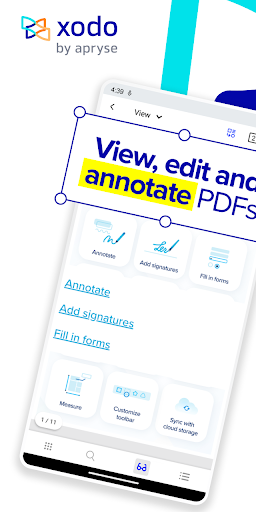

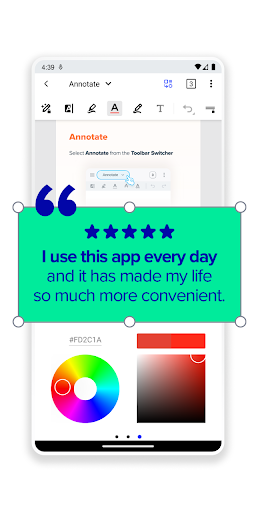
一體化 PDF 工具 – 在一個應用程式中輕鬆閱讀、編輯、註釋、掃描、簽署和分享 PDF 檔案。
隨時隨地提升效率 – 新年伊始,井然有序。透過行動端、雲端和互動式 PDF 工具,隨時隨地更有效率地運作。
值得信賴且安全 – 加入數百萬用戶的行列,使用 Xodo 進行快速、可靠且安全的 PDF 管理。
關於 Xodo:
Xodo PDF 編輯器和 PDF 閱讀器是一款一體化、行動友善的 PDF 工具 – 隨時隨地掃描、編輯、註釋、轉換、合併、簽名和共享文件。 Xodo 可簡化業務流程和數位文件管理。在檢視、填寫、編輯、標記和簽署 PDF 表單時,您可以享受便利的 PDF 編輯工具、無縫的註釋功能和便利的電子簽名功能。 Xodo 內建便利的 PDF 掃描器,是專為提高效率和生產力而打造的 PDF 應用 – 您一定會愛上使用 PDF!
無論您需要 PDF 閱讀器來查看重要文檔,還是需要 PDF 編輯器和註釋器來填寫表單,亦或是需要快速便捷地簽署合約並上傳電子簽名——Xodo 都能幫您輕鬆搞定!
⭐加入超過 30 萬滿意用戶的行列,他們都對 Xodo 給予了高度評價! Xodo 下載量超過 1000 萬次,憑藉其強大的效率工具和用戶友好的介面,深受學生和專業人士的信賴,是目前最優秀的 PDF 管理應用之一。
Xodo 是一款集 PDF 檢視器、編輯器和填寫器於一體的多功能工具,旨在透過強大的文件管理、編輯和安全保護工具,提升專業環境下的業務效率。您可以裁剪、合併和壓縮 PDF;旋轉頁面;提取、添加、編輯 PDF 文字或根據您的日常需求進行內容編輯。無論您是在處理合約、報告還是學習資料,Xodo 都能在 Android 系統上流暢運行,讓您全面掌控您的數位文件。
高級文本編輯和註釋功能讓您可以直接在文件中高亮、下劃線、繪製圖形和添加文本,實現流暢的工作流程。需要填寫和簽署表單?我們會自動偵測表單字段,將靜態 PDF 轉換為可填寫的互動式文件。借助內建的電子簽名和編輯工具,簽署和共享文件從未如此輕鬆。
使用 PDF 合併和分割工具輕鬆整理您的 PDF 文件,或只需輕按一下即可將文件轉換為不同格式。將 PDF 轉換為 Word、Excel、PowerPoint、JPG、PNG、HTML 甚至 PDF/A 格式,或將其他文件類型(例如 HTML、JPEG 和 MS Office 文件)轉換為高品質 PDF。我們的照片轉 PDF 和 MS Office 轉影像轉換器可將影像轉換為專業文檔,反之亦然,使 Xodo 成為滿足商務和學術需求的可靠生產力工具。
透過雲端儲存整合保持連接,您可以同步並存取 Google Drive、Dropbox、OneDrive 等雲端儲存服務的檔案。與團隊分享文檔,並使用支援手寫筆的註解功能,即時提升協作效率。透過我們內建的快速 PDF 掃描儀,您可以在幾秒鐘內將紙本文件數位化,並將其轉換為可編輯和共享的 PDF 文件。
利用 OCR 技術提升工作效率,將掃描的文件、影像和 PDF 檔案轉換為可全文搜尋的文件。減小檔案大小,加快共享速度,並透過密碼保護和密文功能確保文件安全。輕鬆新增電子簽名,確保文件的真實性和保密性,讓您的 PDF 文件安全且專業。
使用 Xodo,管理 PDF 文件從未如此高效——無論您是查看、編輯、簽名、轉換、合併還是共享,我們功能齊全的商務效率工具和專業的 PDF 編輯器都能助您更聰明地工作。
聽聽用戶怎麼說:
“我已經不再買紙質教科書了,所有閱讀都用它!”
“比許多桌面 PDF 閱讀器和編輯器都好用,是 Google Play 上最好的應用之一。編輯功能強大,查看選項豐富,沒有廣告,而且速度很快。”
加入 Xodo 社區,立即體驗我們強大的 PDF 閱讀器和編輯器!
更多

1. 下載逍遙安裝器並完成設置

2. 啟動逍遙後打開位於桌面上的谷歌商店

3. 在谷歌商店中搜尋All PDF Editor & Reader | Xodo
Install
4. 下載並安裝All PDF Editor & Reader | Xodo
5. 下載完成後點擊圖標來啟動

6. 透過逍遙享受在電腦上體驗All PDF Editor & Reader | Xodo
逍遙安卓是優秀的安卓模擬器,全球超過5000萬用戶的優先選擇。逍遙安卓以虛擬化技術為核心,為用户打造突破手機配備局限的應用平台!
大屏精細展示;無限待機,超越電池和流量限制
鍵鼠,手把操作全面支持,操作更精準
用逍遙多開同時運行多個遊戲、應用。
Use All PDF Editor & Reader | Xodo on PC by following steps: