Fake GPS location
更新日期
目前版本
1660705064
提供者

想體驗Fake GPS location,可是手機熒幕太小,一載軟體就變燙,怎麼辦?透過逍遙模擬器,在電腦的大熒幕上暢快體驗!用鍵鼠操作更精準流暢,逍遙模擬器滿足您的所有期待。在電腦上下載安裝Fake GPS location,不用擔心電池當掉,想體驗多久就多久,順暢跑一天~全新的逍遙模擬器9,絕對是您體驗Fake GPS location電腦版的最佳選擇。完美的按鍵映射系統讓Fake GPS location如PC軟體般順手;強大的多開功能可同時執行多個任務;獨家虛擬化技術更能徹底釋放電腦效能,保障長時間穩定運作。我們致力於不讓設備限制您的體驗,助您輕鬆高效,暢快無比!
更多
透過逍遙模擬器,在電腦上下載Fake GPS location,享受大熒幕的暢快體驗。 Teleport your phone to any place in the world with two clicks!
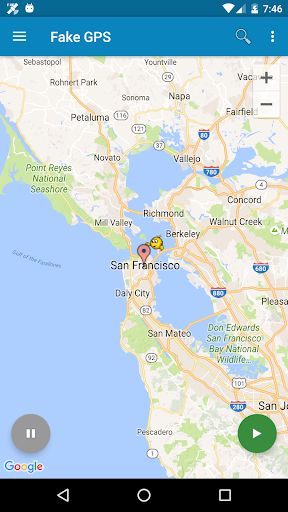
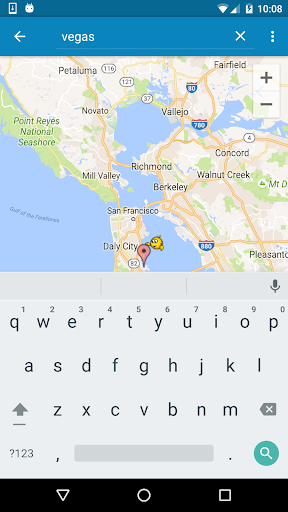
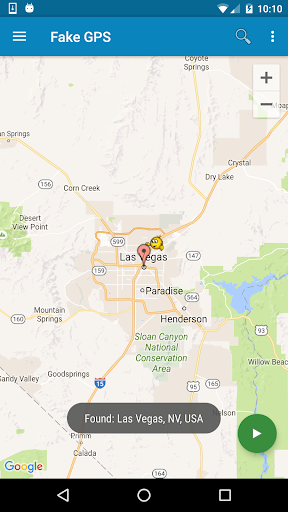
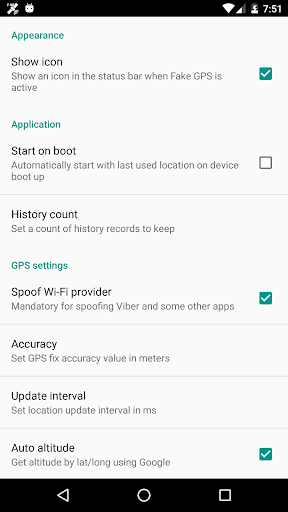
Teleport your phone to any place in the world with two clicks! This app sets up fake GPS location so every other app in your phone belives you are there!
Has Tasker support and can be started/stopped from command line (See FAQ for details)
+++IMPORTANT+++
Be aware that after using FakeGPS you may find your location LOCKED TO THE LAST MOCKED LOCATION EVENT AFTER UNINSTALL FakeGPS!
It's not a bug and your GPS sensor isn't broken. There are two ways to fix this issue:
1. Install "GPS Status" from the Play, launch and get a fresh GPS fix. You may need to repeat it several times with 30 min interval.
2. Start FakeGPS, set your real location and leave it so for several hours.
You may combine these steps. The issue will disappear in one or two days - be patient.
For ROOTED devices you can mock locations without enabling "Allow mock locations" option. To do so please use Root Explorer or other similar app and move /data/app/ru.lexa.fakegps~1.apk to /system/priv-app or to /system/app (for Android 4.3 and older). Then change apk permissions to rw-r-r and reboot your device. If you find apk in /syste/priv-app disappears after reboot it means that your devices has S-ON mode enabled and so restores /system folder aftear each reboot. Please google how to switch your device to S-OFF mode.
If you can't find ru.lexa.fakegps.apk in /data/app you may find it at /mnt/asec/ru.lexa.fakegps/1.apk. In this case you should copy and rename it to /system/priv-app/ru.lexa.fakegps.apk.
END USER LICENSE AGREEMENT
This app is provided "as is" and we can not be held responsible for any usage by the end users of our app. This app is free with limited functionality and is for testing purposes only.
更多

1. 下載逍遙安裝器並完成設置

2. 啟動逍遙後打開位於桌面上的谷歌商店

3. 在谷歌商店中搜尋Fake GPS location
Install
4. 下載並安裝Fake GPS location
5. 下載完成後點擊圖標來啟動

6. 透過逍遙享受在電腦上體驗Fake GPS location
逍遙安卓是優秀的安卓模擬器,全球超過5000萬用戶的優先選擇。逍遙安卓以虛擬化技術為核心,為用户打造突破手機配備局限的應用平台!
大屏精細展示;無限待機,超越電池和流量限制
鍵鼠,手把操作全面支持,操作更精準
用逍遙多開同時運行多個遊戲、應用。
Use Fake GPS location on PC by following steps: