GoDaddy Studio: Create & Grow
更新日期
目前版本
7.80.0
提供者

想體驗GoDaddy Studio: Create & Grow,可是手機熒幕太小,一載軟體就變燙,怎麼辦?透過逍遙模擬器,在電腦的大熒幕上暢快體驗!用鍵鼠操作更精準流暢,逍遙模擬器滿足您的所有期待。在電腦上下載安裝GoDaddy Studio: Create & Grow,不用擔心電池當掉,想體驗多久就多久,順暢跑一天~全新的逍遙模擬器9,絕對是您體驗GoDaddy Studio: Create & Grow電腦版的最佳選擇。完美的按鍵映射系統讓GoDaddy Studio: Create & Grow如PC軟體般順手;強大的多開功能可同時執行多個任務;獨家虛擬化技術更能徹底釋放電腦效能,保障長時間穩定運作。我們致力於不讓設備限制您的體驗,助您輕鬆高效,暢快無比!
更多
透過逍遙模擬器,在電腦上下載GoDaddy Studio: Create & Grow,享受大熒幕的暢快體驗。 Graphic design, a domain registrar, social posts and instant videos all-in-one.
Graphic design, a domain registrar, social posts and instant videos all-in-one. BOOM! You’re in business with GoDaddy Studio.
GoDaddy Studio is designed for the everyday entrepreneur to grow their business while on-the-go. Design a logo, find a domain, create product shots and build your brand with stand-out social posts and engaging videos - all from the palm of your hand.
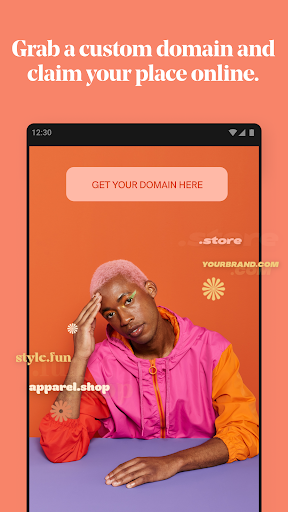
NEW: GRAB A CUSTOM DOMAIN AND CLAIM YOUR PLACE ONLINE
No domain, no game: Let your customers know where to find you.
Expand your brand’s online presence.
Be more searchable: Increase your brand’s SEO.
Create more credibility for your much-loved brand.
Be secure and accessible from anywhere.
LOGO MAKER
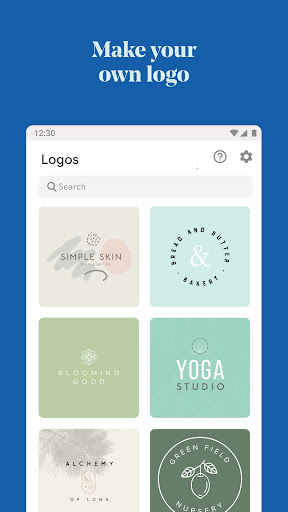
Need a logo? Get one fast and for free with GoDaddy Studio. You choose:
Create a logo from scratch with easy design tools.
Scroll through hundreds of logo templates and take your pick.
Personalize in minutes and launch your business!
EASY DESIGN TOOLS TO SAVE YOU TIME
Discover the best design tools at your fingertips, no design-skills needed.
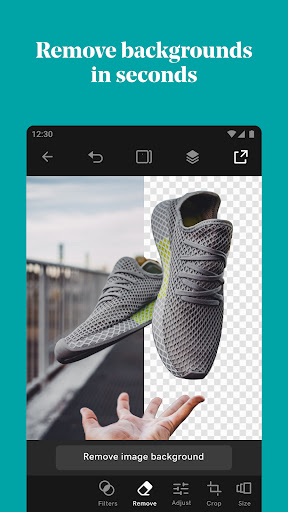
Remove backgrounds from your photos in seconds.
Create snappy videos with our AI-powered Instant Video feature.
Explore thousands of easy-to-customize templates to help you design fast.
Pick from a selection of over 600 fonts, use curved text and more.
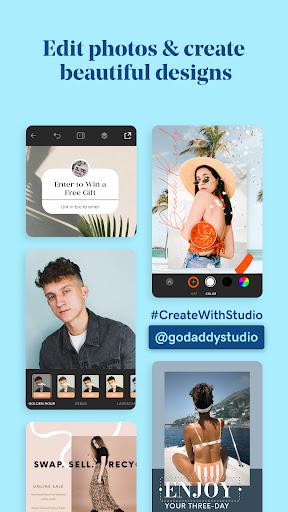
Edit your photos. Add text and filters with our easy photo editor.
Create on-trend social posts with graphics and stickers.
Create professional product shots with the remove background tool.
Use Layout Collections for speedy content creation.
Resize content to fit Facebook, Instagram, YouTube, TikTok and more.
Use the masking tool to design like a pro in minutes.
FREE AI-POWERED INSTANT VIDEO MAKER
Get seen on social with instant videos that anyone can create, fast.
Use our AI-powered video maker to get ‘eyes’ on your social content.
A video maker for everyone: No video-editing skills needed.
AI-powered smart text will generate catchy copy to help your videos convert.
Find music for your videos: Fully licensed and good-to-go.
Get noticed on social sites like TikTok and Instagram with custom videos — auto-styled with transitions and music — in an instant.
GROW YOUR BRAND ON SOCIAL
Stand out on social media with beautiful content that is easy to create.
Need ideas to boost engagement? We’ve got them.
Find free videos to use in our exclusive video library.
Speed up content creation and share branded content every day.
Grow your followers with a consistent brand aesthetic.
Create videos with our powerful AI-powered video creation tool.
Create like-worthy Instagram stories and Instagram reels, TikTok videos, Facebook posts, profile pictures and more.
Find 30-days of Instagram posts for your business.
CREATE YOUR BRAND AESTHETIC
Want to look professional on social media, your website, email marketing and more? You can with GoDaddy Studio’s brand kit...
Design your logo
Create your brand color palette
Find your brand fonts
Save your brand kit (logo, colors and fonts) for seamless creation.
Create social posts and branded content with your brand assets to establish a professional brand identity.
FREE LINK IN BIO SITE
What is a Link in Bio site? It’s the only link you need to organise your online presence - and it’s free with GoDaddy Studio.
Link to everywhere you are online from one central place.
Pick your favorite Link in Bio template and customize it in seconds.
Choose your unique URL and publish your Link in Bio site for free.
Direct your customers to all your top content from your Link in Bio.
Grow your following from one central place.
GoDaddy Studio is all you need to easily design, promote and grow your brand online.
Start creating and watch your business fly.
Terms and Conditions
https://godaddy.com/legal/agreements/websites-marketing-agreement
Privacy Policy
https://godaddy.com/legal/agreements/privacy-policy
Got feedback? Email us at
oversupport@godaddy.com
更多

1. 下載逍遙安裝器並完成設置

2. 啟動逍遙後打開位於桌面上的谷歌商店

3. 在谷歌商店中搜尋GoDaddy Studio: Create & Grow
Install
4. 下載並安裝GoDaddy Studio: Create & Grow
5. 下載完成後點擊圖標來啟動

6. 透過逍遙享受在電腦上體驗GoDaddy Studio: Create & Grow
逍遙安卓是優秀的安卓模擬器,全球超過5000萬用戶的優先選擇。逍遙安卓以虛擬化技術為核心,為用户打造突破手機配備局限的應用平台!
大屏精細展示;無限待機,超越電池和流量限制
鍵鼠,手把操作全面支持,操作更精準
用逍遙多開同時運行多個遊戲、應用。
Use GoDaddy Studio: Create & Grow on PC by following steps: