
Khan Academy
更新日期
目前版本
8.2.0
提供者

想體驗Khan Academy,可是手機熒幕太小,一載軟體就變燙,怎麼辦?透過逍遙模擬器,在電腦的大熒幕上暢快體驗!用鍵鼠操作更精準流暢,逍遙模擬器滿足您的所有期待。在電腦上下載安裝Khan Academy,不用擔心電池當掉,想體驗多久就多久,順暢跑一天~全新的逍遙模擬器9,絕對是您體驗Khan Academy電腦版的最佳選擇。完美的按鍵映射系統讓Khan Academy如PC軟體般順手;強大的多開功能可同時執行多個任務;獨家虛擬化技術更能徹底釋放電腦效能,保障長時間穩定運作。我們致力於不讓設備限制您的體驗,助您輕鬆高效,暢快無比!
更多
透過逍遙模擬器,在電腦上下載Khan Academy,享受大熒幕的暢快體驗。 You can learn anything.
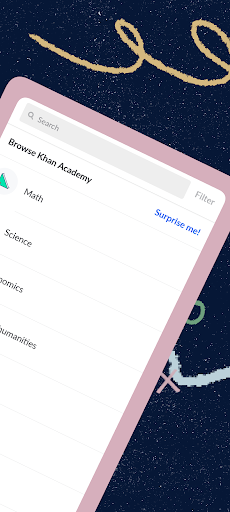
You can learn anything. For free.
Spend an afternoon brushing up on statistics. Discover how the Krebs cycle works. Get a head start on next semester's geometry. Prepare for upcoming exams. Or, if you're feeling particularly adventurous, learn how fire-stick farming changes the landscape of Australia.
Whether you're a student, teacher, homeschooler, principal, adult returning to the classroom after 20 years, or a friendly alien trying to get a leg up in earthly biology — Khan Academy's personalized learning library is available to you, for free.
- Learn anything, for free: Thousands of interactive exercises, videos, and articles at your fingertips. Study math, science, economics, finance, grammar, history, government, politics, and much, much more.
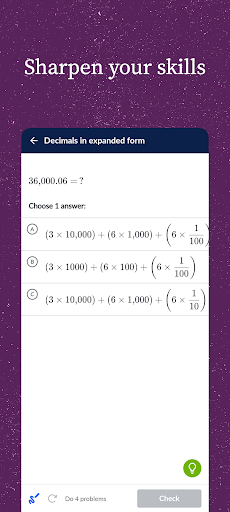
- Sharpen your skills: Practice exercises, quizzes, and tests with instant feedback and step-by-step hints. Follow along with what you're learning in school, or practice at your own pace.
- Keep learning when you're offline: Bookmark and download your favorite content to watch videos without an internet connection.
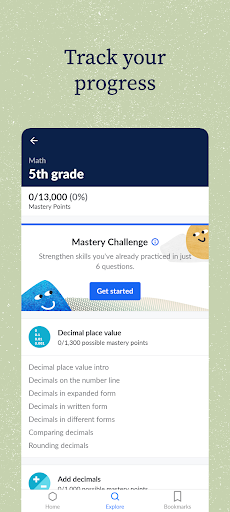
- Pick up where you left off: Tailored to your current learning level, our mastery system gives instant feedback and recommendations on exactly which skills and videos to try next. And, if you choose to create a free account, your learning syncs with http://khanacademy.org, so your progress is always up-to-date across all your devices.
Learn using expert-created videos, interactive exercises, and in-depth articles in math (arithmetic, pre-algebra, algebra, geometry, trigonometry, statistics, calculus, differential equations, linear algebra), science (biology, chemistry, physics), economics (microeconomics, macroeconomics, finance and capital markets), humanities (art history, civics, finance, US history, US government and politics, world history), and more (including computer science principles)!
Already familiar with the Khan Academy website? Not all functionality is available in this app. Community discussions, computer programming content, test prep, parent tools, teacher tools, and district tools should all be accessed directly at http://khanacademy.org.
Khan Academy is a 501(c)(3) nonprofit organization, with the mission of providing a free, world-class education for anyone, anywhere.
更多

1. 下載逍遙安裝器並完成設置

2. 啟動逍遙後打開位於桌面上的谷歌商店

3. 在谷歌商店中搜尋Khan Academy
Install
4. 下載並安裝Khan Academy
5. 下載完成後點擊圖標來啟動

6. 透過逍遙享受在電腦上體驗Khan Academy
逍遙安卓是優秀的安卓模擬器,全球超過5000萬用戶的優先選擇。逍遙安卓以虛擬化技術為核心,為用户打造突破手機配備局限的應用平台!
大屏精細展示;無限待機,超越電池和流量限制
鍵鼠,手把操作全面支持,操作更精準
用逍遙多開同時運行多個遊戲、應用。
Use Khan Academy on PC by following steps: