
Khan Academy
更新日
現在のバージョン
8.2.0
提供元

スマートフォンは不要!パソコンと同じようにキーボードとマウスで操作できます。MEmu Playは、あなたが待ち望んでいたすべての楽しみをお届けします。バッテリー残量や小さな画面を気にすることなく、Khan Academyをご利用ください。最新のMEmu 9は、Khan AcademyをPCで体験するのに最適です!完璧なキーマッピングシステムにより、PCのようなスムーズな操作性を実現します。マルチインスタンス機能により、複数のアプリケーションを同時に実行できます。独自の仮想化エンジンがPCのパフォーマンスを最大限に引き出します。アプリを使用するだけでなく、高品質な体験を得ることができます。
もっと見る
Khan AcademyをPCでダウンロード!大画面でより楽しむ。電源が落ちてしまうとか通信料が足りないとかの問題を心配する必要がなく、PCの大画面でより快適にゲームを楽しましょう! You can learn anything.
You can learn anything. For free.
Spend an afternoon brushing up on statistics. Discover how the Krebs cycle works. Get a head start on next semester's geometry. Prepare for upcoming exams. Or, if you're feeling particularly adventurous, learn how fire-stick farming changes the landscape of Australia.
Whether you're a student, teacher, homeschooler, principal, adult returning to the classroom after 20 years, or a friendly alien trying to get a leg up in earthly biology — Khan Academy's personalized learning library is available to you, for free.
- Learn anything, for free: Thousands of interactive exercises, videos, and articles at your fingertips. Study math, science, economics, finance, grammar, history, government, politics, and much, much more.
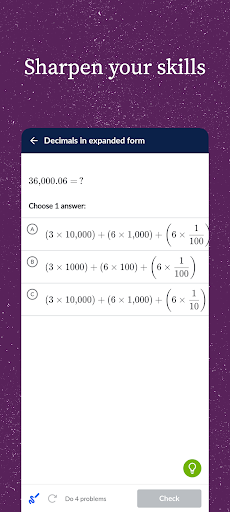
- Sharpen your skills: Practice exercises, quizzes, and tests with instant feedback and step-by-step hints. Follow along with what you're learning in school, or practice at your own pace.
- Keep learning when you're offline: Bookmark and download your favorite content to watch videos without an internet connection.
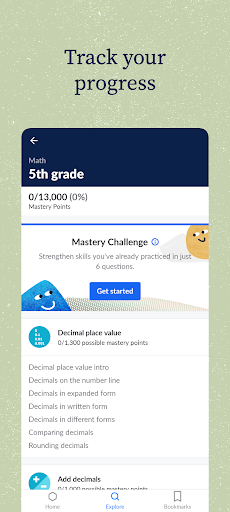
- Pick up where you left off: Tailored to your current learning level, our mastery system gives instant feedback and recommendations on exactly which skills and videos to try next. And, if you choose to create a free account, your learning syncs with http://khanacademy.org, so your progress is always up-to-date across all your devices.
Learn using expert-created videos, interactive exercises, and in-depth articles in math (arithmetic, pre-algebra, algebra, geometry, trigonometry, statistics, calculus, differential equations, linear algebra), science (biology, chemistry, physics), economics (microeconomics, macroeconomics, finance and capital markets), humanities (art history, civics, finance, US history, US government and politics, world history), and more (including computer science principles)!
Already familiar with the Khan Academy website? Not all functionality is available in this app. Community discussions, computer programming content, test prep, parent tools, teacher tools, and district tools should all be accessed directly at http://khanacademy.org.
Khan Academy is a 501(c)(3) nonprofit organization, with the mission of providing a free, world-class education for anyone, anywhere.
もっと見る

1. MEmuインストーラーをダウンロードしてセットアップを完了する

2. MEmuを起動し、デスクトップでのPlayストアを開く

3. PlayストアでKhan Academyを検索する
Install
4. Khan Academyをダウンロードしてインストールする
5. インストールが完了したら、アイコンをクリックしてスタート

6. MEmuを使ってパソコンでKhan Academyを体験する
MEmu Playは現在、最高の無料Androidエミュレーターであり、5,000万人のユーザーが優れたAndroidアプリ体験を楽しんでいます。MEmuの仮想化テクノロジーにより、数千ものAndroidアプリをコンピューターでスムーズに実行できます。
大画面でより精細;無限の待機、電池とドラフィックの極限を超え
キーボード・マウス・コントローラーを全力でサポート、より快適
マルチインスタンスで複数のゲームを同時に実行
Use Khan Academy on PC by following steps: