想體驗KRUU,可是手機熒幕太小,一載軟體就變燙,怎麼辦?透過逍遙模擬器,在電腦的大熒幕上暢快體驗!用鍵鼠操作更精準流暢,逍遙模擬器滿足您的所有期待。在電腦上下載安裝KRUU,不用擔心電池當掉,想體驗多久就多久,順暢跑一天~全新的逍遙模擬器9,絕對是您體驗KRUU電腦版的最佳選擇。完美的按鍵映射系統讓KRUU如PC軟體般順手;強大的多開功能可同時執行多個任務;獨家虛擬化技術更能徹底釋放電腦效能,保障長時間穩定運作。我們致力於不讓設備限制您的體驗,助您輕鬆高效,暢快無比!
更多
透過逍遙模擬器,在電腦上下載KRUU,享受大熒幕的暢快體驗。 Your celebration will be filled with many unforgettable moments and there will be moments that you will miss.
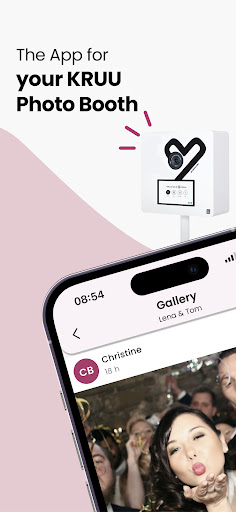
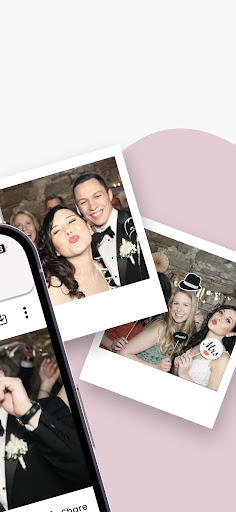
Your celebration will be filled with many unforgettable moments and there will be moments that you will miss. The good thing is: your guests and the photographer will capture all the moments. Download the KRUU app so that none of these precious memories are lost. With the KRUU app, you can discover, download, comment on and like the best photos from your celebration. The photos from the KRUU Photo Booth are also automatically transferred to the app. And the best thing is: the app is free and there are no in-app purchases!
THIS IS WHAT THE KRUU APP OFFERS YOU:
Large online storage space - Upload your photos from the event and share them with your family & friends.
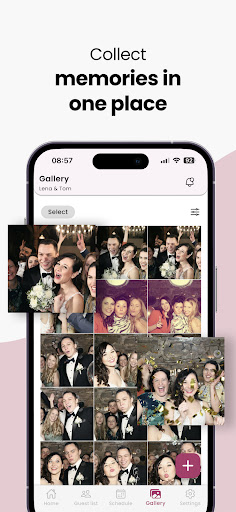
Own gallery - Discover the best moments of the party in a beautiful feed and interact with likes & comments.
KRUU Photo Booth photos included - Your KRUU Photo Booth photos are automatically transferred to the KRUU.com app free of charge.
Easily manage all participants in the admin area of the app and see exactly who you're sharing your unforgettable moments with.
THIS IS HOW IT WORKS:
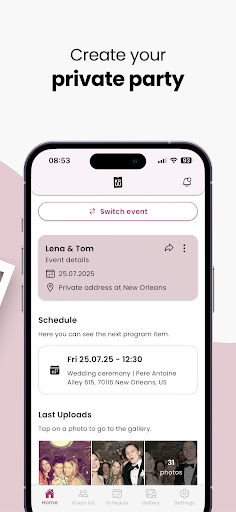
Download the KRUU app and join an event or create a new one. Invite friends & family to the event. After the photo upload, you can like, comment and download the photos.
WHY SHOULD YOU KEEP THE APP?
You want to download the photos again later and don't feel like searching through your entire mobile phone? No problem with our app!
You don't want to have the pictures in your personal photo album, but still want to browse through them from time to time? The pictures will be safely stored in the app for the next 3 months! Other guests can upload more cool pictures at any time.
Also use the app at future parties with a KRUU Photo Booth.
PRIVACY POLICY
Of course, the photos can only be viewed by you and your guests and are protected according to the highest GDPR standards in Germany. To ensure this, the photos are stored on German servers.
WHO IS KRUU?
Over 150,000 photo box customers have trusted us since 2016. We are Europe's market leader in the hire of photo boxes with around 50 employees in Bad Friedrichshall near Heilbronn (Baden-Württemberg).
Do you have any questions or feedback?
Then write to us at any time. We read all messages! support@kruu.com
更多

1. 下載逍遙安裝器並完成設置

2. 啟動逍遙後打開位於桌面上的谷歌商店

3. 在谷歌商店中搜尋KRUU
 Install
4. 下載並安裝KRUU
5. 下載完成後點擊圖標來啟動

6. 透過逍遙享受在電腦上體驗KRUU
逍遙安卓是優秀的安卓模擬器,全球超過5000萬用戶的優先選擇。逍遙安卓以虛擬化技術為核心,為用户打造突破手機配備局限的應用平台!
大屏精細展示;無限待機,超越電池和流量限制
鍵鼠,手把操作全面支持,操作更精準
用逍遙多開同時運行多個遊戲、應用。
Use KRUU on PC by following steps: