
Pomelody Family Music & Fun
更新日期
目前版本
3.4.8
提供者

想體驗Pomelody Family Music & Fun,可是手機熒幕太小,一載軟體就變燙,怎麼辦?透過逍遙模擬器,在電腦的大熒幕上暢快體驗!用鍵鼠操作更精準流暢,逍遙模擬器滿足您的所有期待。在電腦上下載安裝Pomelody Family Music & Fun,不用擔心電池當掉,想體驗多久就多久,順暢跑一天~全新的逍遙模擬器9,絕對是您體驗Pomelody Family Music & Fun電腦版的最佳選擇。完美的按鍵映射系統讓Pomelody Family Music & Fun如PC軟體般順手;強大的多開功能可同時執行多個任務;獨家虛擬化技術更能徹底釋放電腦效能,保障長時間穩定運作。我們致力於不讓設備限制您的體驗,助您輕鬆高效,暢快無比!
更多
透過逍遙模擬器,在電腦上下載Pomelody Family Music & Fun,享受大熒幕的暢快體驗。 Pomelody is a family-focused app designed to bring high-quality music and story materials to parents and children.
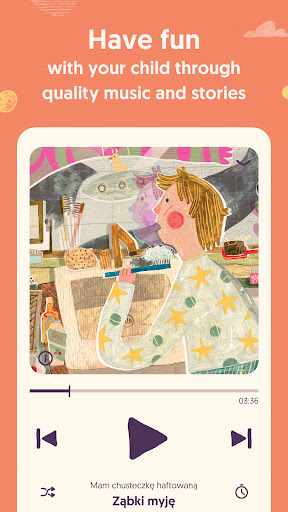
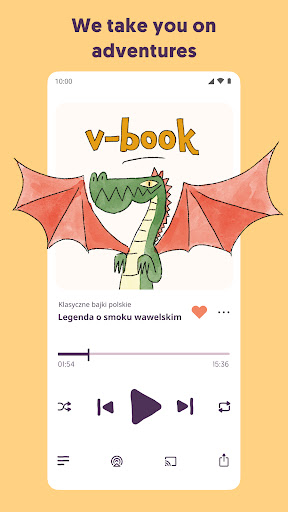
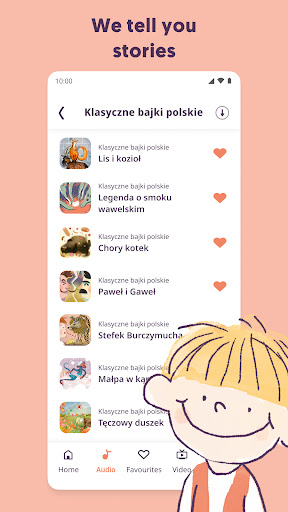
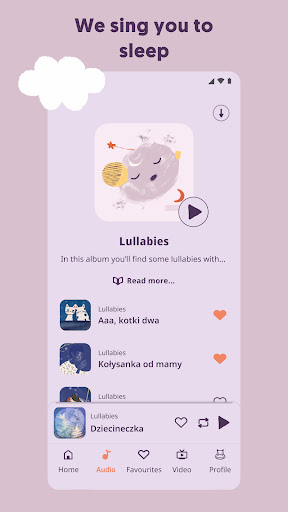
Pomelody is a family-focused app designed to bring high-quality music and story materials to parents and children. It offers a delightful combination of entertainment and learning, helping you to enjoy enriching family moments and strengthen bonds while nurturing your child’s potential.
POLISH CONTENT FOR CHILDREN
Did you know that the pomelody app features Polish songs, audio stories and animations for children? With a focus on age-appropriate material, parents can trust that their children are exploring the Polish language in a safe and educational environment. Whether it's singing along to catchy tunes or listening to well-known legends and rhymes, Pomelody makes parenting sound better!
What if there was one thing you could do that would:
• Help grow your child’s brain activity
• Stimulate your kid's potential
• Build stronger family bonds
You would be all in, right?
Pomelody will lead you to nurture your kid's natural potential, regardless of your musical background.
Founded by a couple of professional musicians and parents, it was named a “game-changer for family bonding” by Mashable. High-quality sounds, reinvented classic fairy tales, great entertainment, and much more!
POMELODY PLAYER:
Quality music and audio stories
PARENTS
Growth for your child’s brain activity
Off-screen content
Stimulating your kid's musical potential
Creative family bonding
Early stage English language development
You can try it now - it's free. Want to get unlimited access to the world of Pomelody music? Upgrade your subscription.
ENJOY YOUR FREE TRIAL
You get access to limited free plays of all Pomelody songs and stories. Subscribe to get more.
*By purchasing you agree to our Terms of Service and Privacy Policy.
Subscription renews automatically at the above price. Payment will be charged to iTunes Account at confirmation of purchase.
Subscription automatically renews unless auto-renew is turned off at least 24-hours before the end of the current period.
Account will be charged for renewal within 24-hours prior to the end of the current period, and identify the cost of the renewal.
Subscriptions may be managed by the user and auto-renewal may be turned off by going to the user’s Account Settings after purchase.
Privacy Policy:
https://pomelody.com/content/14-pomelody-mobile-application-privacy-policy
Terms of use:
https://pomelody.com/content/13-application-terms
更多

1. 下載逍遙安裝器並完成設置

2. 啟動逍遙後打開位於桌面上的谷歌商店

3. 在谷歌商店中搜尋Pomelody Family Music & Fun
Install
4. 下載並安裝Pomelody Family Music & Fun
5. 下載完成後點擊圖標來啟動

6. 透過逍遙享受在電腦上體驗Pomelody Family Music & Fun
逍遙安卓是優秀的安卓模擬器,全球超過5000萬用戶的優先選擇。逍遙安卓以虛擬化技術為核心,為用户打造突破手機配備局限的應用平台!
大屏精細展示;無限待機,超越電池和流量限制
鍵鼠,手把操作全面支持,操作更精準
用逍遙多開同時運行多個遊戲、應用。
Use Pomelody Family Music & Fun on PC by following steps: