Root Checker
更新日期
目前版本
1672447850
提供者

想體驗Root Checker,可是手機熒幕太小,一載軟體就變燙,怎麼辦?透過逍遙模擬器,在電腦的大熒幕上暢快體驗!用鍵鼠操作更精準流暢,逍遙模擬器滿足您的所有期待。在電腦上下載安裝Root Checker,不用擔心電池當掉,想體驗多久就多久,順暢跑一天~全新的逍遙模擬器9,絕對是您體驗Root Checker電腦版的最佳選擇。完美的按鍵映射系統讓Root Checker如PC軟體般順手;強大的多開功能可同時執行多個任務;獨家虛擬化技術更能徹底釋放電腦效能,保障長時間穩定運作。我們致力於不讓設備限制您的體驗,助您輕鬆高效,暢快無比!
更多
透過逍遙模擬器,在電腦上下載Root Checker,享受大熒幕的暢快體驗。 Verify proper root (superuser or su) access is configured and working using Root Checker!
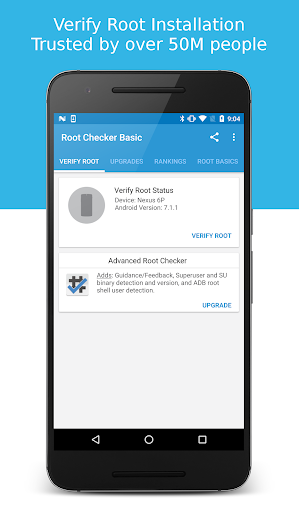
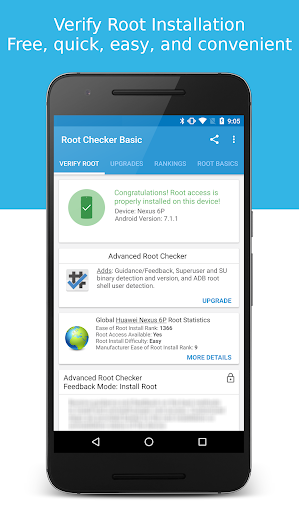
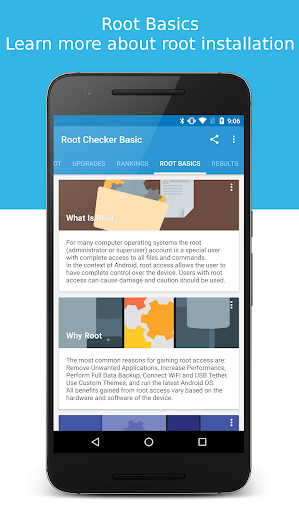
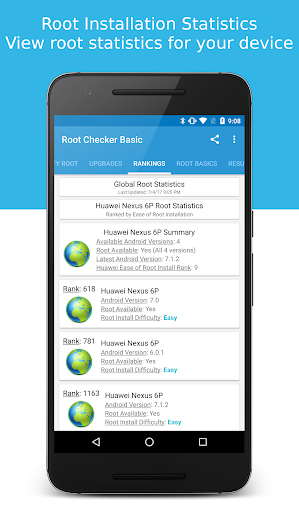
Verify proper root (superuser or su) access is configured and working using Root Checker! Free, fast, easy, and used on over 50 million Android devices, Root Checker shows the user whether or not root (superuser) access is properly installed and working.
This application provides even the newest Android user with a simple method to check their device for root (administrator, superuser, or su) access. The application provides a very simple user interface that easily notifies the user whether or not they have properly setup root (superuser) access.
*Feel free to email me with any questions. I always reply!*
This application will test the device for root (superuser) access using a very simple, quick, and reliable method that has been successful for over 50 million Android devices. The su binary is the most common binary used on Android devices to grant and manage root (superuser) access. Root Checker will check and verify that the su binary is located in a common standard location on the device. In addition, Root Checker will verify whether the su binary is properly functioning in granting root (superuser) access.
Many times users experience issues along the path of installing, configuring, and gaining root access or uninstalling and removing root access. For some users the process can seem complex while for others the process can seem simple. Regardless of the user's technical skill set, Root Checker, will quickly and correctly verify whether or not root access is 100% functioning. The process of confirming root access is sometimes known by other terms such as, gaining superuser access or gaining administrator access. Root Checker covers all these terms as they relate to one core function, being able to execute commands through the su binary with root access.
If the Superuser management applications (SuperSU, Superuser, etc.) are installed and working properly, these applications will prompt the user to accept or deny the root access request from Root Checker. Accepting the request will allow Root Checker to check for and confirm root access. Denying the request will result in Root Checker reporting no root access.
For scenarios when there is concern somebody else might have installed root access on the device, Root Checker can validate whether root access is installed providing more insight and knowledge.
Please don't leave negative feedback about a concern, bug or issue! Instead, please email me, tweet me, contact me on my web site - https://joeykrim.com/contact, IRC, or on the forums (XDA, RootzWiki, SDX, etc.) with your feedback, suggestions and comments!
Facebook AdChoices: https://m.facebook.com/ads/ad_choices
I do my best to assist as many people as possible and appreciate all the support that has made this application successful! Thank you!
更多

1. 下載逍遙安裝器並完成設置

2. 啟動逍遙後打開位於桌面上的谷歌商店

3. 在谷歌商店中搜尋Root Checker
Install
4. 下載並安裝Root Checker
5. 下載完成後點擊圖標來啟動

6. 透過逍遙享受在電腦上體驗Root Checker
逍遙安卓是優秀的安卓模擬器,全球超過5000萬用戶的優先選擇。逍遙安卓以虛擬化技術為核心,為用户打造突破手機配備局限的應用平台!
大屏精細展示;無限待機,超越電池和流量限制
鍵鼠,手把操作全面支持,操作更精準
用逍遙多開同時運行多個遊戲、應用。
Use Root Checker on PC by following steps: