Root Checker
更新日
現在のバージョン
1672447850
提供元

スマートフォンは不要!パソコンと同じようにキーボードとマウスで操作できます。MEmu Playは、あなたが待ち望んでいたすべての楽しみをお届けします。バッテリー残量や小さな画面を気にすることなく、Root Checkerをご利用ください。最新のMEmu 9は、Root CheckerをPCで体験するのに最適です!完璧なキーマッピングシステムにより、PCのようなスムーズな操作性を実現します。マルチインスタンス機能により、複数のアプリケーションを同時に実行できます。独自の仮想化エンジンがPCのパフォーマンスを最大限に引き出します。アプリを使用するだけでなく、高品質な体験を得ることができます。
もっと見る
Root CheckerをPCでダウンロード!大画面でより楽しむ。電源が落ちてしまうとか通信料が足りないとかの問題を心配する必要がなく、PCの大画面でより快適にゲームを楽しましょう! Verify proper root (superuser or su) access is configured and working using Root Checker!
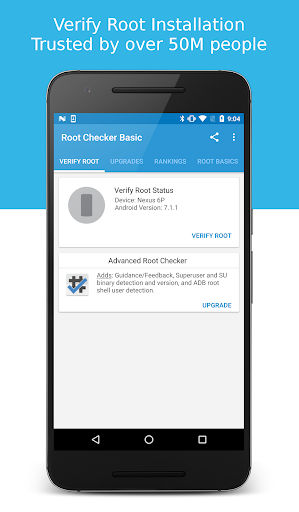
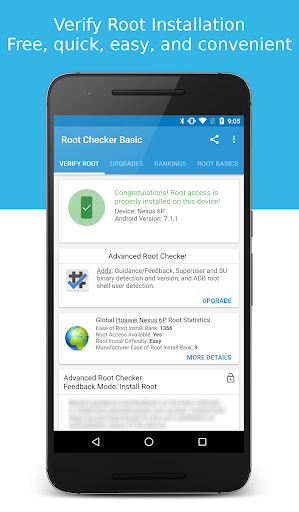
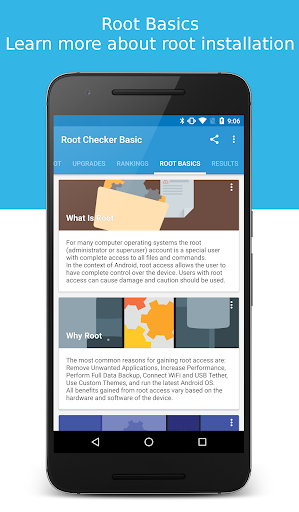
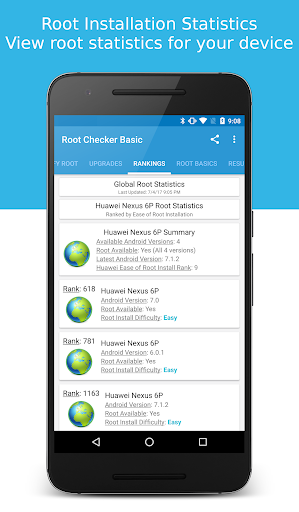
Verify proper root (superuser or su) access is configured and working using Root Checker! Free, fast, easy, and used on over 50 million Android devices, Root Checker shows the user whether or not root (superuser) access is properly installed and working.
This application provides even the newest Android user with a simple method to check their device for root (administrator, superuser, or su) access. The application provides a very simple user interface that easily notifies the user whether or not they have properly setup root (superuser) access.
*Feel free to email me with any questions. I always reply!*
This application will test the device for root (superuser) access using a very simple, quick, and reliable method that has been successful for over 50 million Android devices. The su binary is the most common binary used on Android devices to grant and manage root (superuser) access. Root Checker will check and verify that the su binary is located in a common standard location on the device. In addition, Root Checker will verify whether the su binary is properly functioning in granting root (superuser) access.
Many times users experience issues along the path of installing, configuring, and gaining root access or uninstalling and removing root access. For some users the process can seem complex while for others the process can seem simple. Regardless of the user's technical skill set, Root Checker, will quickly and correctly verify whether or not root access is 100% functioning. The process of confirming root access is sometimes known by other terms such as, gaining superuser access or gaining administrator access. Root Checker covers all these terms as they relate to one core function, being able to execute commands through the su binary with root access.
If the Superuser management applications (SuperSU, Superuser, etc.) are installed and working properly, these applications will prompt the user to accept or deny the root access request from Root Checker. Accepting the request will allow Root Checker to check for and confirm root access. Denying the request will result in Root Checker reporting no root access.
For scenarios when there is concern somebody else might have installed root access on the device, Root Checker can validate whether root access is installed providing more insight and knowledge.
Please don't leave negative feedback about a concern, bug or issue! Instead, please email me, tweet me, contact me on my web site - https://joeykrim.com/contact, IRC, or on the forums (XDA, RootzWiki, SDX, etc.) with your feedback, suggestions and comments!
Facebook AdChoices: https://m.facebook.com/ads/ad_choices
I do my best to assist as many people as possible and appreciate all the support that has made this application successful! Thank you!
もっと見る

1. MEmuインストーラーをダウンロードしてセットアップを完了する

2. MEmuを起動し、デスクトップでのPlayストアを開く

3. PlayストアでRoot Checkerを検索する
Install
4. Root Checkerをダウンロードしてインストールする
5. インストールが完了したら、アイコンをクリックしてスタート

6. MEmuを使ってパソコンでRoot Checkerを体験する
MEmu Playは現在、最高の無料Androidエミュレーターであり、5,000万人のユーザーが優れたAndroidアプリ体験を楽しんでいます。MEmuの仮想化テクノロジーにより、数千ものAndroidアプリをコンピューターでスムーズに実行できます。
大画面でより精細;無限の待機、電池とドラフィックの極限を超え
キーボード・マウス・コントローラーを全力でサポート、より快適
マルチインスタンスで複数のゲームを同時に実行
Use Root Checker on PC by following steps: