Voxa: Voice Translator & Chat
更新日期
目前版本
1.0.4
提供者

想體驗Voxa: Voice Translator & Chat,可是手機熒幕太小,一載軟體就變燙,怎麼辦?透過逍遙模擬器,在電腦的大熒幕上暢快體驗!用鍵鼠操作更精準流暢,逍遙模擬器滿足您的所有期待。在電腦上下載安裝Voxa: Voice Translator & Chat,不用擔心電池當掉,想體驗多久就多久,順暢跑一天~全新的逍遙模擬器9,絕對是您體驗Voxa: Voice Translator & Chat電腦版的最佳選擇。完美的按鍵映射系統讓Voxa: Voice Translator & Chat如PC軟體般順手;強大的多開功能可同時執行多個任務;獨家虛擬化技術更能徹底釋放電腦效能,保障長時間穩定運作。我們致力於不讓設備限制您的體驗,助您輕鬆高效,暢快無比!
更多
使用逍遙模擬器在電腦上享受Voxa: Voice Translator & Chat的卓越體驗。這是一款功能強大的免費安卓模擬器,為您提供數千款安卓應用程式的桌面版本。與好友互動,有效率完成工作,盡情享受! Break language barriers with Voxa: Voice Translator & Chat — a fast, accurate voice translator and audio translate tool built for real conversations.
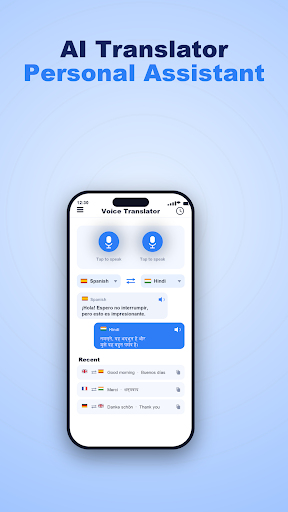
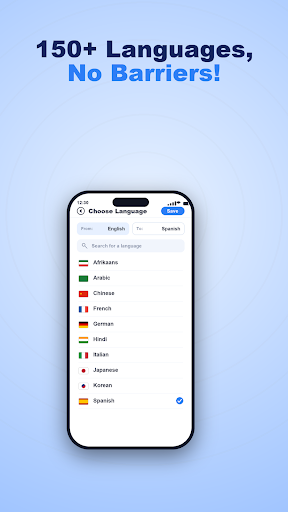
Break language barriers with Voxa: Voice Translator & Chat — a fast, accurate voice translator and audio translate tool built for real conversations. Whether you're traveling abroad, learning a new language, or chatting with friends around the world, Voxa helps you understand and be understood in seconds.
Main Features
Real-Time Voice Translator
Just speak and Voxa translates your voice instantly. Great for live, two-way conversations at home or on the go.
⌨ Text Translator
Type any word or sentence and get a fast, accurate translation across many languages.
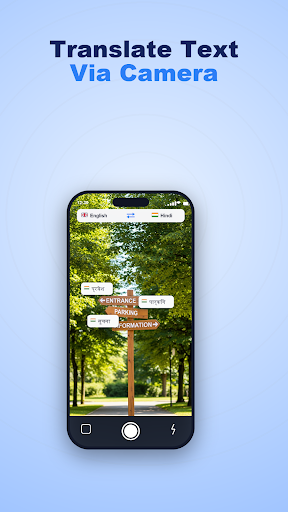
Camera Translator
Point your camera at menus, signs, or documents and see the translation right on your screen.
Audio Playback
Hear translations read aloud with clear, natural pronunciation so you can speak with confidence.
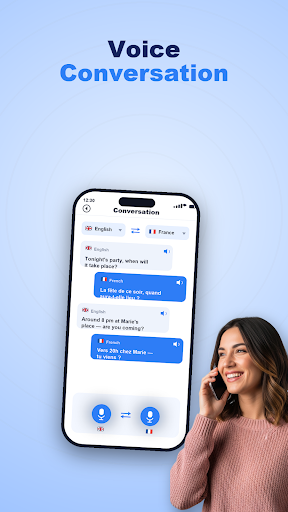
Conversation Mode
Switch between two languages and translate a back-and-forth conversation — perfect for travel, daily life, and meeting new people.
History & Dictionary
Save your translations, revisit past conversations, and look up words in the built-in dictionary to grow your vocabulary.
Why Voxa?
Voxa is an all-in-one language translator that brings voice, text, and camera translation together in one simple app. Designed for travelers, students, and professionals who want to communicate quickly and clearly in many languages.
Download Voxa: Voice Translator & Chat and start talking to the world.
Your feedback helps us make Voxa better — thank you for your support
更多

1. 下載逍遙安裝器並完成設置

2. 啟動逍遙後打開位於桌面上的谷歌商店

3. 在谷歌商店中搜尋Voxa: Voice Translator & Chat
Install
4. 下載並安裝Voxa: Voice Translator & Chat
5. 下載完成後點擊圖標來啟動

6. 透過逍遙享受在電腦上體驗Voxa: Voice Translator & Chat
逍遙安卓是優秀的安卓模擬器,全球超過5000萬用戶的優先選擇。逍遙安卓以虛擬化技術為核心,為用户打造突破手機配備局限的應用平台!
大屏精細展示;無限待機,超越電池和流量限制
鍵鼠,手把操作全面支持,操作更精準
用逍遙多開同時運行多個遊戲、應用。
Use Voxa: Voice Translator & Chat on PC by following steps: