Voxa: Voice Translator & Chat
Aggiornata
Versione corrente
1.0.4
Offerta da

Non devi più preoccuparti dei sovraccarichi durante l'utilizzo di Voxa: Voice Translator & Chat sul tuo cellulare, liberati dal piccolo schermo e goditi dell'App su uno schermo molto più grande. D'ora in poi, sperimenta la tua App a schermo intero con tastiera e mouse. MEmu ti offre tutte le sorprendenti funzioni che ti aspettavi: installazione rapida e impostazione semplice, controlli intuitivi, niente più limitazioni di batteria, dati mobili e chiamate fastidiose. Il MEmu 9 nuovo di zecca è la prima scelta per utilizzare Voxa: Voice Translator & Chat sul tuo computer. Codificato con il nostro assorbimento, il gestore multi-istanza consente di aprire 2 o più account contemporaneamente. E soprattutto, il nostro esclusivo motore di emulazione può sbloccare il pieno potenziale del tuo PC, rendendo tutto liscio e piacevole.
Mostra altro
Goditi un'esperienza straordinaria con Voxa: Voice Translator & Chat su PC con MEmu Play. È un potente emulatore Android gratuito che ti offre migliaia di app Android per la versione desktop. Divertiti a connetterti con gli amici e a perfezionare il tuo lavoro con maggiore efficienza! Break language barriers with Voxa: Voice Translator & Chat — a fast, accurate voice translator and audio translate tool built for real conversations.
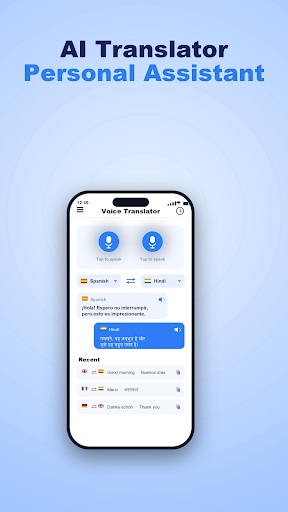
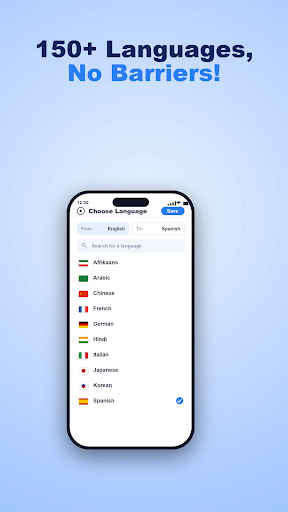
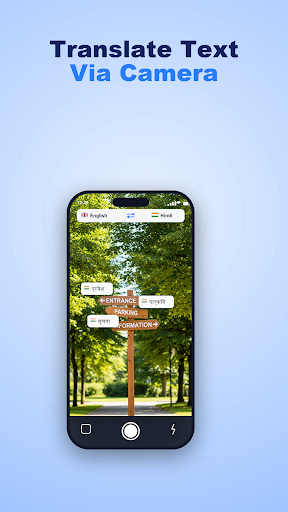
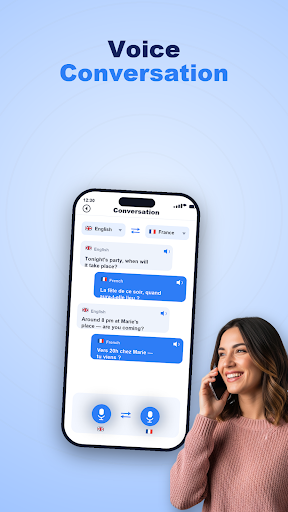
Break language barriers with Voxa: Voice Translator & Chat — a fast, accurate voice translator and audio translate tool built for real conversations. Whether you're traveling abroad, learning a new language, or chatting with friends around the world, Voxa helps you understand and be understood in seconds.
Main Features
Real-Time Voice Translator
Just speak and Voxa translates your voice instantly. Great for live, two-way conversations at home or on the go.
⌨ Text Translator
Type any word or sentence and get a fast, accurate translation across many languages.
Camera Translator
Point your camera at menus, signs, or documents and see the translation right on your screen.
Audio Playback
Hear translations read aloud with clear, natural pronunciation so you can speak with confidence.
Conversation Mode
Switch between two languages and translate a back-and-forth conversation — perfect for travel, daily life, and meeting new people.
History & Dictionary
Save your translations, revisit past conversations, and look up words in the built-in dictionary to grow your vocabulary.
Why Voxa?
Voxa is an all-in-one language translator that brings voice, text, and camera translation together in one simple app. Designed for travelers, students, and professionals who want to communicate quickly and clearly in many languages.
Download Voxa: Voice Translator & Chat and start talking to the world.
Your feedback helps us make Voxa better — thank you for your support
Mostra altro

1. Scarica il programma di installazione di MEmu e completa l'installazione

2. Avvia il Memu e apri il Google Play sulla homepage

3. Cerca Voxa: Voice Translator & Chat in Google Play
Install
4. Scarica e installa Voxa: Voice Translator & Chat
5. Al termine dell'installazione, fai clic sull'icona per avviar

6. Divertiti giocando a Voxa: Voice Translator & Chat su PC con MEmu
MEmu App Player è il miglior emulatore Android gratuito, utilizzato da 50 milioni di persone per ottenere un'esperienza di gioco Android superba. La tecnilogia di virtualizzazione MEmu ti permette di giocare a migliaia di giochi Android con semplicità sul tuo computer, anche i giochi con la grafica più esigente.
Schermo più grande con una grafica migliore; Lunga durata, senza limitazione di batteria o dati mobili.
Supporto completo per mappa di tastiera per un controllo preciso di tastiera e mouse o gamepad.
Multipli account di gioco o attività su un singolo PC contemporaneamente con il gestore di multi istanza.
Use Voxa: Voice Translator & Chat on PC by following steps: