Brain N-Back
تازہ کاری
موجودہ ورژن
1.4.8
پیشکش بذریعہ

Brain N-Back کھیلنے کے اپنے پورے جنون کے دوران آپ کے ہاتھ آپ کے فون کی ایک چھوٹی سی اسکرین تک محدود نہیں ہونے چاہئیں۔ پرو کی طرح کھیلیں اور کی بورڈ اور ماؤس کے سہارے اپنے گیم پر مکمل کنٹرول حاصل کریں۔ MEmu آپ کو وہ تمام چیزیں پیش کرتا ہے جس کی آپ امید کرتے ہیں۔ پی سی پر Brain N-Back ڈاؤن لوڈ کریں اور کھیلیں۔ جتنی دیر تک آپ چاہیں کھیلیں، بیٹری، موبائل ڈیٹا کی کوئی حد نہیں ہے اور پریشان کن کالز نہیں ہیں۔ نئے برانڈ کا MEmu 9 پی سی پر Brain N-Back کھیلنے کا بہترین اختیار ہے۔ ہماری مہارت کی مدد سے تیار کردہ، شاندار پری سیٹ کی میپنگ سسٹم Brain N-Back کو ایک ریئل پی سی گیم بناتا ہے۔ MEmu کثیر نظیری منیجرایک ہی ڈیوائس پر 2 یا زیادہ اکاؤنٹس پلے کرنا ممکن بناتا ہے۔ اور سب سے اہم بات یہ ہے کہ، ہمارا خصوصی ایمولیشن انجن آپ کے پی سی کی مکمل طاقت ریلیز کرتے ہوئے ہر چیز ہموار بنا سکتا ہے۔
مزید دکھائیں
MEmu Play کے ساتھ PC پر Brain N-Back ڈاؤن لوڈ کریں۔ بڑی اسکرین پر کھیلنے کا لطف اٹھائیں۔ WHAT IT IS:.
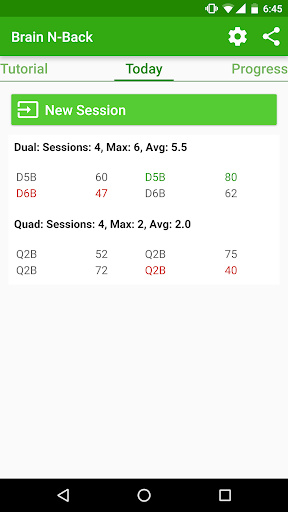
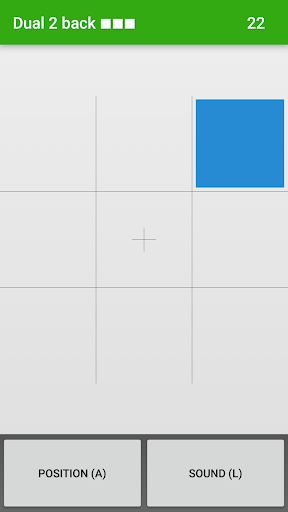
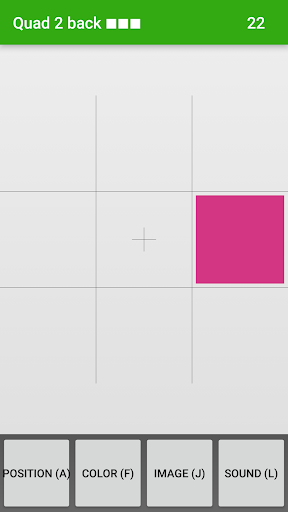
WHAT IT IS:
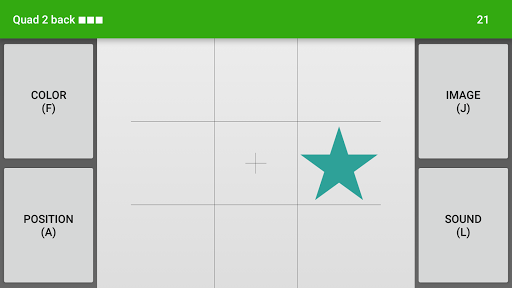
Dual N-Back has been shown to improve working memory and fluid intelligence, which was previously thought unchangable. This is a simple clone of Brain Workshop http://brainworkshop.sourceforge.net/ with a clean and fast interface. Audios are taken from the desktop game with its creator (Paul Hoskinson)'s permission.
VERSIONS:
There's no difference in terms of features between Brain N-Back and Brain N-Back Prime. They both exist for historical reasons. You can either pay for Brain N-Back Prime or get the free version (with ads) then donate to remove the ads later if you feel like it. Like us on Facebook! ^^ https://www.facebook.com/BrainNBack/
If you rate me less than 5 stars, consider leaving a comment. I've always tried to improve the app according to users' comments.
IMPORTANT INFORMATION:
Lots of people have complained based on a lack of proper understanding of the game's purpose. You might want to skim this FAQ: http://www.gwern.net/DNB%20FAQ
Or if you don't have time, skim FAQ below. In short, you should play using sheer intuition without strategizing (e.g. visualizing patterns, repeatedly recalling, etc.)
1. I want sound for Russian/French/...
==> You are not supposed to symbolize the sounds. Strategizing the game helps you play better, but will not work out your brain. What language it is shouldn't matter. The English sound shouldn't have been there in the first place. It is the default just to stay faithful with the original version. I reccommend you use Piano to reduce the risk of symbolizing the sound.
2. Please disable "auto advancement". I need to feel ready by practicing the lower level first.
==> Staying at your comfort level doesn't work out your brain. You are supposed to move on as soon as you do reasonably with the previous level. It doesn't matter if you keep failing at the higher level. It's the trying that works out your brain.
مزید دکھائیں

1. MEmu انسٹالر ڈاؤن لوڈ کریں اور سیٹ اپ مکمل کریں

2. MEmu شروع کریں اسکے بعد ڈیسکٹاپ پر Google Play کھولیں

3. Google Play میں Brain N-Back تلاش کریں
Install
4. Brain N-Back ڈاؤن لوڈ کریں اور انسٹال کریں
5. انسٹال مکمل ہونے کے بعد سٹارٹ کرنے کے لیے آئیکن پر کلک کریں

6. MEmu کے ساتھ پی سی پر Brain N-Back کھیلنے کا لطف لیں
MEmu پلے بہترین اینڈرائڈ ایمولیٹر ہے اور 100 ملین لوگ اس کے زبردست اینڈرائڈ گیمنگ تجربہ سے لطف اندوز ہو رہے ہیں۔ MEmu کی ورچولائزیشن ٹیکنالوجی آپ کو اپنے PC پر ہزاروں اینڈرائڈ گیمز یہاں تک کہ انتہائی گرافک والے گیمز باسہولت کھیلنے کی طاقت دیتی ہے۔
بہتر گرافکس کے ساتھ بڑی اسکرین؛ طویل دورانیہ، بیٹری یا لامحدود موبائل ڈیٹا کے بغیر۔
کی بورڈ اور ماؤس یا گیم پیڈ کے عین مطابق کنٹرول کے لیے کی میپنگ کا پورا سپورٹ۔
کثیر مثالی منیجر کے ساتھ بیک وقت ایک پی سی پر متعدد گیم اکاؤنٹس یا ٹاسکس۔
پی سی پر درج ذیل مراحل پر عمل کرتے ہوئے Brain N-Back کھیلیں: