Colour Game: Gods & Stories
تازہ کاری
موجودہ ورژن
1.3
پیشکش بذریعہ

Colour Game: Gods & Stories کھیلنے کے اپنے پورے جنون کے دوران آپ کے ہاتھ آپ کے فون کی ایک چھوٹی سی اسکرین تک محدود نہیں ہونے چاہئیں۔ پرو کی طرح کھیلیں اور کی بورڈ اور ماؤس کے سہارے اپنے گیم پر مکمل کنٹرول حاصل کریں۔ MEmu آپ کو وہ تمام چیزیں پیش کرتا ہے جس کی آپ امید کرتے ہیں۔ پی سی پر Colour Game: Gods & Stories ڈاؤن لوڈ کریں اور کھیلیں۔ جتنی دیر تک آپ چاہیں کھیلیں، بیٹری، موبائل ڈیٹا کی کوئی حد نہیں ہے اور پریشان کن کالز نہیں ہیں۔ نئے برانڈ کا MEmu 9 پی سی پر Colour Game: Gods & Stories کھیلنے کا بہترین اختیار ہے۔ ہماری مہارت کی مدد سے تیار کردہ، شاندار پری سیٹ کی میپنگ سسٹم Colour Game: Gods & Stories کو ایک ریئل پی سی گیم بناتا ہے۔ MEmu کثیر نظیری منیجرایک ہی ڈیوائس پر 2 یا زیادہ اکاؤنٹس پلے کرنا ممکن بناتا ہے۔ اور سب سے اہم بات یہ ہے کہ، ہمارا خصوصی ایمولیشن انجن آپ کے پی سی کی مکمل طاقت ریلیز کرتے ہوئے ہر چیز ہموار بنا سکتا ہے۔
مزید دکھائیں
Download Colour Game: Gods & Stories on PC with MEmu Android Emulator. Enjoy playing on big screen. Embark on a vibrant journey through the rich tapestry of Hindu mythology with "Colour Game: Hindu Gods and Stories.
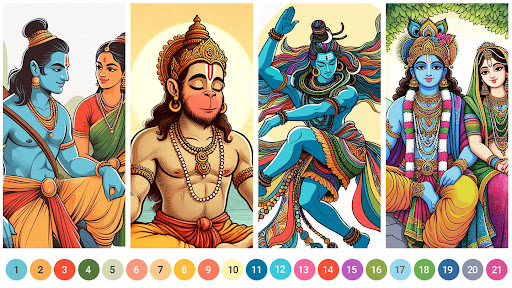
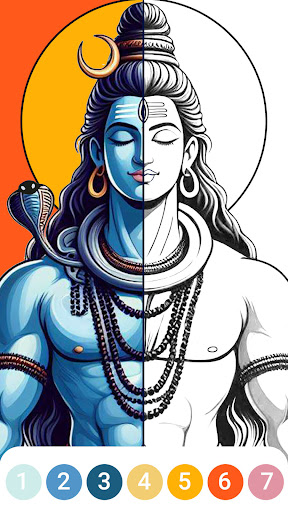
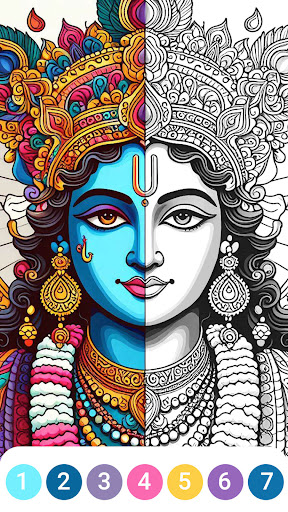
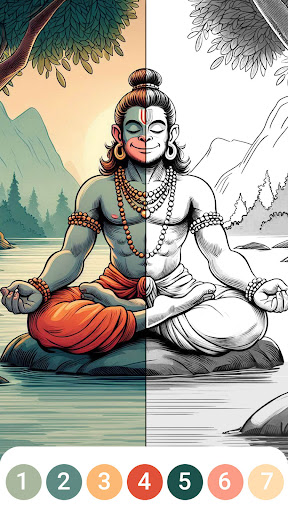
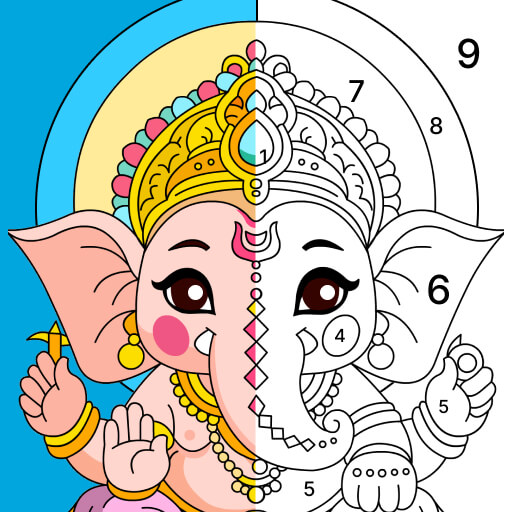
Embark on a vibrant journey through the rich tapestry of Hindu mythology with "Colour Game: Hindu Gods and Stories." This unique colouring game combines the ancient wisdom and captivating stories of Hindu Gods with the relaxing art of color by number. Immerse yourself in the divine tales of Shiva, Ram, Hanuman, Ganesh, Krishna, and more, as you bring their majestic god images to life with every stroke.
In "Colour Game: Hindu Gods and Stories," users can unwind and meditate through the calming activity of watercolor painting. Whether you’re seeking to relax after a long day or to deepen your devotion to the gods, this app offers a sanctuary of peace and creativity. Each image you color is intricately designed, ensuring that the beauty and essence of the gods are preserved and celebrated. The combination of happy colors and detailed god images makes each session of colouring an act of devotion and relaxation.
Our app features a vast collection of god images that cater to all skill levels, from beginners to advanced artists. Use the intuitive color by number system to easily navigate through the intricate patterns, ensuring a satisfying and meditative experience. As you progress, you will unlock stories and Hindi kahaniya related to each god, enriching your understanding and appreciation of Hindu mythology. Learn about the heroic exploits of Ram, the playful antics of Krishna, the powerful deeds of Hanuman, the wisdom of Ganesh, and the transformative energy of Shiva. "Colour Game: Hindu Gods and Stories" is more than just a colouring game; it’s a journey into the heart of Hindu devotion and mythology. Each session allows you to meditate on the virtues and stories of the gods, fostering a deeper connection and understanding. The app is designed to promote relaxation and mental well-being, making it a perfect companion for those looking to meditate through art.
The user-friendly interface ensures that everyone, regardless of age or artistic ability, can enjoy the therapeutic benefits of coloring. Choose from a variety of tools and color palettes that mimic the soothing effects of watercolor painting. The happy colors used in the app are carefully selected to promote a sense of joy and tranquility.
Our app also includes a unique feature where you can share your completed artworks with friends and family, spreading the beauty and stories of Hindu Gods far and wide. Each completed image can be saved to your device, creating a personal gallery of devotion and creativity.
Join the community of users who have found peace, joy, and a deeper connection to their spirituality through "Colour Game: Hindu Gods and Stories." Whether you’re looking to relax, meditate, or explore the fascinating world of Hindu mythology, our app provides a fulfilling and enriching experience. Download now and start your journey of devotion and creativity with Shiva, Ram, Hanuman, Ganesh, Krishna, and the many other gods who await your artistic touch.
Experience the perfect blend of art, mythology, and meditation with "Colour Game: Hindu Gods and Stories" - where every stroke is a step closer to divine tranquility.
مزید دکھائیں

1. MEmu انسٹالر ڈاؤن لوڈ کریں اور سیٹ اپ مکمل کریں

2. MEmu شروع کریں اسکے بعد ڈیسکٹاپ پر Google Play کھولیں

3. Google Play میں Colour Game: Gods & Stories تلاش کریں
Install
4. Colour Game: Gods & Stories ڈاؤن لوڈ کریں اور انسٹال کریں
5. انسٹال مکمل ہونے کے بعد سٹارٹ کرنے کے لیے آئیکن پر کلک کریں

6. MEmu کے ساتھ پی سی پر Colour Game: Gods & Stories کھیلنے کا لطف لیں
MEmu پلے بہترین اینڈرائڈ ایمولیٹر ہے اور 100 ملین لوگ اس کے زبردست اینڈرائڈ گیمنگ تجربہ سے لطف اندوز ہو رہے ہیں۔ MEmu کی ورچولائزیشن ٹیکنالوجی آپ کو اپنے PC پر ہزاروں اینڈرائڈ گیمز یہاں تک کہ انتہائی گرافک والے گیمز باسہولت کھیلنے کی طاقت دیتی ہے۔
بہتر گرافکس کے ساتھ بڑی اسکرین؛ طویل دورانیہ، بیٹری یا لامحدود موبائل ڈیٹا کے بغیر۔
کی بورڈ اور ماؤس یا گیم پیڈ کے عین مطابق کنٹرول کے لیے کی میپنگ کا پورا سپورٹ۔
کثیر مثالی منیجر کے ساتھ بیک وقت ایک پی سی پر متعدد گیم اکاؤنٹس یا ٹاسکس۔
پی سی پر درج ذیل مراحل پر عمل کرتے ہوئے Colour Game: Gods & Stories کھیلیں: