Out of Action
تازہ کاری
موجودہ ورژن
پیشکش بذریعہ

Out of Action کھیلنے کے اپنے پورے جنون کے دوران آپ کے ہاتھ آپ کے فون کی ایک چھوٹی سی اسکرین تک محدود نہیں ہونے چاہئیں۔ پرو کی طرح کھیلیں اور کی بورڈ اور ماؤس کے سہارے اپنے گیم پر مکمل کنٹرول حاصل کریں۔ MEmu آپ کو وہ تمام چیزیں پیش کرتا ہے جس کی آپ امید کرتے ہیں۔ پی سی پر Out of Action ڈاؤن لوڈ کریں اور کھیلیں۔ جتنی دیر تک آپ چاہیں کھیلیں، بیٹری، موبائل ڈیٹا کی کوئی حد نہیں ہے اور پریشان کن کالز نہیں ہیں۔ نئے برانڈ کا MEmu 9 پی سی پر Out of Action کھیلنے کا بہترین اختیار ہے۔ ہماری مہارت کی مدد سے تیار کردہ، شاندار پری سیٹ کی میپنگ سسٹم Out of Action کو ایک ریئل پی سی گیم بناتا ہے۔ MEmu کثیر نظیری منیجرایک ہی ڈیوائس پر 2 یا زیادہ اکاؤنٹس پلے کرنا ممکن بناتا ہے۔ اور سب سے اہم بات یہ ہے کہ، ہمارا خصوصی ایمولیشن انجن آپ کے پی سی کی مکمل طاقت ریلیز کرتے ہوئے ہر چیز ہموار بنا سکتا ہے۔
مزید دکھائیں
Download Out of Action on PC with MEmu Android Emulator. Enjoy playing on big screen. Out of Action is an exhilarating player-versus-player first-person shooter (PVP FPS) that thrusts players into the heart of a relentless cyberpunk universe, infused with a dark anime aesthetic.
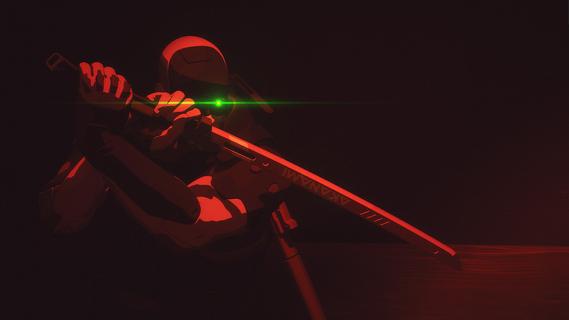
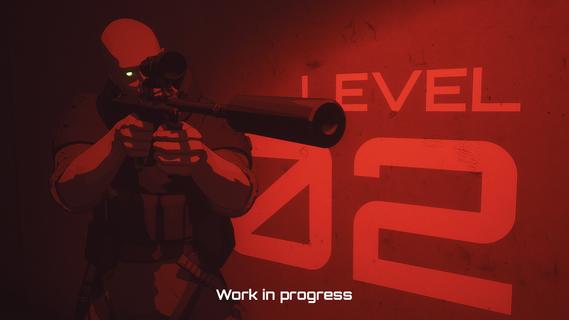
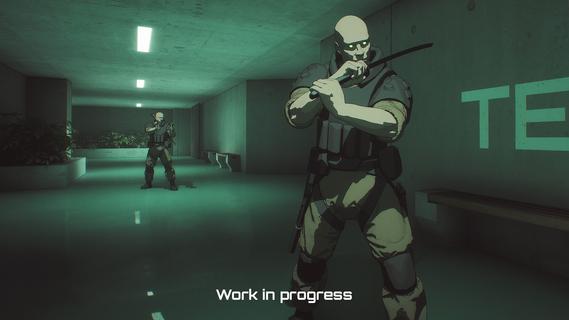
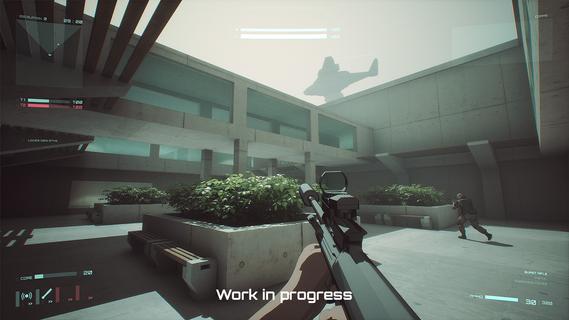
Out of Action is an exhilarating player-versus-player first-person shooter (PVP FPS) that thrusts players into the heart of a relentless cyberpunk universe, infused with a dark anime aesthetic. This dynamic shooter stands out for its blend of fast-paced tactical gameplay, intricate progression systems, and a world that oozes atmosphere and narrative detail. Set in a dystopian future where survival means outgunning and outsmarting your enemies, Out of Action challenges players with brutal arena battles across neon-lit streets, derelict urban zones, and high-tech corporate strongholds. Each map is expertly designed to encourage both strategic positioning and high-octane shootouts, rewarding quick reflexes as much as tactical forethought. What truly elevates Out of Action is its deep progression system. Players can choose from an array of operatives, each with unique abilities and weapon proficiencies, allowing for vastly different playstyles. Whether you prefer stealth and sniping or aggressive close-quarters combat, there is an operative to match your approach. As you play, you’ll earn experience, unlock new skills, customizations, and high-tech weaponry—all of which let you refine your loadouts and specialize your tactics to fit your evolving playstyle. Beyond its thrilling online multiplayer, Out of Action offers a robust, replayable offline mode. This mode pits you against challenging AI opponents in procedurally generated scenarios. Whether you're sharpening your skills, testing new loadouts, or just diving into the gritty story beats of the setting, the offline mode provides endless opportunities for improvement and experimentation without the pressures of online competition. Aesthetically, Out of Action is a visual standout. Its dark anime style brings the harsh realities of its cyberpunk world to life, featuring stylized character designs, atmospheric lighting, and immersive soundscapes. The art direction amplifies the intensity of the game, mixing neon glows, rain-slicked cityscapes, and haunting synth-inspired music to immerse you fully in its world. The narrative backdrop weaves themes of corporate greed, moral ambiguity, and survival in a society ruled by power and technology. Every battle isn’t just a fight for points, but a struggle for dominance in a world where alliances are fleeting, and betrayal lurks in every shadow. In summary, Out of Action is more than just a high-action FPS—it’s a cyberpunk experience where every match tells a story, every operative has a unique arc, and every session offers new challenge and growth. Whether you’re a competitive shooter veteran or a fan of immersive neo-noir worlds, this game promises to keep you coming back for more with its gripping gameplay, deep customization, and unforgettable style.
مزید دکھائیں

1. MEmu انسٹالر ڈاؤن لوڈ کریں اور سیٹ اپ مکمل کریں

2. MEmu شروع کریں اسکے بعد ڈیسکٹاپ پر Google Play کھولیں

3. Google Play میں Out of Action تلاش کریں
Install
4. Out of Action ڈاؤن لوڈ کریں اور انسٹال کریں
5. انسٹال مکمل ہونے کے بعد سٹارٹ کرنے کے لیے آئیکن پر کلک کریں

6. MEmu کے ساتھ پی سی پر Out of Action کھیلنے کا لطف لیں
MEmu پلے بہترین اینڈرائڈ ایمولیٹر ہے اور 100 ملین لوگ اس کے زبردست اینڈرائڈ گیمنگ تجربہ سے لطف اندوز ہو رہے ہیں۔ MEmu کی ورچولائزیشن ٹیکنالوجی آپ کو اپنے PC پر ہزاروں اینڈرائڈ گیمز یہاں تک کہ انتہائی گرافک والے گیمز باسہولت کھیلنے کی طاقت دیتی ہے۔
بہتر گرافکس کے ساتھ بڑی اسکرین؛ طویل دورانیہ، بیٹری یا لامحدود موبائل ڈیٹا کے بغیر۔
کی بورڈ اور ماؤس یا گیم پیڈ کے عین مطابق کنٹرول کے لیے کی میپنگ کا پورا سپورٹ۔
کثیر مثالی منیجر کے ساتھ بیک وقت ایک پی سی پر متعدد گیم اکاؤنٹس یا ٹاسکس۔
پی سی پر درج ذیل مراحل پر عمل کرتے ہوئے Out of Action کھیلیں: