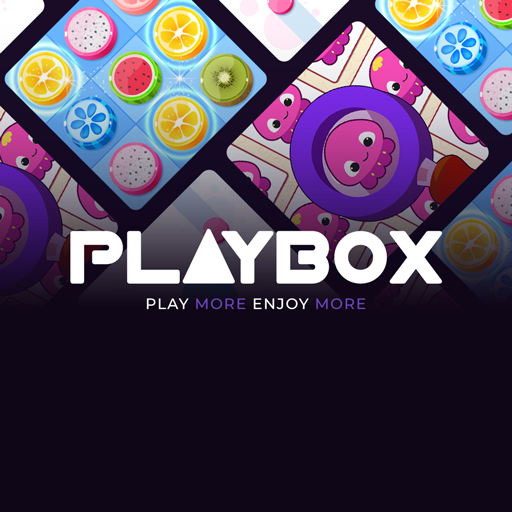
PlayBox: Multi-Game App
تازہ کاری
موجودہ ورژن
1.0.1
پیشکش بذریعہ

PlayBox: Multi-Game App کھیلنے کے اپنے پورے جنون کے دوران آپ کے ہاتھ آپ کے فون کی ایک چھوٹی سی اسکرین تک محدود نہیں ہونے چاہئیں۔ پرو کی طرح کھیلیں اور کی بورڈ اور ماؤس کے سہارے اپنے گیم پر مکمل کنٹرول حاصل کریں۔ MEmu آپ کو وہ تمام چیزیں پیش کرتا ہے جس کی آپ امید کرتے ہیں۔ پی سی پر PlayBox: Multi-Game App ڈاؤن لوڈ کریں اور کھیلیں۔ جتنی دیر تک آپ چاہیں کھیلیں، بیٹری، موبائل ڈیٹا کی کوئی حد نہیں ہے اور پریشان کن کالز نہیں ہیں۔ نئے برانڈ کا MEmu 9 پی سی پر PlayBox: Multi-Game App کھیلنے کا بہترین اختیار ہے۔ ہماری مہارت کی مدد سے تیار کردہ، شاندار پری سیٹ کی میپنگ سسٹم PlayBox: Multi-Game App کو ایک ریئل پی سی گیم بناتا ہے۔ MEmu کثیر نظیری منیجرایک ہی ڈیوائس پر 2 یا زیادہ اکاؤنٹس پلے کرنا ممکن بناتا ہے۔ اور سب سے اہم بات یہ ہے کہ، ہمارا خصوصی ایمولیشن انجن آپ کے پی سی کی مکمل طاقت ریلیز کرتے ہوئے ہر چیز ہموار بنا سکتا ہے۔
مزید دکھائیں
Download PlayBox: Multi-Game App on PC with MEmu Android Emulator. Enjoy playing on big screen. Welcome to PlayBox, the ultimate gaming destination that brings a world of fun and excitement right to your fingertips.
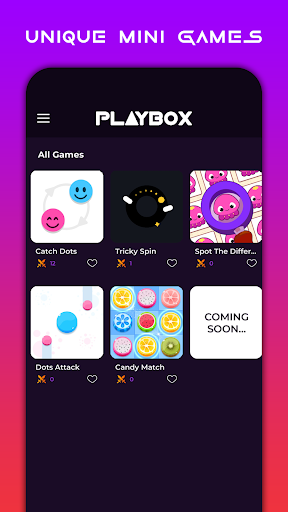
Welcome to PlayBox, the ultimate gaming destination that brings a world of fun and excitement right to your fingertips. Say goodbye to the hassle of downloading multiple games and hello to a single app that offers a diverse collection of thrilling games for all ages and preferences. Whether you're a casual gamer, a strategy enthusiast, or an action-packed adventurer, PlayBox has something special for you.
"PlayBox" current Game Collection:
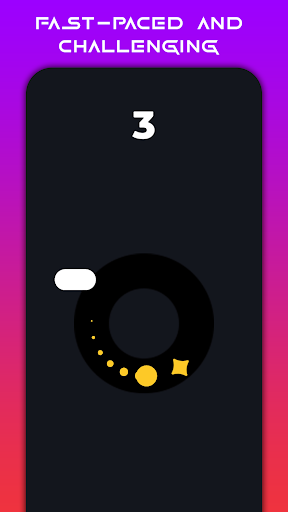
✔ Tricky Spin:
Tricky Spin is a fast-paced and challenging hyper-casual game. Dodge the white blocks and collect the spinning squares to gain points. Tap to switch the rotation direction of the circle.
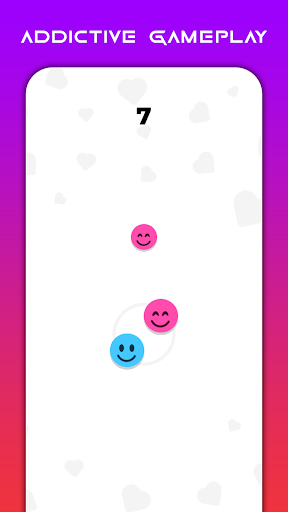
✔ Catch Dots:
Catch Dots is a arcade game of catching colored dots to pop the matching dots and improve your reflex and brain skills. Catch the right-colored falling dot by skillfully maneuvering your central dots on the screen. To successfully nab each approaching dot, smoothly sway your primary dots from side to side.
✔ Spot the Difference:
Spot the Difference is a popular and beneficial game that people of all ages enjoy playing. It improves your attention to detail, concentration, and pattern recognition skills. In "Spot the Difference", you'll be presented with a grid of objects, shapes, or images. Your mission is to identify the one item that doesn't quite fit in with the rest. There is timer, adding an element of excitement and urgency to the game.
✔ Dots Attack:
Dots Attack is a simple puzzle game. To play this game, simply use your finger to click on the screen and change the color of the dot.
If the dot attacking is pink switch the center ball to pink. If it is blue, switch it to blue. Test your reflexes with this quick addictive game
until you slip up. Play again to beat your own best score.
✔ Candy Match:
Candy Match is brain-teasing puzzle game. This one is among the most entertaining visual games that develop focus and counting skills. You have to choose the candy that have color which you see the most on candies. As you progress, more challenging puzzles with increasingly intricate puzzles await to test your powers of observation and concentration.
Play more to beat your own best score in given timer.
✔ MORE Games coming soon
Key Features:
✔ One App, Many Games: With PlayBox, you gain access to a constantly expanding library of games from various genres.
Enjoy classics, brain-teasing puzzle games, strategy challenges, and more, all in one place.
✔ User-Friendly Interface: PlayBox offers an intuitive and easy-to-navigate interface, making it suitable for players of all ages and skill levels.
No more searching through app stores or dealing with complicated setups; it's all right here.
Get ready to play, compete, and have a blast – all in one box!
مزید دکھائیں

1. MEmu انسٹالر ڈاؤن لوڈ کریں اور سیٹ اپ مکمل کریں

2. MEmu شروع کریں اسکے بعد ڈیسکٹاپ پر Google Play کھولیں

3. Google Play میں PlayBox: Multi-Game App تلاش کریں
Install
4. PlayBox: Multi-Game App ڈاؤن لوڈ کریں اور انسٹال کریں
5. انسٹال مکمل ہونے کے بعد سٹارٹ کرنے کے لیے آئیکن پر کلک کریں

6. MEmu کے ساتھ پی سی پر PlayBox: Multi-Game App کھیلنے کا لطف لیں
MEmu پلے بہترین اینڈرائڈ ایمولیٹر ہے اور 100 ملین لوگ اس کے زبردست اینڈرائڈ گیمنگ تجربہ سے لطف اندوز ہو رہے ہیں۔ MEmu کی ورچولائزیشن ٹیکنالوجی آپ کو اپنے PC پر ہزاروں اینڈرائڈ گیمز یہاں تک کہ انتہائی گرافک والے گیمز باسہولت کھیلنے کی طاقت دیتی ہے۔
بہتر گرافکس کے ساتھ بڑی اسکرین؛ طویل دورانیہ، بیٹری یا لامحدود موبائل ڈیٹا کے بغیر۔
کی بورڈ اور ماؤس یا گیم پیڈ کے عین مطابق کنٹرول کے لیے کی میپنگ کا پورا سپورٹ۔
کثیر مثالی منیجر کے ساتھ بیک وقت ایک پی سی پر متعدد گیم اکاؤنٹس یا ٹاسکس۔
پی سی پر درج ذیل مراحل پر عمل کرتے ہوئے PlayBox: Multi-Game App کھیلیں: