SAKURA School Simulator
تازہ کاری
موجودہ ورژن
1.048.08
پیشکش بذریعہ

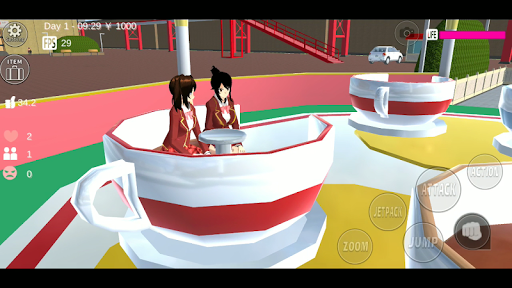
SAKURA School Simulator کھیلنے کے اپنے پورے جنون کے دوران آپ کے ہاتھ آپ کے فون کی ایک چھوٹی سی اسکرین تک محدود نہیں ہونے چاہئیں۔ پرو کی طرح کھیلیں اور کی بورڈ اور ماؤس کے سہارے اپنے گیم پر مکمل کنٹرول حاصل کریں۔ MEmu آپ کو وہ تمام چیزیں پیش کرتا ہے جس کی آپ امید کرتے ہیں۔ پی سی پر SAKURA School Simulator ڈاؤن لوڈ کریں اور کھیلیں۔ جتنی دیر تک آپ چاہیں کھیلیں، بیٹری، موبائل ڈیٹا کی کوئی حد نہیں ہے اور پریشان کن کالز نہیں ہیں۔ نئے برانڈ کا MEmu 9 پی سی پر SAKURA School Simulator کھیلنے کا بہترین اختیار ہے۔ ہماری مہارت کی مدد سے تیار کردہ، شاندار پری سیٹ کی میپنگ سسٹم SAKURA School Simulator کو ایک ریئل پی سی گیم بناتا ہے۔ MEmu کثیر نظیری منیجرایک ہی ڈیوائس پر 2 یا زیادہ اکاؤنٹس پلے کرنا ممکن بناتا ہے۔ اور سب سے اہم بات یہ ہے کہ، ہمارا خصوصی ایمولیشن انجن آپ کے پی سی کی مکمل طاقت ریلیز کرتے ہوئے ہر چیز ہموار بنا سکتا ہے۔
مزید دکھائیں
Download SAKURA School Simulator on PC with MEmu Android Emulator. Enjoy playing on big screen. احتیاط.
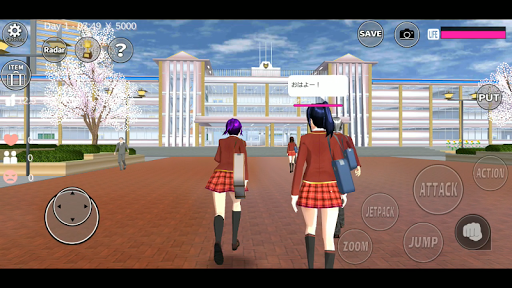
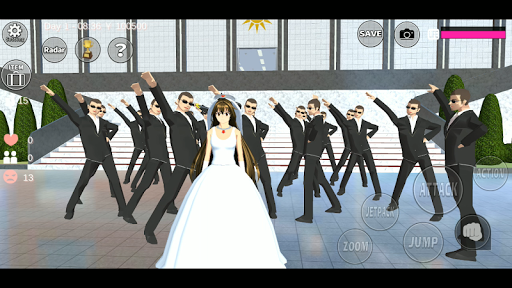
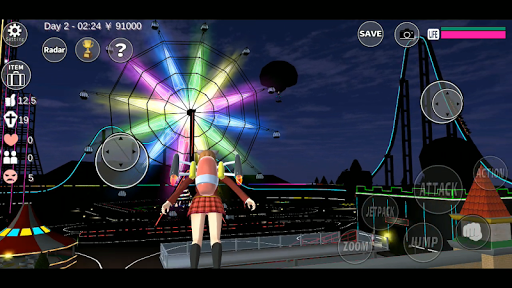
احتیاط
* ہموار کھیل کے لیے تجویز کردہ ماحول:
3GB سے زیادہ RAM اور Snapdragon 820 سے زیادہ
اگر آپ کے آلے میں یہ وضاحتیں نہیں ہیں،
یہ کھیل آسانی سے کام نہیں کرتا ہے۔
"لگی ہونا"، "شٹ ڈاؤن"، "کم میموری کا مسئلہ" جلد ہی پیش آئے گا۔
اگر یہ پریشانی آپ کے گیم شروع کرنے کے فوراً بعد ہوتی ہے،
گیم یا ڈیوائس کو دوبارہ شروع کریں،
تبدیلی کی ترتیب "طلباء اور افراد کو کم کریں" ہموار کھیل کے لیے موثر ہے۔
یہ گیم کھیلنے میں بہت زیادہ CPU اور GPU استعمال ہوتا ہے،
جتنا آپ کر سکتے ہیں دوسری ایپلیکیشنز کو بند کریں۔
اس کھیل سے لطف اندوز ہونے کے دو طریقے ہیں۔
(1)
اپنی پسند کے مطابق دوست اور محبت کرنے والوں کو بنائیں۔
ایک شاندار اسکول کی زندگی کا لطف اٹھائیں!
(2)
اپنی مرضی کے مطابق ہنگامے پر جائیں۔
ایسا کرنے سے پہلے، YAKUZA کے دفتر سے ہتھیار ادھار لیں۔
اگر آپ "اڑنا" نہیں روکتے ہیں تو آپ انہیں آسانی سے حاصل کر سکتے ہیں۔
جب آپ کے پاس کھیلنے کے لیے کچھ سوالات ہوں تو گیم میں "مدد" پڑھیں۔
یہ کھیل ایک "سمیلیٹر" ہے۔ لہذا، دشمنوں کو شکست دینے کے بہت سے طریقے ہیں.
بلاشبہ، اگر آپ انہیں خود سے شکست دینا چاہتے ہیں، تو آپ اسے آسانی سے کر سکتے ہیں۔
دوسری طرف، اگر آپ انہیں ہتھیاروں کے بغیر شکست دینا چاہتے ہیں، تو یقیناً آپ کر سکتے ہیں۔
کھیل میں خون کی کوئی تفصیل نہیں ہے۔
کھیل کی دنیا میں لوگ صرف "حیران" ہوں گے لیکن مریں گے نہیں۔
موت کا تصور اس کھیل میں موجود نہیں ہے۔
تاکہ وہ لوگ جو دنگ رہ گئے تھے اگلے دن جاگیں گے، اور وہ تم سے نفرت کریں گے۔
آپ ایک ہی مرحلے میں 4 کھلاڑیوں کو کنٹرول اور تبدیل کر سکتے ہیں (یہ دونوں ADS دیکھنے کے بعد درست ہیں۔)
آپ کے پاس بات کرنے کے لیے کچھ انتخاب ہیں (حواس بے ترتیب بدل جائیں گے)۔
آپ نقالی کے ذریعے دشمنوں کو شکست دیتے ہیں۔
آپ کو دشمنوں سے لڑنے کی ضرورت نہیں ہے۔
راستے تلاش کریں۔
اس کھیل میں کوئی انتہا نہیں ہے۔
براہ کرم حالات کو اپنی پسند کے مطابق بنائیں، اور کھیلنے کے لیے پسندیدہ طریقہ تلاش کریں۔
ہم امید کرتے ہیں کہ آپ کھیل سے لطف اندوز ہوں گے۔
اس گیم کے مواد کو شامل کیا جائے گا جب ہم نئے گیم عناصر بنائیں گے۔
اضافی مواد کو اس صفحہ میں "نئے" سیاق و سباق کے طور پر دکھایا جائے گا۔
*اطلاع
اگرچہ ہم نے اس گیم میں AOI اور TAICHI کے کریکٹر ماڈل استعمال کیے،
AOI ایک غیر مفت اثاثہ ہے اور TAICHI ایک مفت اثاثہ ہے۔
ہر وہ شخص جو گیم کا مواد وغیرہ بنانا چاہتا ہے وہ ان اثاثوں کو استعمال کر سکتا ہے۔
بہت شکریہ!
سکرب-چان (سی)بیجو مائیک
(C)2018 Garussoft K.K.
مزید دکھائیں

1. MEmu انسٹالر ڈاؤن لوڈ کریں اور سیٹ اپ مکمل کریں

2. MEmu شروع کریں اسکے بعد ڈیسکٹاپ پر Google Play کھولیں

3. Google Play میں SAKURA School Simulator تلاش کریں
Install
4. SAKURA School Simulator ڈاؤن لوڈ کریں اور انسٹال کریں
5. انسٹال مکمل ہونے کے بعد سٹارٹ کرنے کے لیے آئیکن پر کلک کریں

6. MEmu کے ساتھ پی سی پر SAKURA School Simulator کھیلنے کا لطف لیں
MEmu پلے بہترین اینڈرائڈ ایمولیٹر ہے اور 100 ملین لوگ اس کے زبردست اینڈرائڈ گیمنگ تجربہ سے لطف اندوز ہو رہے ہیں۔ MEmu کی ورچولائزیشن ٹیکنالوجی آپ کو اپنے PC پر ہزاروں اینڈرائڈ گیمز یہاں تک کہ انتہائی گرافک والے گیمز باسہولت کھیلنے کی طاقت دیتی ہے۔
بہتر گرافکس کے ساتھ بڑی اسکرین؛ طویل دورانیہ، بیٹری یا لامحدود موبائل ڈیٹا کے بغیر۔
کی بورڈ اور ماؤس یا گیم پیڈ کے عین مطابق کنٹرول کے لیے کی میپنگ کا پورا سپورٹ۔
کثیر مثالی منیجر کے ساتھ بیک وقت ایک پی سی پر متعدد گیم اکاؤنٹس یا ٹاسکس۔
پی سی پر درج ذیل مراحل پر عمل کرتے ہوئے SAKURA School Simulator کھیلیں: