Amantran
تازہ کاری
موجودہ ورژن
1.1.24
پیشکش بذریعہ

اپنے موبائل فون پر Amantran کا استعمال کرتے وقت زیادہ چارج ہونے کی فکر نہ کریں، خود کو چھوٹی اسکرین سے آزاد کریں اور ایپ کو زیادہ بڑے ڈسپلے پر استعمال کرنے کا لطف اٹھائیں۔ اس کے بعد سے کی بورڈ اور ماؤس کے ساتھ اپنے ایپ کا فل اسکرین کا تجربہ حاصل کریں۔ MEmu آپ کو وہ تمام حیران کن خصوصیات پیش کرتا ہے جن کی آپ کو توقع کرتے ہیں: فوری انسٹال اور آسان سیٹ اپ، وجدانی کنٹرول، مزید بیٹری، موبائل ڈیٹا کی کوئی حد نہیں اور اب مزید پریشان کن کالز نہیں۔ نئے برانڈ کا MEmu 9 آپ کے کمپیوٹر پر Amantran استعمال کرنے کے لیے بہترین اختیار ہے۔ MEmu کثیر نظیری منیجر بیک وقت 2 یا اس سے زیادہ اکاؤنٹس کھولنا ممکن بناتا ہے۔ اور سب اہم بات، ہمارا خصوصی ایمولیشن انجن آپ کے پی سی کی پوری طاقت ریلیز کرتے ہوئے ہر چیز ہموار اور قابل تفریح بناتا ہے۔
مزید دکھائیں
Download Amantran on PC with MEmu Android Emulator. Enjoy playing on big screen. "Amantran'' helps you to create your personalized wedding cards, capture this moment for a lifetime in the form of a story or a card and share it with all without much hassle.

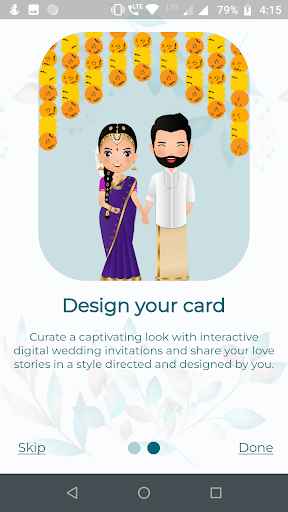
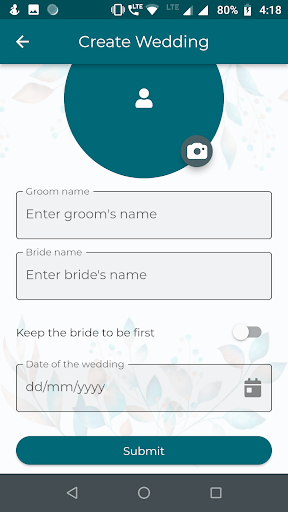
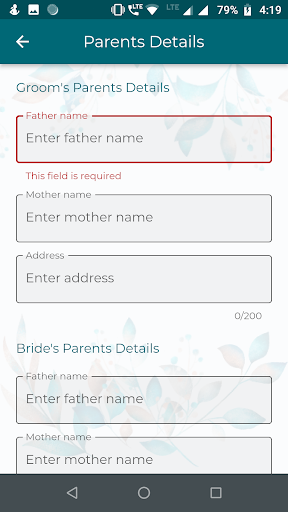
"Amantran'' helps you to create your personalized wedding cards, capture this moment for a lifetime in the form of a story or a card and share it with all without much hassle. While you have a lot to manage at your wedding, you can make a list of all things, set reminders, make notes and important of all, manage the incomings and outgoings of your guests. Have real-time experiences of clicking and sharing the pictures of your events and functions and let anyone can post and view from the same space.
This app allows guests to connect with other guests as well. There is no limit to users can join a wedding if the creator allows it. While you can do all those things, we have also taken care of your other important segments.
You can:
- You can manage multiple weddings at the same time either as a creator or as a guest.
- Create events and send invites to your desired guests doesn't matter if the numbers are in the hundreds or in the thousands.
- You can always manage the last-minute changes if your cards and other invites are digital.
Share the feelings, emotions and blessings of your loved ones from another city or another country. We have taken care of all.
مزید دکھائیں

1. MEmu انسٹالر ڈاؤن لوڈ کریں اور سیٹ اپ مکمل کریں

2. MEmu شروع کریں اسکے بعد ڈیسکٹاپ پر Google Play کھولیں

3. Google Play میں Amantran تلاش کریں
Install
4. Amantran ڈاؤن لوڈ کریں اور انسٹال کریں
5. انسٹال مکمل ہونے کے بعد سٹارٹ کرنے کے لیے آئیکن پر کلک کریں

6. MEmu کے ساتھ پی سی پر Amantran کھیلنے کا لطف لیں
MEmu پلے بہترین اینڈرائڈ ایمولیٹر ہے اور 100 ملین لوگ اس کے زبردست اینڈرائڈ گیمنگ تجربہ سے لطف اندوز ہو رہے ہیں۔ MEmu کی ورچولائزیشن ٹیکنالوجی آپ کو اپنے PC پر ہزاروں اینڈرائڈ گیمز یہاں تک کہ انتہائی گرافک والے گیمز باسہولت کھیلنے کی طاقت دیتی ہے۔
بہتر گرافکس کے ساتھ بڑی اسکرین؛ طویل دورانیہ، بیٹری یا لامحدود موبائل ڈیٹا کے بغیر۔
کی بورڈ اور ماؤس یا گیم پیڈ کے عین مطابق کنٹرول کے لیے کی میپنگ کا پورا سپورٹ۔
کثیر مثالی منیجر کے ساتھ بیک وقت ایک پی سی پر متعدد گیم اکاؤنٹس یا ٹاسکس۔
پی سی پر درج ذیل مراحل پر عمل کرتے ہوئے پر Amantran استعمال کریں: u003c/p>