AuraLook: OLED Notifications
تازہ کاری
موجودہ ورژن
1.4.1
پیشکش بذریعہ

اپنے موبائل فون پر AuraLook: OLED Notifications کا استعمال کرتے وقت زیادہ چارج ہونے کی فکر نہ کریں، خود کو چھوٹی اسکرین سے آزاد کریں اور ایپ کو زیادہ بڑے ڈسپلے پر استعمال کرنے کا لطف اٹھائیں۔ اس کے بعد سے کی بورڈ اور ماؤس کے ساتھ اپنے ایپ کا فل اسکرین کا تجربہ حاصل کریں۔ MEmu آپ کو وہ تمام حیران کن خصوصیات پیش کرتا ہے جن کی آپ کو توقع کرتے ہیں: فوری انسٹال اور آسان سیٹ اپ، وجدانی کنٹرول، مزید بیٹری، موبائل ڈیٹا کی کوئی حد نہیں اور اب مزید پریشان کن کالز نہیں۔ نئے برانڈ کا MEmu 9 آپ کے کمپیوٹر پر AuraLook: OLED Notifications استعمال کرنے کے لیے بہترین اختیار ہے۔ MEmu کثیر نظیری منیجر بیک وقت 2 یا اس سے زیادہ اکاؤنٹس کھولنا ممکن بناتا ہے۔ اور سب اہم بات، ہمارا خصوصی ایمولیشن انجن آپ کے پی سی کی پوری طاقت ریلیز کرتے ہوئے ہر چیز ہموار اور قابل تفریح بناتا ہے۔
مزید دکھائیں
MEmu Play کے ساتھ PC پر AuraLook: OLED Notifications استعمال کرنے کے شاندار تجربے سے لطف اٹھائیں۔ یہ ایک طاقتور مفت اینڈرائیڈ ایمولیٹر ہے جو آپ کو ان کے ڈیسک ٹاپ ورژن کے لیے ہزاروں اینڈرائیڈ ایپس فراہم کرتا ہے۔ دوستوں کے ساتھ جڑنے اور اعلی کارکردگی کے ساتھ اپنے کام کو چمکانے کا لطف اٹھائیں! Tired of Android's boring lockscreen notifications?
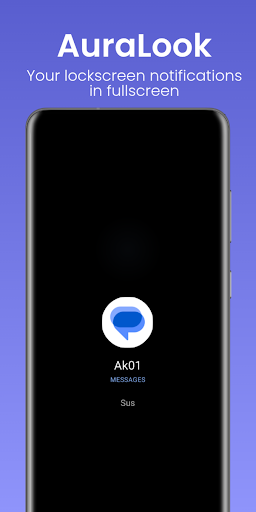
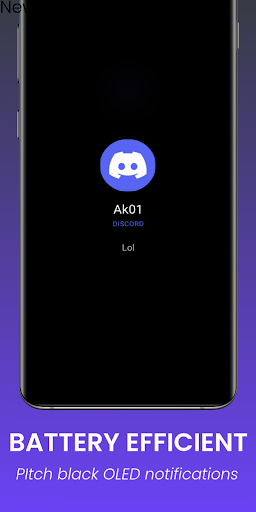
Tired of Android's boring lockscreen notifications? Missing important messages in a messy notification tray? AuraLook intercepts your incoming alerts and presents them on a beautifully minimalist, pure OLED black canvas.
Bringing the iconic ShortLook aesthetic to Android, AuraLook gives your device a premium, cinematic lock screen experience without draining your battery.
HOW IT WORKS
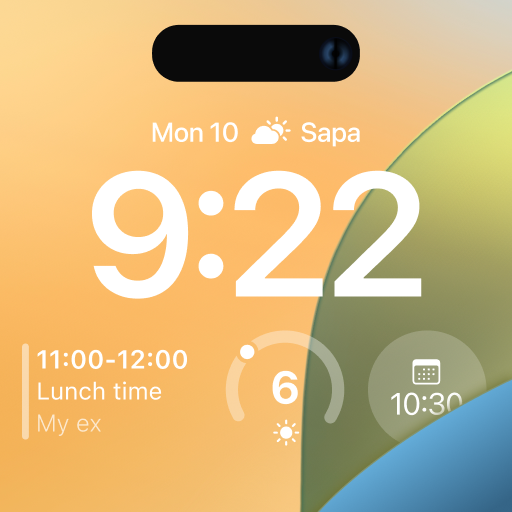
AuraLook only triggers when your screen is OFF. When a notification arrives, it gracefully animates a massive app icon on a pitch-black background. It works seamlessly whether your Always On Display (AOD) is enabled or off, serving as the ultimate ambient display replacement.
SMART FILTERING
Your screen shouldn't wake for every background task.
• DND Sync: If your phone is on Do Not Disturb, AuraLook stays completely quiet.
• Clutter Control: Automatically ignores silent alerts, music players, and ongoing downloads.
OLED BATTERY SAVER
AuraLook uses a true black background, keeping OLED/AMOLED pixels completely turned off. You get maximum visibility with minimal battery drain.
FLUID GESTURES
• Single tap to dismiss.
• Double tap to sleep (Requires accessibility service).
• Swipe up to directly open the notification.
100% OFFLINE & PRIVATE
AuraLook requires ZERO internet permissions. It is physically impossible for the app to transmit data, read messages, or upload contact photos. Everything stays locally on your device.
AURALOOK PRO
Upgrade with a simple one-time purchase to unlock deep customization (No subscriptions!):
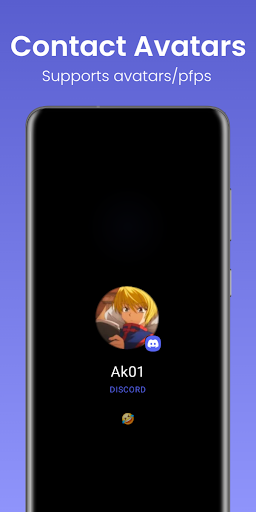
• Contact Avatars: See the actual profile picture of the person messaging you.
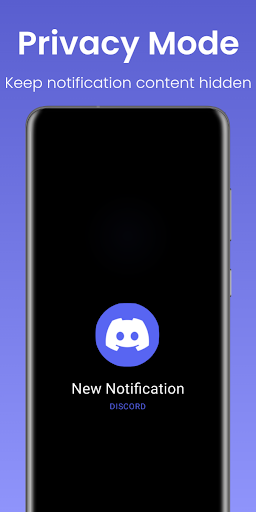
• Privacy Mode: Hide sensitive message content from notifications.
• Manage Apps: Choose exactly which apps are allowed to wake your screen.
COMPATIBILITY NOTES
• Smartwatches: Fully compatible with Wear OS (Galaxy Watch, Pixel Watch). If notifications stop syncing to third-party watches, simply disable the 'DND approach' in AuraLook’s advanced settings or disable DND Sync in your smartwatch companion app.
• System Conflicts: To prevent overlapping UI, turn off native screen-waking features (e.g., Pixel's "Wake screen for notifications").
(Uses the Notification Listener Service to detect alerts, and Accessibility Service API solely to securely turn your screen off.)
مزید دکھائیں

1. MEmu انسٹالر ڈاؤن لوڈ کریں اور سیٹ اپ مکمل کریں

2. MEmu شروع کریں اسکے بعد ڈیسکٹاپ پر Google Play کھولیں

3. Google Play میں AuraLook: OLED Notifications تلاش کریں
Install
4. AuraLook: OLED Notifications ڈاؤن لوڈ کریں اور انسٹال کریں
5. انسٹال مکمل ہونے کے بعد سٹارٹ کرنے کے لیے آئیکن پر کلک کریں

6. MEmu کے ساتھ پی سی پر AuraLook: OLED Notifications کھیلنے کا لطف لیں
MEmu پلے بہترین اینڈرائڈ ایمولیٹر ہے اور 100 ملین لوگ اس کے زبردست اینڈرائڈ گیمنگ تجربہ سے لطف اندوز ہو رہے ہیں۔ MEmu کی ورچولائزیشن ٹیکنالوجی آپ کو اپنے PC پر ہزاروں اینڈرائڈ گیمز یہاں تک کہ انتہائی گرافک والے گیمز باسہولت کھیلنے کی طاقت دیتی ہے۔
بہتر گرافکس کے ساتھ بڑی اسکرین؛ طویل دورانیہ، بیٹری یا لامحدود موبائل ڈیٹا کے بغیر۔
کی بورڈ اور ماؤس یا گیم پیڈ کے عین مطابق کنٹرول کے لیے کی میپنگ کا پورا سپورٹ۔
کثیر مثالی منیجر کے ساتھ بیک وقت ایک پی سی پر متعدد گیم اکاؤنٹس یا ٹاسکس۔
پی سی پر درج ذیل مراحل پر عمل کرتے ہوئے پر AuraLook: OLED Notifications استعمال کریں: u003c/p>