GBWhats Latest Version 19
تازہ کاری
موجودہ ورژن
1.1
پیشکش بذریعہ

اپنے موبائل فون پر GBWhats Latest Version 19 کا استعمال کرتے وقت زیادہ چارج ہونے کی فکر نہ کریں، خود کو چھوٹی اسکرین سے آزاد کریں اور ایپ کو زیادہ بڑے ڈسپلے پر استعمال کرنے کا لطف اٹھائیں۔ اس کے بعد سے کی بورڈ اور ماؤس کے ساتھ اپنے ایپ کا فل اسکرین کا تجربہ حاصل کریں۔ MEmu آپ کو وہ تمام حیران کن خصوصیات پیش کرتا ہے جن کی آپ کو توقع کرتے ہیں: فوری انسٹال اور آسان سیٹ اپ، وجدانی کنٹرول، مزید بیٹری، موبائل ڈیٹا کی کوئی حد نہیں اور اب مزید پریشان کن کالز نہیں۔ نئے برانڈ کا MEmu 9 آپ کے کمپیوٹر پر GBWhats Latest Version 19 استعمال کرنے کے لیے بہترین اختیار ہے۔ MEmu کثیر نظیری منیجر بیک وقت 2 یا اس سے زیادہ اکاؤنٹس کھولنا ممکن بناتا ہے۔ اور سب اہم بات، ہمارا خصوصی ایمولیشن انجن آپ کے پی سی کی پوری طاقت ریلیز کرتے ہوئے ہر چیز ہموار اور قابل تفریح بناتا ہے۔
مزید دکھائیں
Download GBWhats Latest Version 19 on PC with MEmu Android Emulator. Enjoy playing on big screen. gbwhattsapp is a provider which provides this mod.
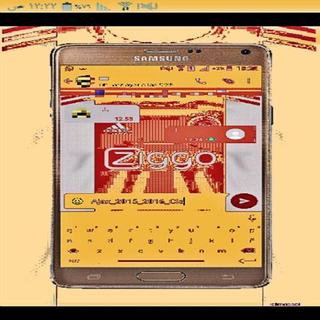
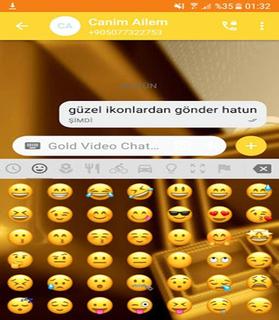

gbwhattsapp is a provider which provides this mod. You can download it from his site. As we all know the popularity of gbwhatts 2018. . gbwhatts Latest Version is available for gbwhatts Latest Version and Andrid platform. You can run it on PC also using gbwhattsaaapp web. It is easily accessible and you are needed to scan a QR code which is displayed on your PC’s screen, using your mobile.Features of gbwhatts:* You can change gbwhattsapp icon and set its notifications settings too.* You can set group name instead of 35 characters* You can put characters of 255 characters instead of 139 characters.* You can send images up to 90 in one click instead of 10 images..• Barcode Scanner.• Flashlight supported for low-light environments. • Nice and simple User Interface.• You can use same chat account on mobiles and tablets.• Whats web - Double chat, double the fun!• Simple way to use• Also provide you to all information about to how scan QR codeYou can easily run it on your Android device and you don’t have to root your device. There are a lot of things that you can do with this mod. You can hide your last seen, Hide Second tick, Hide Blue Tick, etc.How to Download gbwhatts app:For Android* Make sure that the default search engine of your browser is set to Google, Bing, etc. Why? Because you can trust them.* In the search bar, type gbwhatts App APK download” and click on the search button of the browser.* GB whats app APK download* The first step is to open a preferred browser on your Android device. It could be any browser. You can use your default browser.* Once you get all the search results, you can choose any one, which you find authentic and trustable with good reviews. Click on it to enter that website.* In the website, try to find the ‘download’ button. Be careful, as there can be two or more ‘Download’ buttons. Press the one, which has no Ads and does not blinking. So after clicking, you will be asked by your browser to start the downloading process. Click Download and then the downloading will start. Wait till downloading process takes place. You can close the browser when you file will get downloaded.Things that are App Account Additional features:- Support each mobile (All devices)- Quicker load (Cache support)- 110% Zoomed to get more awareness- password Lock and Landscape Portrait Mode Reinforced hindi.- parallel two accounts & Messenger like feature saver.* Installation Guide For gbwhattsapp* Go to settings-> security and check ‘Unknown Sources’.* Once you got your APK, follow the next instructions.There is another way to download GBwhat app’s APK. Torrent is a good option but to use it, you have to be regular on it. It is not recommended for the beginners to try this as they will get confused in the torrent world and will end in giving up on downloading this game. So it is better for you to follow these above instructions if you don’t know, how to download a file from a torrent site* After installation, check menu for fmwhat app. Enjoy.* Go to the ‘Download’ folder and here you will find gbwhatts app’s APK.* Click on it and then click on install button.Verdict:This is a good app. It is not directly available for android but you can run it using the steps that are given above. There are many features and on an easy say, it will basically save your time and can do things in a much simpler way. There are also some super cool gbwhatts themes available for Android devices. You will get fresh look in the app easily.Note : This app is a third party app and is affiliated to Whatsapp.This app is used by everyone. GB Whats Latest Version is available for gbwhatts and Android platform.Note : This app is a third party app and is not affiliated to Whatsapp.This app is used by everyone. GB Whats Latest Version is available for gbwhattsaappp and Android platform.
مزید دکھائیں

1. MEmu انسٹالر ڈاؤن لوڈ کریں اور سیٹ اپ مکمل کریں

2. MEmu شروع کریں اسکے بعد ڈیسکٹاپ پر Google Play کھولیں

3. Google Play میں GBWhats Latest Version 19 تلاش کریں
Install
4. GBWhats Latest Version 19 ڈاؤن لوڈ کریں اور انسٹال کریں
5. انسٹال مکمل ہونے کے بعد سٹارٹ کرنے کے لیے آئیکن پر کلک کریں

6. MEmu کے ساتھ پی سی پر GBWhats Latest Version 19 کھیلنے کا لطف لیں
MEmu پلے بہترین اینڈرائڈ ایمولیٹر ہے اور 100 ملین لوگ اس کے زبردست اینڈرائڈ گیمنگ تجربہ سے لطف اندوز ہو رہے ہیں۔ MEmu کی ورچولائزیشن ٹیکنالوجی آپ کو اپنے PC پر ہزاروں اینڈرائڈ گیمز یہاں تک کہ انتہائی گرافک والے گیمز باسہولت کھیلنے کی طاقت دیتی ہے۔
بہتر گرافکس کے ساتھ بڑی اسکرین؛ طویل دورانیہ، بیٹری یا لامحدود موبائل ڈیٹا کے بغیر۔
کی بورڈ اور ماؤس یا گیم پیڈ کے عین مطابق کنٹرول کے لیے کی میپنگ کا پورا سپورٹ۔
کثیر مثالی منیجر کے ساتھ بیک وقت ایک پی سی پر متعدد گیم اکاؤنٹس یا ٹاسکس۔
پی سی پر درج ذیل مراحل پر عمل کرتے ہوئے پر GBWhats Latest Version 19 استعمال کریں: u003c/p>