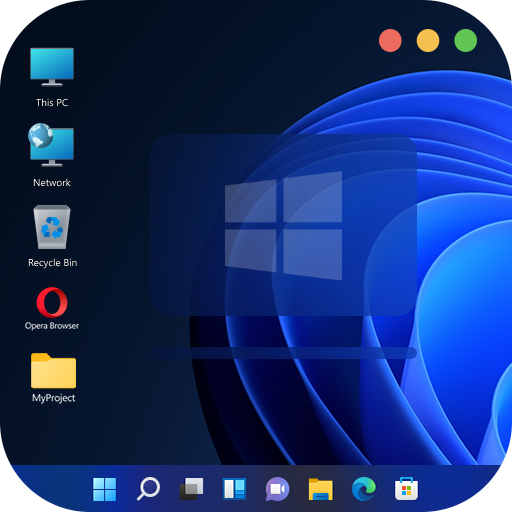
Computer Launcher
تازہ کاری
موجودہ ورژن
1.0.1
پیشکش بذریعہ

اپنے موبائل فون پر Computer Launcher کا استعمال کرتے وقت زیادہ چارج ہونے کی فکر نہ کریں، خود کو چھوٹی اسکرین سے آزاد کریں اور ایپ کو زیادہ بڑے ڈسپلے پر استعمال کرنے کا لطف اٹھائیں۔ اس کے بعد سے کی بورڈ اور ماؤس کے ساتھ اپنے ایپ کا فل اسکرین کا تجربہ حاصل کریں۔ MEmu آپ کو وہ تمام حیران کن خصوصیات پیش کرتا ہے جن کی آپ کو توقع کرتے ہیں: فوری انسٹال اور آسان سیٹ اپ، وجدانی کنٹرول، مزید بیٹری، موبائل ڈیٹا کی کوئی حد نہیں اور اب مزید پریشان کن کالز نہیں۔ نئے برانڈ کا MEmu 9 آپ کے کمپیوٹر پر Computer Launcher استعمال کرنے کے لیے بہترین اختیار ہے۔ MEmu کثیر نظیری منیجر بیک وقت 2 یا اس سے زیادہ اکاؤنٹس کھولنا ممکن بناتا ہے۔ اور سب اہم بات، ہمارا خصوصی ایمولیشن انجن آپ کے پی سی کی پوری طاقت ریلیز کرتے ہوئے ہر چیز ہموار اور قابل تفریح بناتا ہے۔
مزید دکھائیں
Download Computer Launcher on PC with MEmu Android Emulator. Enjoy playing on big screen. Customize your phone with unique look and feel of the fastest launcher.
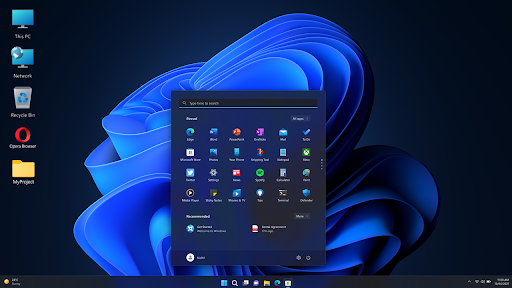
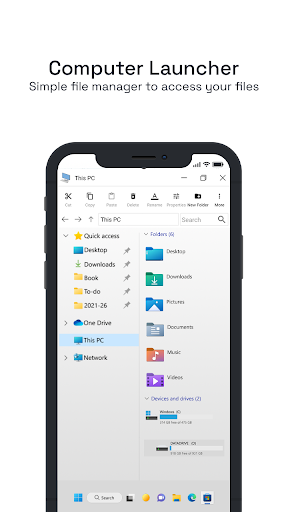
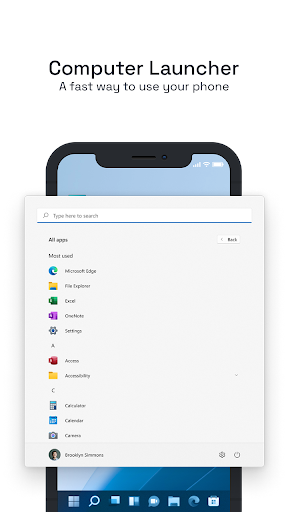
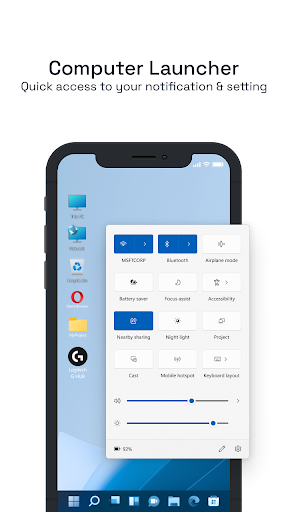
Customize your phone with unique look and feel of the fastest launcher. Amaze your loved one with computer look of your Android and also share it with your loved ones.
Desktop PC style Computer launcher Win 11 Launcher on your Android , Why to have old fashioned launcher when you can have win 11 launcher in your hand , Check out the new computer launcher for your Android smart phones
With this Launcher, we are bringing Win-11 look and feel to the android platform to increase the productivity, and reduce the learning curve to use the device, be it phone or a tablet. Supports Win-11 and Win-12 look and feel with no ads to spoil your fun.
Get win operating system's look on your Android app with all the features and functionality. This android app will give you a unique user interface on your smartphone. If you are bored with the same android launcher then install this app now.
✒️ Main Features :
✓ Start Menu like Computer
✓ win 10 tile look
✓ Create shortcuts on desktop
✓ Create contacts on desktop
✓ Place apps on desktop
✓ Drag and Drop
✓ Most used apps list
✓ Easy access and search to the Apps
✓ Get details of all of your drives, SD Card, Storage, audio and video files and pictures in PC style
✓ Computer Launcher Taskbar exact look
✓ Get notify when a notification comes by using Computer Launcher Notifier with number counter
✓ Place Widgets on desktop , resize , drag drop
✓ Add home page
✓ Drag and drop for all actions
✓ Clock Widget on desktop and taskbar
✓ Weather Widget
✓ News Widget
✓ RAM info widget and Ram Clean
✓ Rename desktop folders
✓ Live Premium Wallpapers and Themes
✓ Weather, Calendar and Photos tiles Added
✓ Unlimited Themes
✓ Lock Screen Feature
✓ Hide App Feature
✓ Multi Color Support for Desktop , Start Menu and Task bar
✓ Themes and Icon Pack
✓ Change applications in Taskbar
Thank you for your support.
Note: we are taking app accessibility permission to enable screenshots service. This permission can not read or access any data. So it is safe app.
مزید دکھائیں

1. MEmu انسٹالر ڈاؤن لوڈ کریں اور سیٹ اپ مکمل کریں

2. MEmu شروع کریں اسکے بعد ڈیسکٹاپ پر Google Play کھولیں

3. Google Play میں Computer Launcher تلاش کریں
Install
4. Computer Launcher ڈاؤن لوڈ کریں اور انسٹال کریں
5. انسٹال مکمل ہونے کے بعد سٹارٹ کرنے کے لیے آئیکن پر کلک کریں

6. MEmu کے ساتھ پی سی پر Computer Launcher کھیلنے کا لطف لیں
MEmu پلے بہترین اینڈرائڈ ایمولیٹر ہے اور 100 ملین لوگ اس کے زبردست اینڈرائڈ گیمنگ تجربہ سے لطف اندوز ہو رہے ہیں۔ MEmu کی ورچولائزیشن ٹیکنالوجی آپ کو اپنے PC پر ہزاروں اینڈرائڈ گیمز یہاں تک کہ انتہائی گرافک والے گیمز باسہولت کھیلنے کی طاقت دیتی ہے۔
بہتر گرافکس کے ساتھ بڑی اسکرین؛ طویل دورانیہ، بیٹری یا لامحدود موبائل ڈیٹا کے بغیر۔
کی بورڈ اور ماؤس یا گیم پیڈ کے عین مطابق کنٹرول کے لیے کی میپنگ کا پورا سپورٹ۔
کثیر مثالی منیجر کے ساتھ بیک وقت ایک پی سی پر متعدد گیم اکاؤنٹس یا ٹاسکس۔
پی سی پر درج ذیل مراحل پر عمل کرتے ہوئے پر Computer Launcher استعمال کریں: u003c/p>