Dual Space Pro -Multi Accounts
تازہ کاری
موجودہ ورژن
3.0.5
پیشکش بذریعہ

اپنے موبائل فون پر Dual Space Pro -Multi Accounts کا استعمال کرتے وقت زیادہ چارج ہونے کی فکر نہ کریں، خود کو چھوٹی اسکرین سے آزاد کریں اور ایپ کو زیادہ بڑے ڈسپلے پر استعمال کرنے کا لطف اٹھائیں۔ اس کے بعد سے کی بورڈ اور ماؤس کے ساتھ اپنے ایپ کا فل اسکرین کا تجربہ حاصل کریں۔ MEmu آپ کو وہ تمام حیران کن خصوصیات پیش کرتا ہے جن کی آپ کو توقع کرتے ہیں: فوری انسٹال اور آسان سیٹ اپ، وجدانی کنٹرول، مزید بیٹری، موبائل ڈیٹا کی کوئی حد نہیں اور اب مزید پریشان کن کالز نہیں۔ نئے برانڈ کا MEmu 9 آپ کے کمپیوٹر پر Dual Space Pro -Multi Accounts استعمال کرنے کے لیے بہترین اختیار ہے۔ MEmu کثیر نظیری منیجر بیک وقت 2 یا اس سے زیادہ اکاؤنٹس کھولنا ممکن بناتا ہے۔ اور سب اہم بات، ہمارا خصوصی ایمولیشن انجن آپ کے پی سی کی پوری طاقت ریلیز کرتے ہوئے ہر چیز ہموار اور قابل تفریح بناتا ہے۔
مزید دکھائیں
Download Dual Space Pro -Multi Accounts on PC with MEmu Android Emulator. Enjoy playing on big screen. Dual Space Pro is the new version we released recently.
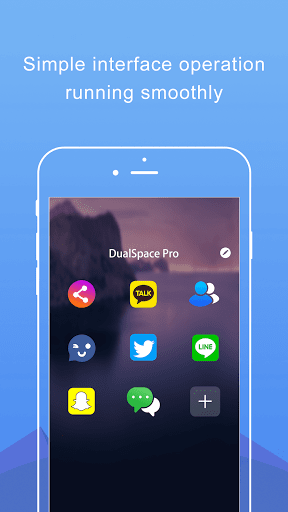
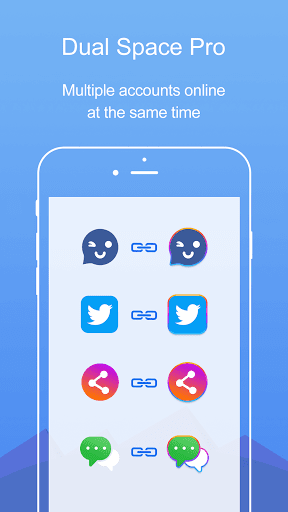
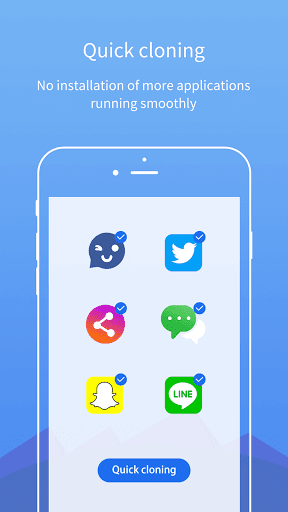
Dual Space Pro is the new version we released recently. It provides features that cloning one application multiple times. Unlimited multiple accounts and keep them all online at the same time.
Did you have to frequently switch different social account of same app on your phone?
Have you ever used two or more phones for keeping your accounts online just in case of missing any message from WhatsApp?
Now, the black technology, Dual Space Pro has released! It can perfectly solve your problem! You can easily use one phone to log in multiple accounts and keep them all online at the same time! And you don’t need to worry about the message reception and data storage problem of different accounts, because they will work independently and with no interference to each other.
Keep multiple social accounts logged in simultaneously.
· Keep your personal accounts and work accounts both online at the same time, and you can balance between life and work easily.
· Almost all social apps are supported for a second account in Dual Space Pro. Data from different accounts will not interfere with each other.
Privacy zone & apps-clone function
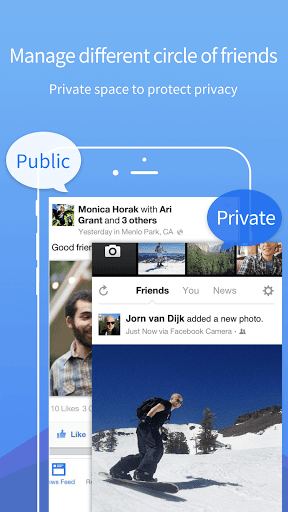
· Do you want to make your own secret account will not be found? Dual Space Pro build a privacy zone for you, leaving no trace in the phone system. It can make your private account hidden and can not be seen by others, so your data security is ensured and your privacy is protected.
· Dual Space Pro is a latest technology that can clone applications. We do not install more applications in your phone, so that your phone will runs very smoothly!
Fast switch different accounts with just one key
· Two accounts are running simultaneously on your phone, you can easily switch them with just one key, then effective manage different accounts.
Highlights
· We have researched tool software for many years, while provides multiple accounts logging in service also can ensure stable operation.
· Simple interface operation.
· APP‘s file small, low CPU Consume, low power consumption.
· Quick cloning,all applications can be double-opened.
Notes:
· Permissions: Dual Space Pro have applied for as much system permissions as we can to ensure that applications cloned in Dual Space Pro will run normally.For example, if Dual Space Pro is not permitted to acquire camera permission, you will be unable to use camera function in some apps that run in Dual Space Pro. Dual Space Pro does not collect your personal information to protect privacy.
· Malicious virus warning:We found that some antivirus software maliciously pop up a virus warning because of Dual Space Pro apply for system permissions. If you experience this situation, please don't worry. Dual Space Pro is an absolutely safe application, does not contain any virus.
· Notifications: Please add Dual Space Pro to whitelist of some boost apps to ensure that notification of some cloned apps work well.
If you like our application, please give us five-star praise, your encouragement is our greatest motivation! Thank you!
If you have any questions or suggestions, welcome to send an e-mail to contact us, we will be honored to help you!
Email address: internationalludashi@gmail.com
مزید دکھائیں

1. MEmu انسٹالر ڈاؤن لوڈ کریں اور سیٹ اپ مکمل کریں

2. MEmu شروع کریں اسکے بعد ڈیسکٹاپ پر Google Play کھولیں

3. Google Play میں Dual Space Pro -Multi Accounts تلاش کریں
Install
4. Dual Space Pro -Multi Accounts ڈاؤن لوڈ کریں اور انسٹال کریں
5. انسٹال مکمل ہونے کے بعد سٹارٹ کرنے کے لیے آئیکن پر کلک کریں

6. MEmu کے ساتھ پی سی پر Dual Space Pro -Multi Accounts کھیلنے کا لطف لیں
MEmu پلے بہترین اینڈرائڈ ایمولیٹر ہے اور 100 ملین لوگ اس کے زبردست اینڈرائڈ گیمنگ تجربہ سے لطف اندوز ہو رہے ہیں۔ MEmu کی ورچولائزیشن ٹیکنالوجی آپ کو اپنے PC پر ہزاروں اینڈرائڈ گیمز یہاں تک کہ انتہائی گرافک والے گیمز باسہولت کھیلنے کی طاقت دیتی ہے۔
بہتر گرافکس کے ساتھ بڑی اسکرین؛ طویل دورانیہ، بیٹری یا لامحدود موبائل ڈیٹا کے بغیر۔
کی بورڈ اور ماؤس یا گیم پیڈ کے عین مطابق کنٹرول کے لیے کی میپنگ کا پورا سپورٹ۔
کثیر مثالی منیجر کے ساتھ بیک وقت ایک پی سی پر متعدد گیم اکاؤنٹس یا ٹاسکس۔
پی سی پر درج ذیل مراحل پر عمل کرتے ہوئے پر Dual Space Pro -Multi Accounts استعمال کریں: u003c/p>