Energy Ring: Universal Edition
تازہ کاری
موجودہ ورژن
ER_UNI_7.8_BETA
پیشکش بذریعہ

اپنے موبائل فون پر Energy Ring: Universal Edition کا استعمال کرتے وقت زیادہ چارج ہونے کی فکر نہ کریں، خود کو چھوٹی اسکرین سے آزاد کریں اور ایپ کو زیادہ بڑے ڈسپلے پر استعمال کرنے کا لطف اٹھائیں۔ اس کے بعد سے کی بورڈ اور ماؤس کے ساتھ اپنے ایپ کا فل اسکرین کا تجربہ حاصل کریں۔ MEmu آپ کو وہ تمام حیران کن خصوصیات پیش کرتا ہے جن کی آپ کو توقع کرتے ہیں: فوری انسٹال اور آسان سیٹ اپ، وجدانی کنٹرول، مزید بیٹری، موبائل ڈیٹا کی کوئی حد نہیں اور اب مزید پریشان کن کالز نہیں۔ نئے برانڈ کا MEmu 9 آپ کے کمپیوٹر پر Energy Ring: Universal Edition استعمال کرنے کے لیے بہترین اختیار ہے۔ MEmu کثیر نظیری منیجر بیک وقت 2 یا اس سے زیادہ اکاؤنٹس کھولنا ممکن بناتا ہے۔ اور سب اہم بات، ہمارا خصوصی ایمولیشن انجن آپ کے پی سی کی پوری طاقت ریلیز کرتے ہوئے ہر چیز ہموار اور قابل تفریح بناتا ہے۔
مزید دکھائیں
Download Energy Ring: Universal Edition on PC with MEmu Android Emulator. Enjoy playing on big screen. This is the original battery indicator around punch hole cameras, Energy Ring.
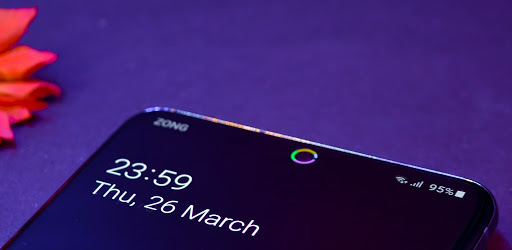
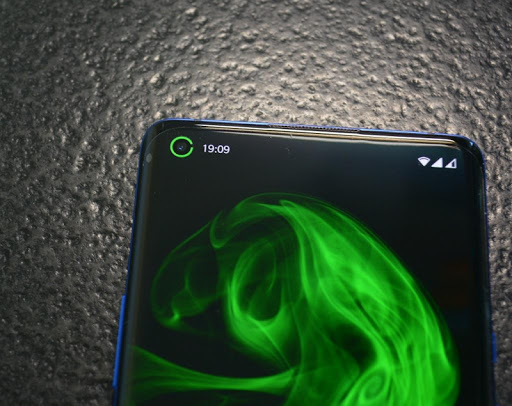
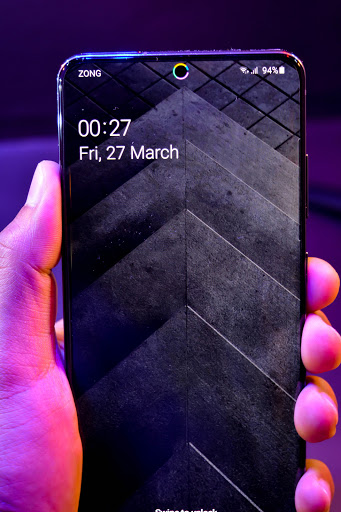
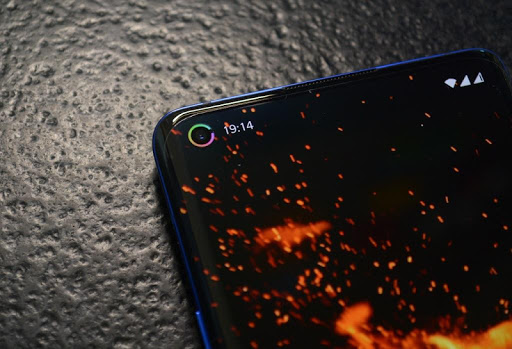
This is the original battery indicator around punch hole cameras, Energy Ring. Beware of dangerous fake Apps.
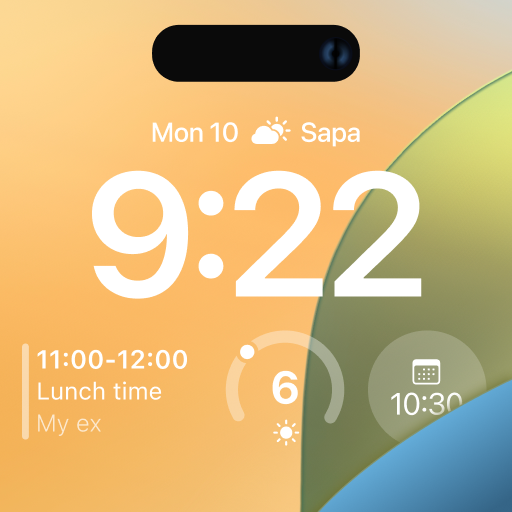
With the latest update, Energy Ring can glow up when any App/System accesses camera / microphone / GPS, this is courtesy of Access Dots App integration.
Energy Ring + Access Dots = Access Rings!
Supported Devices:
* Galaxy Z Fold 2/3, Z Flip (3), S10, S20, S20 FE, S21, S22, Note 10, Note 20 series, Z Flip (5G), A60/51/71, m40, m31s
* Pixel 4a (5G), 5 (a), 6 (pro)
* OnePlus 8 Pro, 8T, Nord (2) (CE)
* Motorola Edge (+), One Action, Vision, G(8) Power only, G40 Fusion, 5G (UW) Ace
* Huawei Honor 20, View 20, Nova 4, 5T, P40 Lite, P40 Pro
* Realme 6 (pro), X7 Max, 7 pro, x50 Pro Play
* Mi 10 (pro), 11
* Redmi Note 9(s/pro/pro max), Note 10 pro (max), K30(i)(5g)
* Vivo iQOO3, Z1 Pro
* Oppo (Find) X2 (Neo) (Reno3) (Pro)
* Poco M2 Pro
* Oukitel C17 Pro
If you have a device with punch hole camera, reach out via email to get support added!
Similar Apps for other Devices:
Energy Bar Curved Edition for S8/S9/S10/+ - http://bit.ly/ebc_xda
Energy Bar Curved Edition for Note 8/9 - http://bit.ly/ebc8_xda
Energy Bar - http://bit.ly/eb_xda
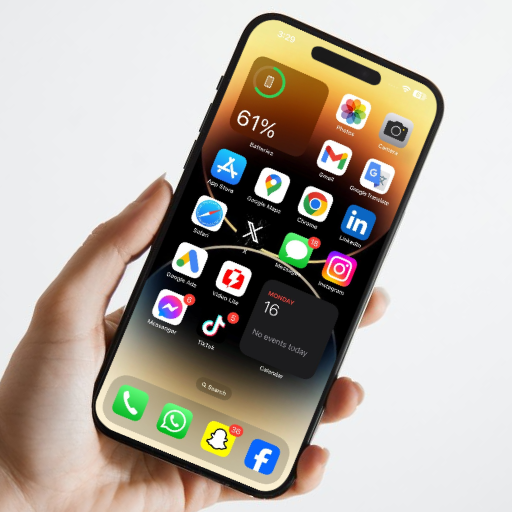
Adds a configurable Energy Ring around the camera lens indicating current Battery level. Dive into the various configuration options, not only you can quickly glance and get the battery info but, Energy Ring adds an accent to your phone's camera lens.
Got a full charge? The Ring will be a 360 degree wrap around the front camera lens.
Battery depleting? So will the arc of Energy Ring.
Out of the box features:-
✓ Energy Ring can be configured from a width of 1 pixel to a donut thick ring
✓ Energy Ring puts almost 0% load on CPU, as it wakes up only to reflect any change in battery level
✓ Energy Ring's direction can be configured as clockwise/bidirectional/anti-clockwise
✓ Energy Ring can hide on fullscreen content (apps, videos, images, games etc)
✓ Energy Ring can be configured to change colors automatically depending on the live battery level
✓ Energy Ring could have a mono color/multiple color segments/gradient (pro)
✓ You can literally assign any color in the world for your favorite configuration
✓ Energy Ring has a number of cool animations whenever a power source is plugged into your device
All that is cool! But what about Energy Ring consuming Battery?!
This is one of the most exciting question for me to answer. Energy Ring more than anything understands that you need to utilize your battery efficiently (after all, that's why you installed the App, right? ;) .) Energy Ring sits on the screen silently putting almost 0% load on CPU, if battery level changes, Android wakes up Energy Ring. Once awake, Energy Ring quickly updates itself and goes back to sleep. And to be that extra efficient, the Ring goes on deep sleep when you turn off the screen, meaning it doesn't even read changes in battery level when the screen is off.
Accessibility Service Requirement:
Android requires Energy Ring to run as an Accessibility Service, to be able to display on Lock Screen. It does not read/monitor any data, whatsoever. This is especially useful for people who have disability to read numbers and work better with visual data.
No charging animation?
Settings > Accessibility > Visibility enhancements > Remove Animations > uncheck if it's checked.
Energy Ring disappearing on Xiaomi devices?
Setting>Apps>Manage apps>Energy Ring> *Turn on Autostart*
Screen burn-in:
The original variant of the App, Energy Bar has been used over several years by users on their AMOLED devices, there has been no complains. But there is no claim that it may not happen.
Re-enable after exiting power saving mode:
If you enter into power saving mode, Energy Ring will be disabled by the System, to re-activate you must restart your device.
مزید دکھائیں

1. MEmu انسٹالر ڈاؤن لوڈ کریں اور سیٹ اپ مکمل کریں

2. MEmu شروع کریں اسکے بعد ڈیسکٹاپ پر Google Play کھولیں

3. Google Play میں Energy Ring: Universal Edition تلاش کریں
Install
4. Energy Ring: Universal Edition ڈاؤن لوڈ کریں اور انسٹال کریں
5. انسٹال مکمل ہونے کے بعد سٹارٹ کرنے کے لیے آئیکن پر کلک کریں

6. MEmu کے ساتھ پی سی پر Energy Ring: Universal Edition کھیلنے کا لطف لیں
MEmu پلے بہترین اینڈرائڈ ایمولیٹر ہے اور 100 ملین لوگ اس کے زبردست اینڈرائڈ گیمنگ تجربہ سے لطف اندوز ہو رہے ہیں۔ MEmu کی ورچولائزیشن ٹیکنالوجی آپ کو اپنے PC پر ہزاروں اینڈرائڈ گیمز یہاں تک کہ انتہائی گرافک والے گیمز باسہولت کھیلنے کی طاقت دیتی ہے۔
بہتر گرافکس کے ساتھ بڑی اسکرین؛ طویل دورانیہ، بیٹری یا لامحدود موبائل ڈیٹا کے بغیر۔
کی بورڈ اور ماؤس یا گیم پیڈ کے عین مطابق کنٹرول کے لیے کی میپنگ کا پورا سپورٹ۔
کثیر مثالی منیجر کے ساتھ بیک وقت ایک پی سی پر متعدد گیم اکاؤنٹس یا ٹاسکس۔
پی سی پر درج ذیل مراحل پر عمل کرتے ہوئے پر Energy Ring: Universal Edition استعمال کریں: u003c/p>