
Forest: Focus for Productivity
تازہ کاری
موجودہ ورژن
4.82.2
پیشکش بذریعہ

اپنے موبائل فون پر Forest: Focus for Productivity کا استعمال کرتے وقت زیادہ چارج ہونے کی فکر نہ کریں، خود کو چھوٹی اسکرین سے آزاد کریں اور ایپ کو زیادہ بڑے ڈسپلے پر استعمال کرنے کا لطف اٹھائیں۔ اس کے بعد سے کی بورڈ اور ماؤس کے ساتھ اپنے ایپ کا فل اسکرین کا تجربہ حاصل کریں۔ MEmu آپ کو وہ تمام حیران کن خصوصیات پیش کرتا ہے جن کی آپ کو توقع کرتے ہیں: فوری انسٹال اور آسان سیٹ اپ، وجدانی کنٹرول، مزید بیٹری، موبائل ڈیٹا کی کوئی حد نہیں اور اب مزید پریشان کن کالز نہیں۔ نئے برانڈ کا MEmu 9 آپ کے کمپیوٹر پر Forest: Focus for Productivity استعمال کرنے کے لیے بہترین اختیار ہے۔ MEmu کثیر نظیری منیجر بیک وقت 2 یا اس سے زیادہ اکاؤنٹس کھولنا ممکن بناتا ہے۔ اور سب اہم بات، ہمارا خصوصی ایمولیشن انجن آپ کے پی سی کی پوری طاقت ریلیز کرتے ہوئے ہر چیز ہموار اور قابل تفریح بناتا ہے۔
مزید دکھائیں
Download Forest: Focus for Productivity on PC with MEmu Android Emulator. Enjoy playing on big screen. Can't stop scrolling?
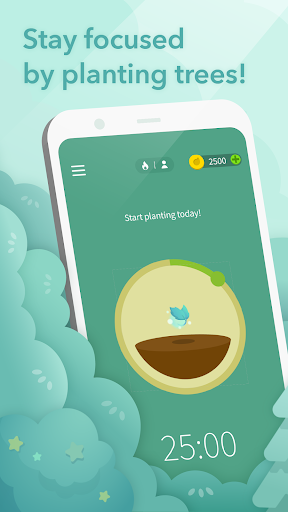

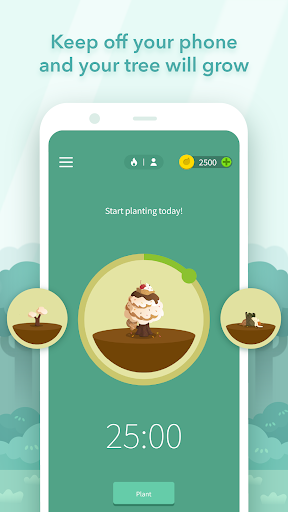
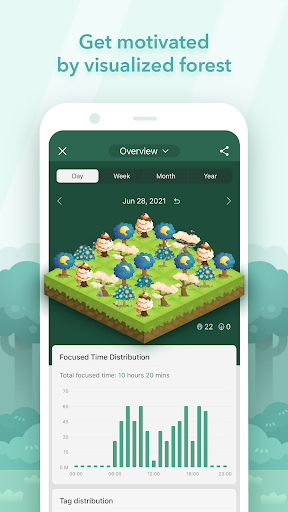
Can't stop scrolling? Lack of self-control? Forest is the solution that has the cutest focus timer to help you stay focused and boost productivity!
★ 2018 Google Play Editors’ Choice Top Productivity App★
★ 2018 Google Play Best Self-improvement app in 9 countries, including, Canada, France, Japan, Korea and more!★
★ Google Play 2018 Best Social Impact App Nomination★
★ Google Play 2015-2016 Best App of the Year★
Plant a seed in Forest when you need to put down your phone and stay focused to get your to do list done.
As you stay focused, this seed will gradually grow into a tree. However, if you cannot resist the temptation of using your phone and leave the app, your tree will wither.
The sense of achievement while seeing a flourishing forest with each tree representing your dedication motivates you to reduce procrastination, and helps you build a good habit of time management!
Motivation and Gamification
- Grow your very own forest with each tree representing your effort.
- Earn rewards by staying focused and unlocking adorable trees!
Multiple Focus Modes
- Timer mode: Set your focus session and dive into your work or study flow, or apply Pomodoro technique.
- Stopwatch mode: Start and stop at any time. Count-up timer works great as a habit tracker.
Personalized Experience
- Planting Reminder: Remind yourself that it is time to keep your phone down!
- Custom Phrases: Motivate yourself with your favorite quotes and inspiring words!
Forest Premium
- Statistics: More insightful statistics of your focused time to tailor your focus habits.
- Plant Together: Stay focused with your friends and family anytime and anywhere.
- Plant Real Trees: Plant real trees on Earth to make the world greener!
- Allow Lists: Create personalized Allow Lists for different situations. Non-allowed apps will be blocked.
Exclusive Events on Different Servers: Enjoy various special events customized for different servers/regions.
Download Forest for FREE now to focus on your goals in life and be a better self!
Social Media
Connect with us on Instagram(@forest_app), Twitter(@forestapp_cc), and Facebook(@Forest). Stay tuned for updates and special events!
We also have a chrome extension. Find out more at [www.forestapp.cc](http://www.forestapp.cc/)!
NOTICE
- With the Pro version, Forest can be accessed across all your Android devices.
- Downloading a non-Android version of Forest requires a separate purchase.
- Your data can be synchronized across all platforms by logging in with the same account.
- Due to budget constraints, the number of real trees each user can plant is limited to five.
Permissions Explained: [https://www.forestapp.cc/permissions/en/](https://www.forestapp.cc/permissions/en/)
Sound Design: Shi Kuang Lee
مزید دکھائیں

1. MEmu انسٹالر ڈاؤن لوڈ کریں اور سیٹ اپ مکمل کریں

2. MEmu شروع کریں اسکے بعد ڈیسکٹاپ پر Google Play کھولیں

3. Google Play میں Forest: Focus for Productivity تلاش کریں
Install
4. Forest: Focus for Productivity ڈاؤن لوڈ کریں اور انسٹال کریں
5. انسٹال مکمل ہونے کے بعد سٹارٹ کرنے کے لیے آئیکن پر کلک کریں

6. MEmu کے ساتھ پی سی پر Forest: Focus for Productivity کھیلنے کا لطف لیں
MEmu پلے بہترین اینڈرائڈ ایمولیٹر ہے اور 100 ملین لوگ اس کے زبردست اینڈرائڈ گیمنگ تجربہ سے لطف اندوز ہو رہے ہیں۔ MEmu کی ورچولائزیشن ٹیکنالوجی آپ کو اپنے PC پر ہزاروں اینڈرائڈ گیمز یہاں تک کہ انتہائی گرافک والے گیمز باسہولت کھیلنے کی طاقت دیتی ہے۔
بہتر گرافکس کے ساتھ بڑی اسکرین؛ طویل دورانیہ، بیٹری یا لامحدود موبائل ڈیٹا کے بغیر۔
کی بورڈ اور ماؤس یا گیم پیڈ کے عین مطابق کنٹرول کے لیے کی میپنگ کا پورا سپورٹ۔
کثیر مثالی منیجر کے ساتھ بیک وقت ایک پی سی پر متعدد گیم اکاؤنٹس یا ٹاسکس۔
پی سی پر درج ذیل مراحل پر عمل کرتے ہوئے پر Forest: Focus for Productivity استعمال کریں: u003c/p>