iOS Emoji Stickers
تازہ کاری
موجودہ ورژن
1.0.3
پیشکش بذریعہ

اپنے موبائل فون پر iOS Emoji Stickers کا استعمال کرتے وقت زیادہ چارج ہونے کی فکر نہ کریں، خود کو چھوٹی اسکرین سے آزاد کریں اور ایپ کو زیادہ بڑے ڈسپلے پر استعمال کرنے کا لطف اٹھائیں۔ اس کے بعد سے کی بورڈ اور ماؤس کے ساتھ اپنے ایپ کا فل اسکرین کا تجربہ حاصل کریں۔ MEmu آپ کو وہ تمام حیران کن خصوصیات پیش کرتا ہے جن کی آپ کو توقع کرتے ہیں: فوری انسٹال اور آسان سیٹ اپ، وجدانی کنٹرول، مزید بیٹری، موبائل ڈیٹا کی کوئی حد نہیں اور اب مزید پریشان کن کالز نہیں۔ نئے برانڈ کا MEmu 9 آپ کے کمپیوٹر پر iOS Emoji Stickers استعمال کرنے کے لیے بہترین اختیار ہے۔ MEmu کثیر نظیری منیجر بیک وقت 2 یا اس سے زیادہ اکاؤنٹس کھولنا ممکن بناتا ہے۔ اور سب اہم بات، ہمارا خصوصی ایمولیشن انجن آپ کے پی سی کی پوری طاقت ریلیز کرتے ہوئے ہر چیز ہموار اور قابل تفریح بناتا ہے۔
مزید دکھائیں
Download iOS Emoji Stickers on PC with MEmu Android Emulator. Enjoy playing on big screen. If you like ios emojis stickers for WhatsApp, you'll love our app!
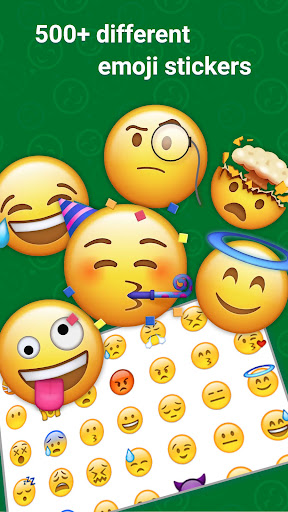
If you like ios emojis stickers for WhatsApp, you'll love our app!
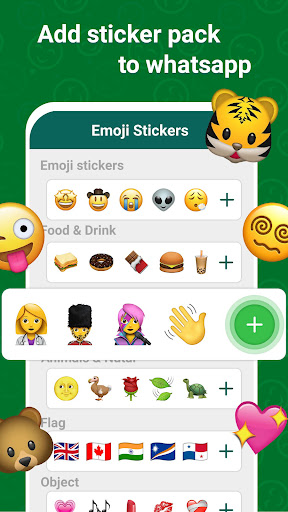
We've compiled the best collection of ios Stickers like a Smileys & people, Animals, Nature, Activity, Friends Drinks, Sports etc for WhatsApp so you can send to your friends.
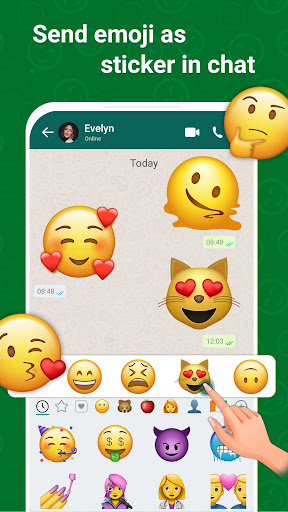
In this app you can use ios emojis for you to easily share & chat with your family and friends to express your emotions in a more cool manner. You can make more Attractive conversation more fun and exciting in WhatsApp using this ios emoji stickers app.
Send stickers to any WhatsApp chat. you can share it with your friends. Simple iphone stickers can help you send your freinds , family . Bright emoji will make friendly chat more interesting, and emoticons will make your friends smile. Stickers will help you express those emotions that are difficult to convey in words. In addition, we will be adding new iphone stickers. We
How to Use :-
1) Download the iOS Emoji Sticker for WhatsApp app,
2) Tap on emoji pack that you want to use and press the ‘Add to WhatsApp’ button at the bottom of the screen,
3) Following this, you’ll have to go to your WhatsApp Messenger and open a chat. You’ll notice an ‘Emoji’ icon there, and you need to tap to see the emoji sticker you freshly added,
4) The new sticker pack can be seen at the bottom so, you will need to scroll down a little more.
Direct Chat:-
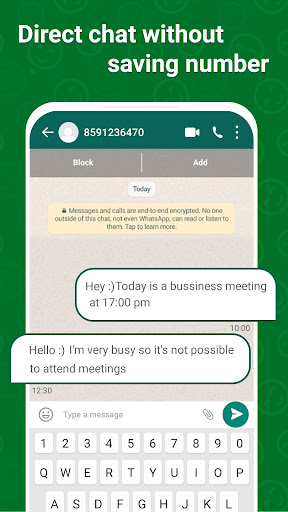
When it comes to direct chat without saving contact numbers, WhatsApp direct feature of the IOS emoji Sticker app allows you to send direct messages without saving contact numbers. It also allows you to send messages worldwide by just entering contact number in it.
WhatsApp Status Download:-
The WhatsApp status download provides the ability to download the status of your WhatsApp contacts. These features also provide a list of downloaded statuses.
Sticker Maker:-
Using the Sticker Maker option in the IOS Emoji Sticker app, you can create your own sticker pack to use in WhatsApp Messenger.
IOS Sticker Emoji is an application that allows you to use IOS emoji’s on your Android device.
Download IOS Emoji Sticker app now and revolutionize your messaging experience! Express yourself like never before.
مزید دکھائیں

1. MEmu انسٹالر ڈاؤن لوڈ کریں اور سیٹ اپ مکمل کریں

2. MEmu شروع کریں اسکے بعد ڈیسکٹاپ پر Google Play کھولیں

3. Google Play میں iOS Emoji Stickers تلاش کریں
Install
4. iOS Emoji Stickers ڈاؤن لوڈ کریں اور انسٹال کریں
5. انسٹال مکمل ہونے کے بعد سٹارٹ کرنے کے لیے آئیکن پر کلک کریں

6. MEmu کے ساتھ پی سی پر iOS Emoji Stickers کھیلنے کا لطف لیں
MEmu پلے بہترین اینڈرائڈ ایمولیٹر ہے اور 100 ملین لوگ اس کے زبردست اینڈرائڈ گیمنگ تجربہ سے لطف اندوز ہو رہے ہیں۔ MEmu کی ورچولائزیشن ٹیکنالوجی آپ کو اپنے PC پر ہزاروں اینڈرائڈ گیمز یہاں تک کہ انتہائی گرافک والے گیمز باسہولت کھیلنے کی طاقت دیتی ہے۔
بہتر گرافکس کے ساتھ بڑی اسکرین؛ طویل دورانیہ، بیٹری یا لامحدود موبائل ڈیٹا کے بغیر۔
کی بورڈ اور ماؤس یا گیم پیڈ کے عین مطابق کنٹرول کے لیے کی میپنگ کا پورا سپورٹ۔
کثیر مثالی منیجر کے ساتھ بیک وقت ایک پی سی پر متعدد گیم اکاؤنٹس یا ٹاسکس۔
پی سی پر درج ذیل مراحل پر عمل کرتے ہوئے پر iOS Emoji Stickers استعمال کریں: u003c/p>