mozaik3D - Learning is fun!
تازہ کاری
موجودہ ورژن
2.0.638
پیشکش بذریعہ

اپنے موبائل فون پر mozaik3D - Learning is fun! کا استعمال کرتے وقت زیادہ چارج ہونے کی فکر نہ کریں، خود کو چھوٹی اسکرین سے آزاد کریں اور ایپ کو زیادہ بڑے ڈسپلے پر استعمال کرنے کا لطف اٹھائیں۔ اس کے بعد سے کی بورڈ اور ماؤس کے ساتھ اپنے ایپ کا فل اسکرین کا تجربہ حاصل کریں۔ MEmu آپ کو وہ تمام حیران کن خصوصیات پیش کرتا ہے جن کی آپ کو توقع کرتے ہیں: فوری انسٹال اور آسان سیٹ اپ، وجدانی کنٹرول، مزید بیٹری، موبائل ڈیٹا کی کوئی حد نہیں اور اب مزید پریشان کن کالز نہیں۔ نئے برانڈ کا MEmu 9 آپ کے کمپیوٹر پر mozaik3D - Learning is fun! استعمال کرنے کے لیے بہترین اختیار ہے۔ MEmu کثیر نظیری منیجر بیک وقت 2 یا اس سے زیادہ اکاؤنٹس کھولنا ممکن بناتا ہے۔ اور سب اہم بات، ہمارا خصوصی ایمولیشن انجن آپ کے پی سی کی پوری طاقت ریلیز کرتے ہوئے ہر چیز ہموار اور قابل تفریح بناتا ہے۔
مزید دکھائیں
Download mozaik3D - Learning is fun! on PC with MEmu Android Emulator. Enjoy playing on big screen. Let’s make learning fun!
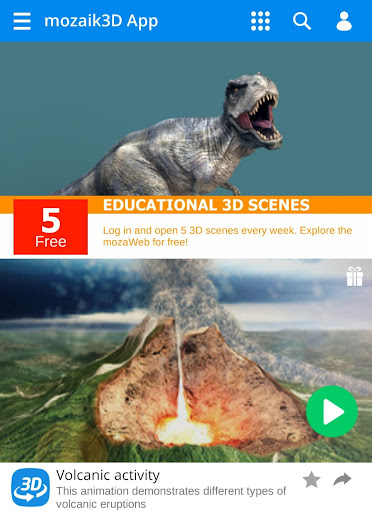
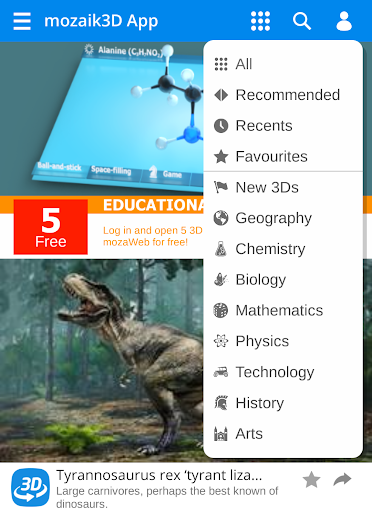
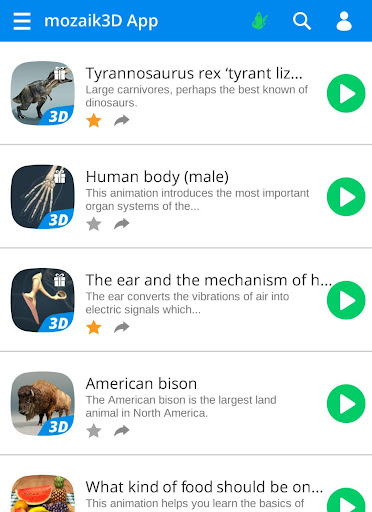
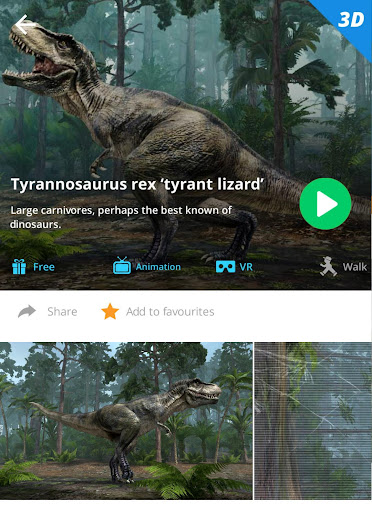
Let’s make learning fun!
If you liked our previous educational 3D applications, you will love this one!
Download the mozaik3D educational application to explore more than 1300 educational 3D scenes on your smartphone or tablet.
Please note that this educational application requires a continuous Internet connection.
Our 3D scenes have been designed mainly for students between 8 and 18 years of age. They provide a unique help for learning at home in a playful and enjoyable manner. The interactive educational scenes related to history, technology, physics, mathematics, biology, chemistry, geography and visual arts will turn learning into an adventure.
Available languages: American English (1262 - 3D)
English, Deutsch, Français, Español, Русский, العربية, Magyar, 汉语, 日本語, Português, Português (Br), Italiano, Türkçe, Svenska, Nederlands, Norsk, Suomi, Dansk, Română, Polski, Česky, Slovenčina, Hrvatski, Српски, Slovenščina, Қазақша, Български, Lietuvių, Українська, 한국어, ελληνικά
You can try our application without registering and open the demo scenes, marked with a gift box icon. If you like our demo scenes, you may want to register a free user account so that you can open 5 educational 3D scenes each week free of charge.
By purchasing a mozaWeb PREMIUM subscription, you will gain unlimited access to the 3Ds.
In addition, you will also have full access to all the items in the media library of mozaweb.com (more than 1300 3D scenes, hundreds of educational videos, interactive exercises etc.) and you can use our educational tools and games as well.
How to use the mozaik3D application
You can still use the app to open 3D scenes while browsing mozaweb.com.
When the installation is complete, open the application. You can try our demo scenes without registering, but if you register a free user account, you can open 5 educational 3D scenes each week free of charge. By purchasing a mozaWeb PREMIUM subscription, you will gain unlimited access to the 3Ds.
On the application's main page, you can filter 3Ds by topic or use the search field to find a particular 3D scene. You can open the scenes by tapping the play button. In the sidebar menu, you can change the language, buy a mozaWeb PREMIUM subscription, send feedback and rate the app.
Our fully interactive 3D scenes can be rotated, enlarged or viewed from pre-set angles. With the predefined views, you can easily navigate through the complex scenes. Some of the 3D scenes contain a Walk mode, enabling you to explore the scene yourself. Most of our 3Ds include narrations and built-in animations. They also contain captions, entertaining animated quizzes, and other visual elements. The 3D scenes are available in several languages, which also offers an excellent opportunity to learn and practice foreign languages.
Explore the 3D scenes as if you were there
Activate VR mode by pressing the VR headset icon in the bottom right corner. Then place your phone in your VR headset and walk in ancient Athens, the Globe Theatre or on the surface of the Moon.
(Please note: For a full VR experience, use a device that has a gyroscope.)
How to use the 3D scenes
Rotate the scene by dragging your finger.
Zoom the scene in or out by pinching with your fingers.
Shift the view by dragging the scene with three fingers.
Tap the buttons at the bottom to switch between predefined views.
If available in a specific view, use the virtual joystick to walk around.
You can change the language and set other functions in the internal menu. The internal menu can be accessed by touching the bottom corners.
Activate VR mode by pressing the VR headset icon in the bottom right corner.
In VR mode, tilt your head to the right or left to display the navigation panel. Look down to turn movement on or off during Walk.
مزید دکھائیں

1. MEmu انسٹالر ڈاؤن لوڈ کریں اور سیٹ اپ مکمل کریں

2. MEmu شروع کریں اسکے بعد ڈیسکٹاپ پر Google Play کھولیں

3. Google Play میں mozaik3D - Learning is fun! تلاش کریں
Install
4. mozaik3D - Learning is fun! ڈاؤن لوڈ کریں اور انسٹال کریں
5. انسٹال مکمل ہونے کے بعد سٹارٹ کرنے کے لیے آئیکن پر کلک کریں

6. MEmu کے ساتھ پی سی پر mozaik3D - Learning is fun! کھیلنے کا لطف لیں
MEmu پلے بہترین اینڈرائڈ ایمولیٹر ہے اور 100 ملین لوگ اس کے زبردست اینڈرائڈ گیمنگ تجربہ سے لطف اندوز ہو رہے ہیں۔ MEmu کی ورچولائزیشن ٹیکنالوجی آپ کو اپنے PC پر ہزاروں اینڈرائڈ گیمز یہاں تک کہ انتہائی گرافک والے گیمز باسہولت کھیلنے کی طاقت دیتی ہے۔
بہتر گرافکس کے ساتھ بڑی اسکرین؛ طویل دورانیہ، بیٹری یا لامحدود موبائل ڈیٹا کے بغیر۔
کی بورڈ اور ماؤس یا گیم پیڈ کے عین مطابق کنٹرول کے لیے کی میپنگ کا پورا سپورٹ۔
کثیر مثالی منیجر کے ساتھ بیک وقت ایک پی سی پر متعدد گیم اکاؤنٹس یا ٹاسکس۔
پی سی پر درج ذیل مراحل پر عمل کرتے ہوئے پر mozaik3D - Learning is fun! استعمال کریں: u003c/p>