Multi App: Dual Space
تازہ کاری
موجودہ ورژن
2.2.6
پیشکش بذریعہ

اپنے موبائل فون پر Multi App: Dual Space کا استعمال کرتے وقت زیادہ چارج ہونے کی فکر نہ کریں، خود کو چھوٹی اسکرین سے آزاد کریں اور ایپ کو زیادہ بڑے ڈسپلے پر استعمال کرنے کا لطف اٹھائیں۔ اس کے بعد سے کی بورڈ اور ماؤس کے ساتھ اپنے ایپ کا فل اسکرین کا تجربہ حاصل کریں۔ MEmu آپ کو وہ تمام حیران کن خصوصیات پیش کرتا ہے جن کی آپ کو توقع کرتے ہیں: فوری انسٹال اور آسان سیٹ اپ، وجدانی کنٹرول، مزید بیٹری، موبائل ڈیٹا کی کوئی حد نہیں اور اب مزید پریشان کن کالز نہیں۔ نئے برانڈ کا MEmu 9 آپ کے کمپیوٹر پر Multi App: Dual Space استعمال کرنے کے لیے بہترین اختیار ہے۔ MEmu کثیر نظیری منیجر بیک وقت 2 یا اس سے زیادہ اکاؤنٹس کھولنا ممکن بناتا ہے۔ اور سب اہم بات، ہمارا خصوصی ایمولیشن انجن آپ کے پی سی کی پوری طاقت ریلیز کرتے ہوئے ہر چیز ہموار اور قابل تفریح بناتا ہے۔
مزید دکھائیں
Download Multi App: Dual Space on PC with MEmu Android Emulator. Enjoy playing on big screen. Try to clone and launch multi games, multi social media in your multiple accounts at the same time.
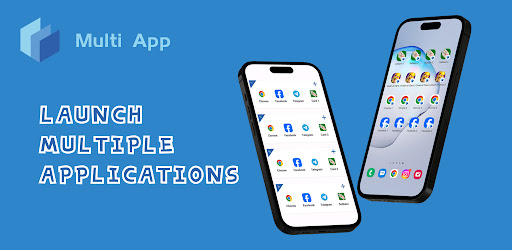
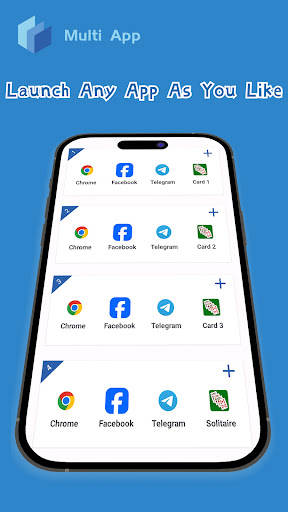
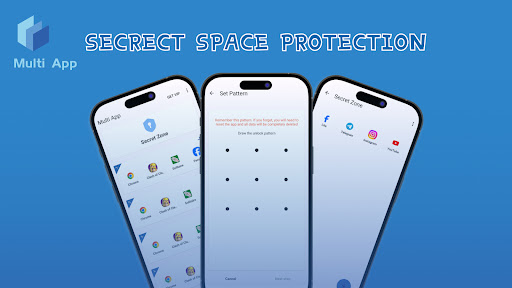
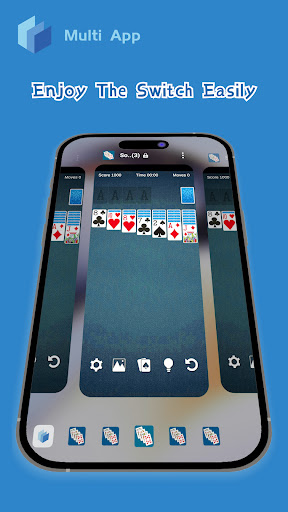
Try to clone and launch multi games, multi social media in your multiple accounts at the same time.
Each dual space in Multi App is isolated, ensuring no interference between accounts.
If you need:
✓ Support multiple logins while ensuring safety and stability
✓ Switch between multiple accounts is easy and fast
✓ Feel free to run your favorite Android apps with strong compatibility
✓ Custom the icons and labels you want, stylized
Choose Multi App as your app cloner!
Multi App is one of the best phone clones, we are compatible with Android 8 - 15 and most apps on the app store, including WhatsApp, Messenger, Facebook, Line, Telegram, Instagram, Snapchat, Wechat. We also support many popular games like Clash of Clans, eFootball, Mobile Legends.
Convert space to create dual apps on one device.
✓ Keeping your work and personal accounts are multiple parallel. Log in your dual accounts, like dual whatsapp or dual messenger
✓ Multiple accounts for the same game get a new experience
✓ Data from each account is kept separate and never overlaps
Protect your privacy in many ways.
✓ Support hiding apps and icon changer
✓ Offers secure lock and secret zone
Highlights:
★ Safe, stable, highly compatible.
★ Fast startup, user-friendly, unlimited space cloning.
★ Timely response, we value every user and strive to meet user expectations.
Notes:
To protect user privacy, Multi App does not collect or store any personal information when user dont agree policy. After you agree the privacy policy, we will collect your device information, including but not limited to Device advertiser ID, android_id, Language. In addition, we have used the third-party advertising SDK, and the third party will collect the following information:
• Telephone call status, Carrier, and a list of all PhoneAccounts registered on the device;
• Device make, model, and operating system;
• Device properties related to screen size, orientation, audio, battery, device memory usage, settings, and boot time;
• Device settings related to accessibility features, font size, and theme;
• Operating system;
• Name and properties of mobile application through which a consumer interacts with the Services;
• Country, time zone, and locale settings (country and preferred language);
• City- and/or country-level or other coarse geolocation data;
• Network connection type and speed;
• IP Address;
• Internet browser user-agent used to access the Services;
• HTTP header information;
• Advertising IDs (IDFA/GAID/Amazon FOSAID);
• Vendor IDs (IDFV);
• App Set IDs; and
• Advertising and tracking preferences and restrictions.
If have any questions or suggestions, please mail to waxmoon2023@gmail.com.
مزید دکھائیں

1. MEmu انسٹالر ڈاؤن لوڈ کریں اور سیٹ اپ مکمل کریں

2. MEmu شروع کریں اسکے بعد ڈیسکٹاپ پر Google Play کھولیں

3. Google Play میں Multi App: Dual Space تلاش کریں
Install
4. Multi App: Dual Space ڈاؤن لوڈ کریں اور انسٹال کریں
5. انسٹال مکمل ہونے کے بعد سٹارٹ کرنے کے لیے آئیکن پر کلک کریں

6. MEmu کے ساتھ پی سی پر Multi App: Dual Space کھیلنے کا لطف لیں
MEmu پلے بہترین اینڈرائڈ ایمولیٹر ہے اور 100 ملین لوگ اس کے زبردست اینڈرائڈ گیمنگ تجربہ سے لطف اندوز ہو رہے ہیں۔ MEmu کی ورچولائزیشن ٹیکنالوجی آپ کو اپنے PC پر ہزاروں اینڈرائڈ گیمز یہاں تک کہ انتہائی گرافک والے گیمز باسہولت کھیلنے کی طاقت دیتی ہے۔
بہتر گرافکس کے ساتھ بڑی اسکرین؛ طویل دورانیہ، بیٹری یا لامحدود موبائل ڈیٹا کے بغیر۔
کی بورڈ اور ماؤس یا گیم پیڈ کے عین مطابق کنٹرول کے لیے کی میپنگ کا پورا سپورٹ۔
کثیر مثالی منیجر کے ساتھ بیک وقت ایک پی سی پر متعدد گیم اکاؤنٹس یا ٹاسکس۔
پی سی پر درج ذیل مراحل پر عمل کرتے ہوئے پر Multi App: Dual Space استعمال کریں: u003c/p>