Something OS Widgets
تازہ کاری
موجودہ ورژن
2.00.04
پیشکش بذریعہ

اپنے موبائل فون پر Something OS Widgets کا استعمال کرتے وقت زیادہ چارج ہونے کی فکر نہ کریں، خود کو چھوٹی اسکرین سے آزاد کریں اور ایپ کو زیادہ بڑے ڈسپلے پر استعمال کرنے کا لطف اٹھائیں۔ اس کے بعد سے کی بورڈ اور ماؤس کے ساتھ اپنے ایپ کا فل اسکرین کا تجربہ حاصل کریں۔ MEmu آپ کو وہ تمام حیران کن خصوصیات پیش کرتا ہے جن کی آپ کو توقع کرتے ہیں: فوری انسٹال اور آسان سیٹ اپ، وجدانی کنٹرول، مزید بیٹری، موبائل ڈیٹا کی کوئی حد نہیں اور اب مزید پریشان کن کالز نہیں۔ نئے برانڈ کا MEmu 9 آپ کے کمپیوٹر پر Something OS Widgets استعمال کرنے کے لیے بہترین اختیار ہے۔ MEmu کثیر نظیری منیجر بیک وقت 2 یا اس سے زیادہ اکاؤنٹس کھولنا ممکن بناتا ہے۔ اور سب اہم بات، ہمارا خصوصی ایمولیشن انجن آپ کے پی سی کی پوری طاقت ریلیز کرتے ہوئے ہر چیز ہموار اور قابل تفریح بناتا ہے۔
مزید دکھائیں
MEmu Play کے ساتھ PC پر Something OS Widgets استعمال کرنے کے شاندار تجربے سے لطف اٹھائیں۔ یہ ایک طاقتور مفت اینڈرائیڈ ایمولیٹر ہے جو آپ کو ان کے ڈیسک ٹاپ ورژن کے لیے ہزاروں اینڈرائیڈ ایپس فراہم کرتا ہے۔ دوستوں کے ساتھ جڑنے اور اعلی کارکردگی کے ساتھ اپنے کام کو چمکانے کا لطف اٹھائیں! Something OS Widgets – From nothing to something!
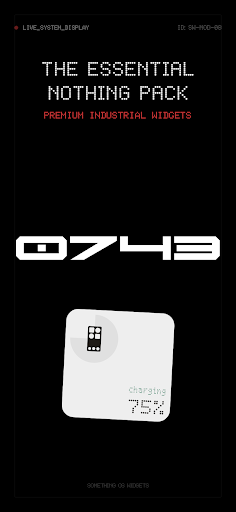
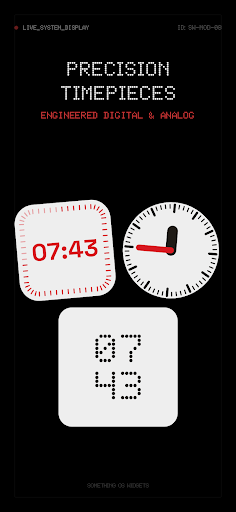
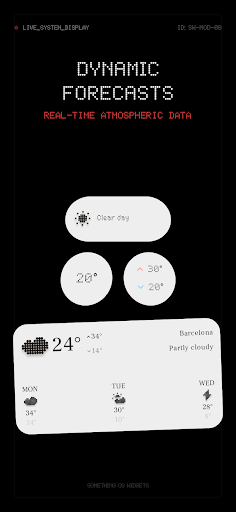
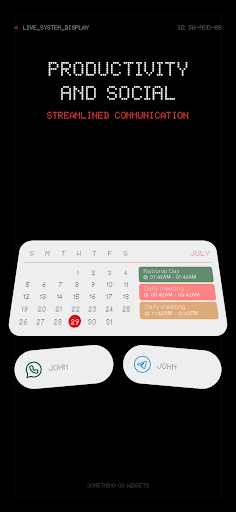
Something OS Widgets – From nothing to something! Transform Your Android Home Screen
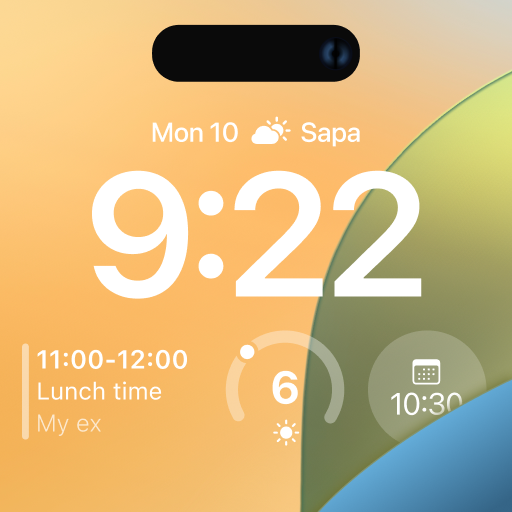
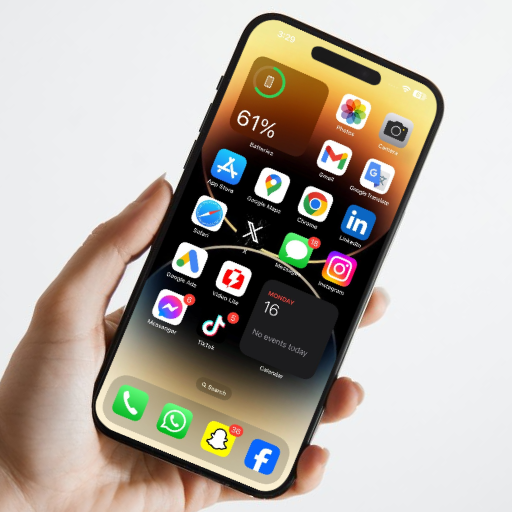
Customize your Android home screen with a growing collection of beautiful, interactive widgets inspired by the iconic minimalist design of Nothing. Something OS Widgets is a standalone widget pack that lets you personalize your phone with weather, clock, battery, calendar, photo, Bluetooth, music, contacts, search, screen time, astronomy, control, and folder widgets.
Designed for phones and tablets, Something OS Widgets requires no companion app and lets you create a home screen that’s truly yours with Material You, transparent widgets, adjustable transparency, custom colors, and resizable layouts.
Personalize Every Widget
Every widget is fully customizable.
• Growing collection of unique widgets with countless layouts
• Interactive widgets with quick actions
• Material You support
• Transparent widgets with adjustable transparency
• Custom colors
• Resizable widgets
• Minimalist design inspired by Nothing
• Lightweight, fast, and battery friendly
Whether you prefer a clean aesthetic or a personalized setup, Something OS Widgets has everything you need.
Weather Widgets
• Current weather
• Hourly forecast
• Daily forecast
• Temperature at a glance
Clock Widgets
• Digital clocks
• Analog clocks
• World clocks
• Minimalist designs
Calendar & Agenda Widgets
• Calendar and agenda widgets
• Upcoming events
• Device calendar integration
Battery Widgets
• Battery percentage
• Battery status
• Minimal battery indicators
Bluetooth Widgets
• Earbuds connection status
• Headphones connection
• Bluetooth device monitoring
Music Widgets
• Music controls
• Album artwork
• Media playback controls
Astronomy Widgets
• Moon phase
• Sunrise & sunset
Photo Widgets
• Multiple layouts
• Beautiful photo display
Screen Time Widgets
• Daily screen time
• App usage monitoring
Contacts & Social Widgets
• Favorite contacts
• Contact shortcuts
• Messaging shortcuts
Compass Widgets
Elegant compass widgets for your home screen.
Control Widgets
• Wi-Fi
• Bluetooth
• Sound mode
• Quick device controls
Folder Widgets
Organize your favorite apps in beautiful folder widgets.
Search Widgets
Google Search widgets that blend perfectly with your setup.
Why You’ll Love Something OS Widgets
New widgets added regularly
Endless customization
Inspired by the Nothing design language
Phones & tablets
Material You support
Adjustable transparency
Resizable widgets
Standalone app — no companion app required
Download Something OS Widgets today and transform your Android home screen with one of the most complete collections of minimalist Android widgets. Whether you’re looking for weather, clock, battery, calendar, music, photo, Bluetooth, search, astronomy, or customizable home screen widgets, Something OS Widgets makes it easy to create a beautiful setup that’s uniquely yours.
مزید دکھائیں

1. MEmu انسٹالر ڈاؤن لوڈ کریں اور سیٹ اپ مکمل کریں

2. MEmu شروع کریں اسکے بعد ڈیسکٹاپ پر Google Play کھولیں

3. Google Play میں Something OS Widgets تلاش کریں
Install
4. Something OS Widgets ڈاؤن لوڈ کریں اور انسٹال کریں
5. انسٹال مکمل ہونے کے بعد سٹارٹ کرنے کے لیے آئیکن پر کلک کریں

6. MEmu کے ساتھ پی سی پر Something OS Widgets کھیلنے کا لطف لیں
MEmu پلے بہترین اینڈرائڈ ایمولیٹر ہے اور 100 ملین لوگ اس کے زبردست اینڈرائڈ گیمنگ تجربہ سے لطف اندوز ہو رہے ہیں۔ MEmu کی ورچولائزیشن ٹیکنالوجی آپ کو اپنے PC پر ہزاروں اینڈرائڈ گیمز یہاں تک کہ انتہائی گرافک والے گیمز باسہولت کھیلنے کی طاقت دیتی ہے۔
بہتر گرافکس کے ساتھ بڑی اسکرین؛ طویل دورانیہ، بیٹری یا لامحدود موبائل ڈیٹا کے بغیر۔
کی بورڈ اور ماؤس یا گیم پیڈ کے عین مطابق کنٹرول کے لیے کی میپنگ کا پورا سپورٹ۔
کثیر مثالی منیجر کے ساتھ بیک وقت ایک پی سی پر متعدد گیم اکاؤنٹس یا ٹاسکس۔
پی سی پر درج ذیل مراحل پر عمل کرتے ہوئے پر Something OS Widgets استعمال کریں: u003c/p>