Vidstage
تازہ کاری
موجودہ ورژن
1.8.2
پیشکش بذریعہ

اپنے موبائل فون پر Vidstage کا استعمال کرتے وقت زیادہ چارج ہونے کی فکر نہ کریں، خود کو چھوٹی اسکرین سے آزاد کریں اور ایپ کو زیادہ بڑے ڈسپلے پر استعمال کرنے کا لطف اٹھائیں۔ اس کے بعد سے کی بورڈ اور ماؤس کے ساتھ اپنے ایپ کا فل اسکرین کا تجربہ حاصل کریں۔ MEmu آپ کو وہ تمام حیران کن خصوصیات پیش کرتا ہے جن کی آپ کو توقع کرتے ہیں: فوری انسٹال اور آسان سیٹ اپ، وجدانی کنٹرول، مزید بیٹری، موبائل ڈیٹا کی کوئی حد نہیں اور اب مزید پریشان کن کالز نہیں۔ نئے برانڈ کا MEmu 9 آپ کے کمپیوٹر پر Vidstage استعمال کرنے کے لیے بہترین اختیار ہے۔ MEmu کثیر نظیری منیجر بیک وقت 2 یا اس سے زیادہ اکاؤنٹس کھولنا ممکن بناتا ہے۔ اور سب اہم بات، ہمارا خصوصی ایمولیشن انجن آپ کے پی سی کی پوری طاقت ریلیز کرتے ہوئے ہر چیز ہموار اور قابل تفریح بناتا ہے۔
مزید دکھائیں
MEmu Play کے ساتھ PC پر Vidstage استعمال کرنے کے شاندار تجربے سے لطف اٹھائیں۔ یہ ایک طاقتور مفت اینڈرائیڈ ایمولیٹر ہے جو آپ کو ان کے ڈیسک ٹاپ ورژن کے لیے ہزاروں اینڈرائیڈ ایپس فراہم کرتا ہے۔ دوستوں کے ساتھ جڑنے اور اعلی کارکردگی کے ساتھ اپنے کام کو چمکانے کا لطف اٹھائیں! Vidstage is a powerful education app that brings together online learning, study videos, exam preparation, scholarships, and student loan guidance in one simple platform Designed for students, learners, and professionals, it helps you learn, grow, and achieve your goals with ease.
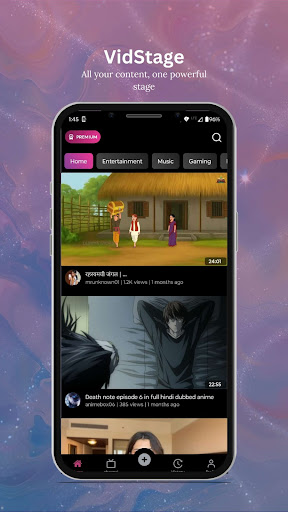
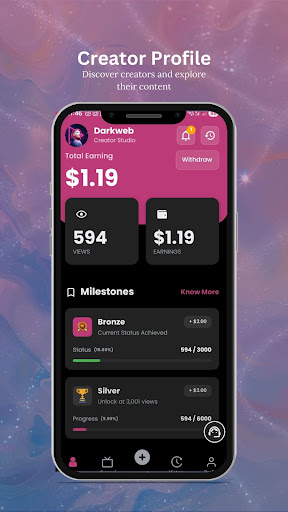
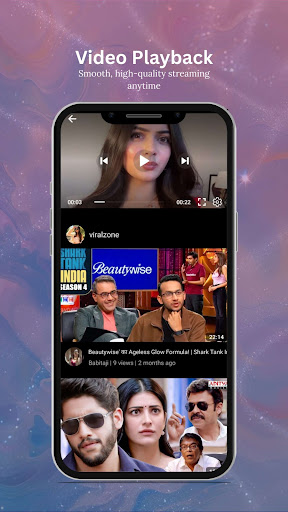
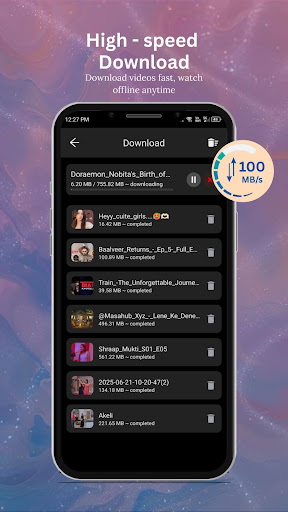
Vidstage is a powerful education app that brings together online learning, study videos, exam preparation, scholarships, and student loan guidance in one simple platform Designed for students, learners, and professionals, it helps you learn, grow, and achieve your goals with ease
Unlike traditional apps, Vidstage is more than just an e learning app it is also a community learning platform Students can not only watch education videos but also upload their own tutorials, tips, and study materials to share with others This makes Vidstage a collaborative space where knowledge flows both ways
Key Features of Vidstage
Watch thousands of study videos and tutorials across subjects
Upload your own videos and share knowledge with the student community
Access complete student loan guides and learn how to apply easily
Get details on private student loans, scholarships, and financial education
Prepare for exams with mock tests, notes, and expert strategies
Learn job ready skills like coding, finance, communication and more
Career guidance and personal development tools to shape your future
Why Choose Vidstage
A true all in one education app combining academics, finance, and skills
Perfect for school students, college learners, job aspirants, and parents
Offers scholarship info and student loan resources for higher education
Builds a community where learners can share videos and learn together
Provides exam preparation support along with career and skill training
With Vidstage, you do not just study you become part of a growing network of learners Whether you want to learn online, explore student loans, or upload your own knowledge videos, Vidstage gives you the tools to succeed
Download Vidstage today the best education app for students to learn, share, and grow together
مزید دکھائیں

1. MEmu انسٹالر ڈاؤن لوڈ کریں اور سیٹ اپ مکمل کریں

2. MEmu شروع کریں اسکے بعد ڈیسکٹاپ پر Google Play کھولیں

3. Google Play میں Vidstage تلاش کریں
Install
4. Vidstage ڈاؤن لوڈ کریں اور انسٹال کریں
5. انسٹال مکمل ہونے کے بعد سٹارٹ کرنے کے لیے آئیکن پر کلک کریں

6. MEmu کے ساتھ پی سی پر Vidstage کھیلنے کا لطف لیں
MEmu پلے بہترین اینڈرائڈ ایمولیٹر ہے اور 100 ملین لوگ اس کے زبردست اینڈرائڈ گیمنگ تجربہ سے لطف اندوز ہو رہے ہیں۔ MEmu کی ورچولائزیشن ٹیکنالوجی آپ کو اپنے PC پر ہزاروں اینڈرائڈ گیمز یہاں تک کہ انتہائی گرافک والے گیمز باسہولت کھیلنے کی طاقت دیتی ہے۔
بہتر گرافکس کے ساتھ بڑی اسکرین؛ طویل دورانیہ، بیٹری یا لامحدود موبائل ڈیٹا کے بغیر۔
کی بورڈ اور ماؤس یا گیم پیڈ کے عین مطابق کنٹرول کے لیے کی میپنگ کا پورا سپورٹ۔
کثیر مثالی منیجر کے ساتھ بیک وقت ایک پی سی پر متعدد گیم اکاؤنٹس یا ٹاسکس۔
پی سی پر درج ذیل مراحل پر عمل کرتے ہوئے پر Vidstage استعمال کریں: u003c/p>