XMaster Video Downloader
تازہ کاری
موجودہ ورژن
1.0.9
پیشکش بذریعہ

اپنے موبائل فون پر XMaster Video Downloader کا استعمال کرتے وقت زیادہ چارج ہونے کی فکر نہ کریں، خود کو چھوٹی اسکرین سے آزاد کریں اور ایپ کو زیادہ بڑے ڈسپلے پر استعمال کرنے کا لطف اٹھائیں۔ اس کے بعد سے کی بورڈ اور ماؤس کے ساتھ اپنے ایپ کا فل اسکرین کا تجربہ حاصل کریں۔ MEmu آپ کو وہ تمام حیران کن خصوصیات پیش کرتا ہے جن کی آپ کو توقع کرتے ہیں: فوری انسٹال اور آسان سیٹ اپ، وجدانی کنٹرول، مزید بیٹری، موبائل ڈیٹا کی کوئی حد نہیں اور اب مزید پریشان کن کالز نہیں۔ نئے برانڈ کا MEmu 9 آپ کے کمپیوٹر پر XMaster Video Downloader استعمال کرنے کے لیے بہترین اختیار ہے۔ MEmu کثیر نظیری منیجر بیک وقت 2 یا اس سے زیادہ اکاؤنٹس کھولنا ممکن بناتا ہے۔ اور سب اہم بات، ہمارا خصوصی ایمولیشن انجن آپ کے پی سی کی پوری طاقت ریلیز کرتے ہوئے ہر چیز ہموار اور قابل تفریح بناتا ہے۔
مزید دکھائیں
MEmu Play کے ساتھ PC پر XMaster Video Downloader استعمال کرنے کے شاندار تجربے سے لطف اٹھائیں۔ یہ ایک طاقتور مفت اینڈرائیڈ ایمولیٹر ہے جو آپ کو ان کے ڈیسک ٹاپ ورژن کے لیے ہزاروں اینڈرائیڈ ایپس فراہم کرتا ہے۔ دوستوں کے ساتھ جڑنے اور اعلی کارکردگی کے ساتھ اپنے کام کو چمکانے کا لطف اٹھائیں! XMaster Video Downloader is a powerful and easy-to-use app designed to help you download and manage videos directly on your device.

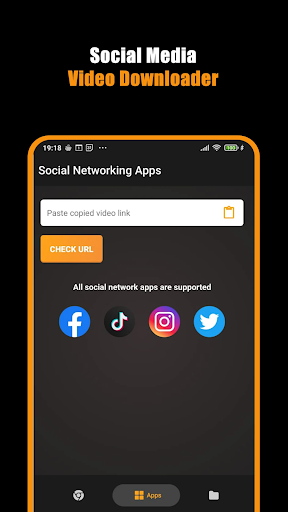
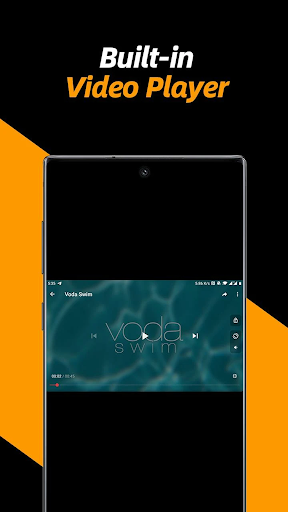

XMaster Video Downloader is a powerful and easy-to-use app designed to help you download and manage videos directly on your device. With a clean interface and smart download engine, XMaster makes saving videos quick, simple, and reliable.
Whether you want to save videos for offline viewing, organize your media, or manage downloads efficiently, XMaster Video Downloader gives you a smooth and user-friendly experience.
Key Features
Fast Video Downloading
Download videos quickly with optimized speed and stability.
Simple & Clean Interface
Minimal design makes downloading easy for everyone.
Multiple Format Support
Save videos in supported formats compatible with your device.
Built-in File Manager
Easily view, organize, rename, and delete downloaded videos.
Offline Viewing
Watch your saved videos anytime without internet access.
Lightweight & Efficient
Uses less storage and works smoothly on most Android devices.
Secure & Private
We respect your privacy and do not collect personal data.
Smart Download Manager
XMaster comes with a built-in download manager that lets you:
Pause & resume downloads
Track download progress
Manage multiple files easily
Privacy & Safety
Your privacy is important to us. XMaster Video Downloader does not require unnecessary permissions and does not access personal or sensitive user data.
Important Notice
XMaster Video Downloader does not support downloading videos from platforms that restrict downloading by their terms of service.
Users are responsible for ensuring they have the right to download and use content.
This app is not affiliated with any social media platform.
Why Choose XMaster Video Downloader?
Fast & reliable
Easy to use
Offline access
Clean UI
Safe & policy-compliant
Download XMaster Video Downloader today and enjoy a smarter way to save and manage your videos.
مزید دکھائیں

1. MEmu انسٹالر ڈاؤن لوڈ کریں اور سیٹ اپ مکمل کریں

2. MEmu شروع کریں اسکے بعد ڈیسکٹاپ پر Google Play کھولیں

3. Google Play میں XMaster Video Downloader تلاش کریں
Install
4. XMaster Video Downloader ڈاؤن لوڈ کریں اور انسٹال کریں
5. انسٹال مکمل ہونے کے بعد سٹارٹ کرنے کے لیے آئیکن پر کلک کریں

6. MEmu کے ساتھ پی سی پر XMaster Video Downloader کھیلنے کا لطف لیں
MEmu پلے بہترین اینڈرائڈ ایمولیٹر ہے اور 100 ملین لوگ اس کے زبردست اینڈرائڈ گیمنگ تجربہ سے لطف اندوز ہو رہے ہیں۔ MEmu کی ورچولائزیشن ٹیکنالوجی آپ کو اپنے PC پر ہزاروں اینڈرائڈ گیمز یہاں تک کہ انتہائی گرافک والے گیمز باسہولت کھیلنے کی طاقت دیتی ہے۔
بہتر گرافکس کے ساتھ بڑی اسکرین؛ طویل دورانیہ، بیٹری یا لامحدود موبائل ڈیٹا کے بغیر۔
کی بورڈ اور ماؤس یا گیم پیڈ کے عین مطابق کنٹرول کے لیے کی میپنگ کا پورا سپورٹ۔
کثیر مثالی منیجر کے ساتھ بیک وقت ایک پی سی پر متعدد گیم اکاؤنٹس یا ٹاسکس۔
پی سی پر درج ذیل مراحل پر عمل کرتے ہوئے پر XMaster Video Downloader استعمال کریں: u003c/p>