Aurum Run
更新日期
当前版本
1.0.4
提供者

爱玩Aurum Run的你,双手不应该被束缚在手机的小屏幕上。像职业选手一样用键盘和滑鼠来全面控制你的游戏吧。在电脑上下载、安装Aurum Run并尽情游玩。再也不用担心剩余电量、流量消耗和烦人的来电。全新的逍遥模拟器8是你在电脑上游玩Aurum Run的好选择!我们用心准备,完美的按键映射系统让Aurum Run宛如电脑游戏;
更多
透过逍遥模拟器,在电脑上下载Aurum Run,享受大荧屏的畅快体验。 Aurum Run is a dynamic arcade game focused on speed, strategy, and competition.




Aurum Run is a dynamic arcade game focused on speed, strategy, and competition.
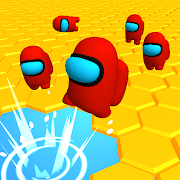
You control a god that collects coins across the arena. Your goal is simple: gather more coins than your opponents. Compete against other players or challenge bots in fast and engaging matches.
Use special bonuses to gain an advantage:
Each match is quick and intense, requiring smart movement, good timing, and effective use of power-ups. Aurum Run is easy to learn but challenging to master, making it suitable for both casual and competitive players.
Collect coins, outplay your opponents, and become the top runner in Aurum Run.
更多

1. 下载逍遥安装器并完成设置

2. 启动逍遥后打开位于桌面上的谷歌商店

3. 在谷歌商店中搜索Aurum Run
Install
4. 下载并安装Aurum Run
5. 下载完成后点击图标来启动

6. 通过逍遥在电脑上享受Aurum Run
逍遥安卓是优秀的安卓模拟器,全球超过5000万用户的优先选择。逍遥安卓以虚拟化技术为核心,为用户打造突破手机配置局限的游戏平台!
大屏精细展示;无限待机,超越电池和流量限制
键鼠、手把操作全面支持,操作更精准
用逍遥多开同时运行多个游戏、应用。
Play Aurum Run on PC by following steps: