
Caves of Lore
更新日期
当前版本
1.8.9.0
提供者

爱玩Caves of Lore的你,双手不应该被束缚在手机的小屏幕上。像职业选手一样用键盘和滑鼠来全面控制你的游戏吧。在电脑上下载、安装Caves of Lore并尽情游玩。再也不用担心剩余电量、流量消耗和烦人的来电。全新的逍遥模拟器8是你在电脑上游玩Caves of Lore的好选择!我们用心准备,完美的按键映射系统让Caves of Lore宛如电脑游戏;
更多
透过逍遥模拟器,在电脑上下载Caves of Lore,享受大荧屏的畅快体验。 《Caves of Lore》是一款回合制、像素风、奇幻风格的电脑角色扮演游戏,融合了环境探索、角色互动以及基于网格的战术战斗元素。
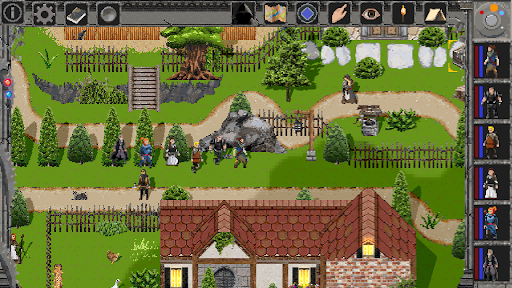
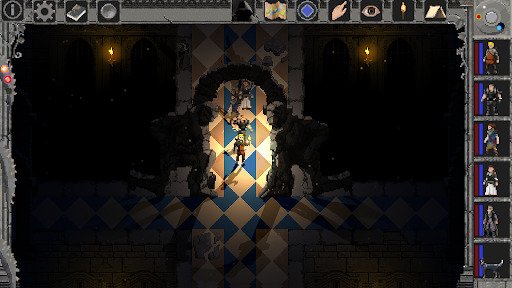
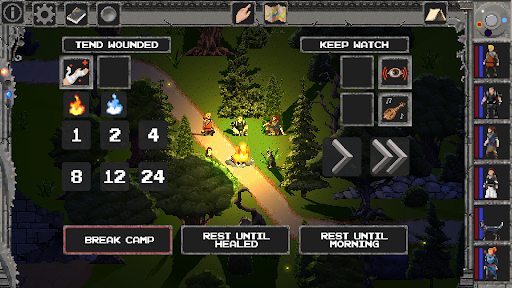
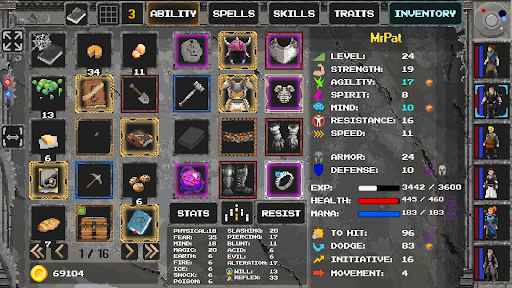
《Caves of Lore》是一款回合制、像素风、奇幻风格的电脑角色扮演游戏,融合了环境探索、角色互动以及基于网格的战术战斗元素。
6 个角色,超过 65 种法术、65 种技能、65 种特质、50 多种怪物、40 多个 NPC、30 多个任务以及 20 多个区域可供探索。数百种道具和数万种附魔组合,成就各种强大的道具。
更多

1. 下载逍遥安装器并完成设置

2. 启动逍遥后打开位于桌面上的谷歌商店

3. 在谷歌商店中搜索Caves of Lore
Install
4. 下载并安装Caves of Lore
5. 下载完成后点击图标来启动

6. 通过逍遥在电脑上享受Caves of Lore
逍遥安卓是优秀的安卓模拟器,全球超过5000万用户的优先选择。逍遥安卓以虚拟化技术为核心,为用户打造突破手机配置局限的游戏平台!
大屏精细展示;无限待机,超越电池和流量限制
键鼠、手把操作全面支持,操作更精准
用逍遥多开同时运行多个游戏、应用。
Play Caves of Lore on PC by following steps: