
Kepithor Rewards
更新日期
当前版本
271
提供者

爱玩Kepithor Rewards的你,双手不应该被束缚在手机的小屏幕上。像职业选手一样用键盘和滑鼠来全面控制你的游戏吧。在电脑上下载、安装Kepithor Rewards并尽情游玩。再也不用担心剩余电量、流量消耗和烦人的来电。全新的逍遥模拟器8是你在电脑上游玩Kepithor Rewards的好选择!我们用心准备,完美的按键映射系统让Kepithor Rewards宛如电脑游戏;
更多
透过逍遥模拟器,在电脑上下载Kepithor Rewards,享受大荧屏的畅快体验。 只需观看广告或完成简单任务即可赚取奖励——就是这么简单!

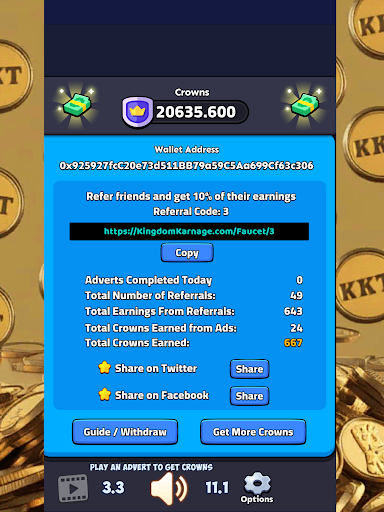
只需观看广告或完成简单任务即可赚取奖励——就是这么简单!
Kepithor Rewards 是一款付费应用,让您参与互动。无论您是播放音频/视频广告、回答调查问卷,还是探索新优惠,您都将获得真正的加密货币作为回报。
工作原理
- 播放广告、完成调查问卷或参与合作伙伴内容。
- 每次操作均可赚取积分
- 余额达到 2 美元即可提现。
快速灵活的提现方式
以 Kepithor 网络的原生加密货币 KEPI 提现。通过 PancakeSwap 在币安智能链上买卖 KEPI。
用户喜爱 Kepithor Rewards 的原因
- 无需购买——立即开始赚取奖励。
- 最低提现门槛低。
- 由《Kingdom Karnage》等热门游戏的开发者 Kepithor Studios 打造
立即开始累积奖励——您的时间宝贵,现在值得您付出。
了解更多信息,请访问 KepithorStudios.com
更多

1. 下载逍遥安装器并完成设置

2. 启动逍遥后打开位于桌面上的谷歌商店

3. 在谷歌商店中搜索Kepithor Rewards
Install
4. 下载并安装Kepithor Rewards
5. 下载完成后点击图标来启动

6. 通过逍遥在电脑上享受Kepithor Rewards
逍遥安卓是优秀的安卓模拟器,全球超过5000万用户的优先选择。逍遥安卓以虚拟化技术为核心,为用户打造突破手机配置局限的游戏平台!
大屏精细展示;无限待机,超越电池和流量限制
键鼠、手把操作全面支持,操作更精准
用逍遥多开同时运行多个游戏、应用。
Play Kepithor Rewards on PC by following steps: