Motor Depot
更新日期
当前版本
1.3721
提供者

爱玩Motor Depot的你,双手不应该被束缚在手机的小屏幕上。像职业选手一样用键盘和滑鼠来全面控制你的游戏吧。在电脑上下载、安装Motor Depot并尽情游玩。再也不用担心剩余电量、流量消耗和烦人的来电。全新的逍遥模拟器8是你在电脑上游玩Motor Depot的好选择!我们用心准备,完美的按键映射系统让Motor Depot宛如电脑游戏;
更多
透过逍遥模拟器,在电脑上下载Motor Depot,享受大荧屏的畅快体验。 在这个游戏中,您将能够驾驶各种类型的交通工具:卡车和汽车、拖拉机、自卸卡车和公共汽车。
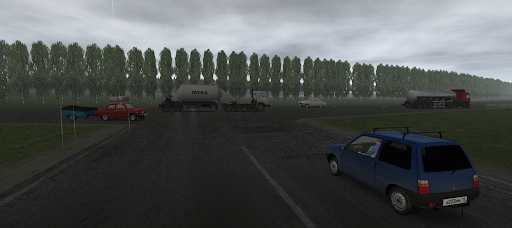
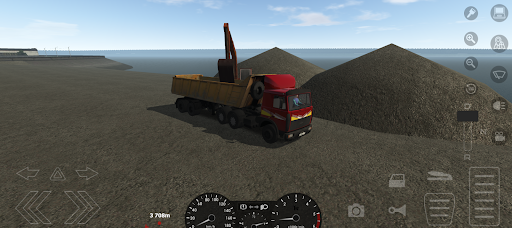
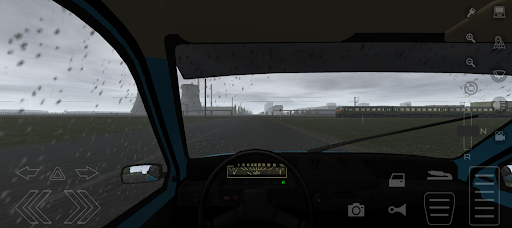
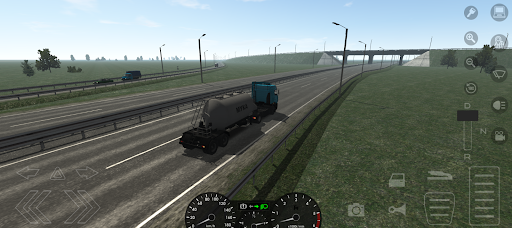
在这个游戏中,您将能够驾驶各种类型的交通工具:卡车和汽车、拖拉机、自卸卡车和公共汽车。该游戏将让您沉浸在早期零的氛围中。
游戏特色:
- 超过 100 辆汽车
- 各种角色皮肤
- 大型开放游戏世界
- 各种天气状况
- 昼夜和天气的动态变化
- 各种类型的工作
- 多人游戏
游戏需要至少 3GB 的 RAM 才能稳定运行。
官方社区“VKontakte”:https://vk.com/kozgames
粉丝社区“VKontakte”:
https://vk.com/russian_transit
更多

1. 下载逍遥安装器并完成设置

2. 启动逍遥后打开位于桌面上的谷歌商店

3. 在谷歌商店中搜索Motor Depot
Install
4. 下载并安装Motor Depot
5. 下载完成后点击图标来启动

6. 通过逍遥在电脑上享受Motor Depot
逍遥安卓是优秀的安卓模拟器,全球超过5000万用户的优先选择。逍遥安卓以虚拟化技术为核心,为用户打造突破手机配置局限的游戏平台!
大屏精细展示;无限待机,超越电池和流量限制
键鼠、手把操作全面支持,操作更精准
用逍遥多开同时运行多个游戏、应用。
Play Motor Depot on PC by following steps: