
Plant Royale: Defense Arena
更新日期
当前版本
0.4.10.1
提供者

爱玩Plant Royale: Defense Arena的你,双手不应该被束缚在手机的小屏幕上。像职业选手一样用键盘和滑鼠来全面控制你的游戏吧。在电脑上下载、安装Plant Royale: Defense Arena并尽情游玩。再也不用担心剩余电量、流量消耗和烦人的来电。全新的逍遥模拟器8是你在电脑上游玩Plant Royale: Defense Arena的好选择!我们用心准备,完美的按键映射系统让Plant Royale: Defense Arena宛如电脑游戏;
更多
透过逍遥模拟器,在电脑上下载Plant Royale: Defense Arena,享受大荧屏的畅快体验。 这是一款融合了塔防、自走棋、合成的全新策略对战游戏,5分钟即可体验一局爽快的策略PVP,在这里每个植物英雄都拥有与众不同的能力,收集各种植物英雄构筑你的专属流派,通过简单的合成与部署就可以让你的植物在战斗中更强大,多种玩法模式带来多种不同的游戏乐趣和体验。


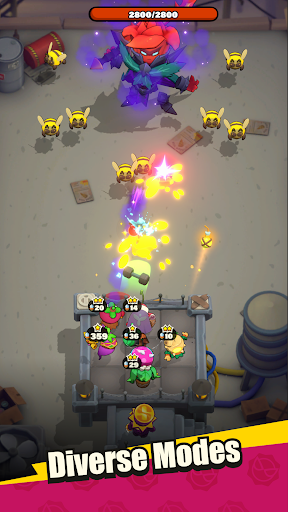
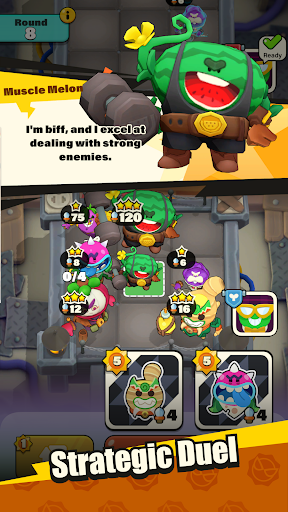
这是一款融合了塔防、自走棋、合成的全新策略对战游戏,5分钟即可体验一局爽快的策略PVP,在这里每个植物英雄都拥有与众不同的能力,收集各种植物英雄构筑你的专属流派,通过简单的合成与部署就可以让你的植物在战斗中更强大,多种玩法模式带来多种不同的游戏乐趣和体验。
■5分钟的爽快对决
仅需5分钟,随时随地领略PVP博弈对抗的乐趣!
■召唤!合成!变强!
召唤强力的植物抵御对手的进攻,合成相同的植物让他们变的更强!
■自由构筑,打造属于你的流派
”流行巨星西兰花歌王,黑帮打手仙人掌保镖,寒冰法师冰雪蓝莓……“在这里,有超过40个个性鲜明有趣的植物英雄即将与你并肩作战,运用他们的能力组合出无与伦比的战斗乐趣,释放无限的想象搭配出你的专属流派!
■多玩法模式拒绝枯燥
除了与其他领主在天梯模式一较高下以外,冒险模式,BOSS挑战都可以让你获得与众不同的游戏体验和丰厚奖励!
- 请注意 -
《Plant Royale: Defense Arena》是免费游戏并提供游戏内购买,请确保顺畅的网络链接以为您提供更流畅的游戏体验。
更多

1. 下载逍遥安装器并完成设置

2. 启动逍遥后打开位于桌面上的谷歌商店

3. 在谷歌商店中搜索Plant Royale: Defense Arena
Install
4. 下载并安装Plant Royale: Defense Arena
5. 下载完成后点击图标来启动

6. 通过逍遥在电脑上享受Plant Royale: Defense Arena
逍遥安卓是优秀的安卓模拟器,全球超过5000万用户的优先选择。逍遥安卓以虚拟化技术为核心,为用户打造突破手机配置局限的游戏平台!
大屏精细展示;无限待机,超越电池和流量限制
键鼠、手把操作全面支持,操作更精准
用逍遥多开同时运行多个游戏、应用。
Play Plant Royale: Defense Arena on PC by following steps: