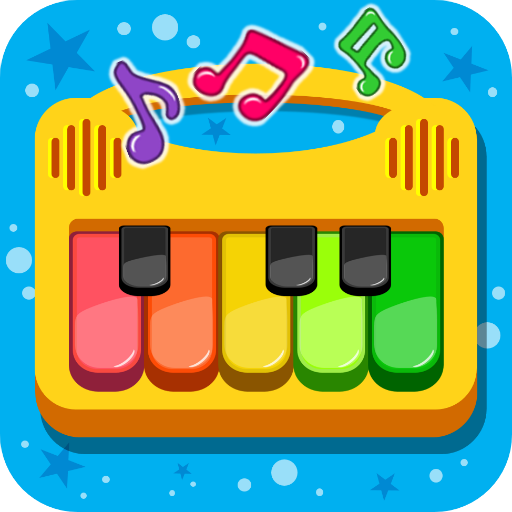
Rhythm Tiles 67: Piano Songs
更新日期
当前版本
1.4.0
提供者

爱玩Rhythm Tiles 67: Piano Songs的你,双手不应该被束缚在手机的小屏幕上。像职业选手一样用键盘和滑鼠来全面控制你的游戏吧。在电脑上下载、安装Rhythm Tiles 67: Piano Songs并尽情游玩。再也不用担心剩余电量、流量消耗和烦人的来电。全新的逍遥模拟器8是你在电脑上游玩Rhythm Tiles 67: Piano Songs的好选择!我们用心准备,完美的按键映射系统让Rhythm Tiles 67: Piano Songs宛如电脑游戏;
更多
透过逍遥模拟器,在电脑上下载Rhythm Tiles 67: Piano Songs,享受大荧屏的畅快体验。 节奏方块 67:钢琴曲——一款充满乐趣、令人上瘾的钢琴游戏,音乐与欢笑在此交织!


节奏方块 67:钢琴曲——一款充满乐趣、令人上瘾的钢琴游戏,音乐与欢笑在此交织!
沉浸在充满节奏和惊喜的世界吧!节奏方块将经典钢琴游戏的精彩玩法与妙趣横生的恶作剧元素相结合,使其成为您玩过的最独特的音乐游戏之一。
海量歌库
选择您喜爱的歌曲,准备好沉浸在节奏中吧!从轻松的钢琴旋律到热门歌曲、热门金曲、古典音乐、流行音乐、电子舞曲、韩流音乐等等,这款音乐游戏总有一款适合您。我们会定期添加新歌,让您的歌单保持新鲜!
节奏方块,乐趣无限
享受节奏的同时,别忘了留意那些意想不到的节奏方块!它们会添加有趣的音效和惊喜挑战,让您时刻保持警觉。音乐与乐趣的完美平衡,让这款游戏远不止是一款普通的钢琴游戏。
为什么你会爱上《节奏方块》
钢琴游戏乐趣与恶作剧挑战的独特融合
数百首歌曲,包括热门歌曲和轻松的经典曲目
简单的一键式游戏——初学者轻松上手,专业人士也能乐在其中
休闲模式放松身心,挑战模式提升速度
专为极致音乐游戏体验而优化
游戏玩法
从海量钢琴游戏库中选择你的歌曲
与节奏同步点击黑色方块
打破自己的记录,攀登排行榜
如果你热爱钢琴游戏、音乐游戏和热门歌曲,《节奏方块》就是你的理想之选。无论你是想放松身心还是挑战技巧,这款游戏都能让你沉浸其中数小时。
立即下载《节奏方块》——掌握节奏,躲避恶作剧,享受极致音乐游戏体验!
更多

1. 下载逍遥安装器并完成设置

2. 启动逍遥后打开位于桌面上的谷歌商店

3. 在谷歌商店中搜索Rhythm Tiles 67: Piano Songs
Install
4. 下载并安装Rhythm Tiles 67: Piano Songs
5. 下载完成后点击图标来启动

6. 通过逍遥在电脑上享受Rhythm Tiles 67: Piano Songs
逍遥安卓是优秀的安卓模拟器,全球超过5000万用户的优先选择。逍遥安卓以虚拟化技术为核心,为用户打造突破手机配置局限的游戏平台!
大屏精细展示;无限待机,超越电池和流量限制
键鼠、手把操作全面支持,操作更精准
用逍遥多开同时运行多个游戏、应用。
Play Rhythm Tiles 67: Piano Songs on PC by following steps: