Satisfying Coloring
更新日期
当前版本
6.3
提供者

爱玩Satisfying Coloring的你,双手不应该被束缚在手机的小屏幕上。像职业选手一样用键盘和滑鼠来全面控制你的游戏吧。在电脑上下载、安装Satisfying Coloring并尽情游玩。再也不用担心剩余电量、流量消耗和烦人的来电。全新的逍遥模拟器8是你在电脑上游玩Satisfying Coloring的好选择!我们用心准备,完美的按键映射系统让Satisfying Coloring宛如电脑游戏;
更多
透过逍遥模拟器,在电脑上下载Satisfying Coloring,享受大荧屏的畅快体验。 全新 ASMR 涂色世界,轻松愉悦,让您尽情享受涂色的乐趣。
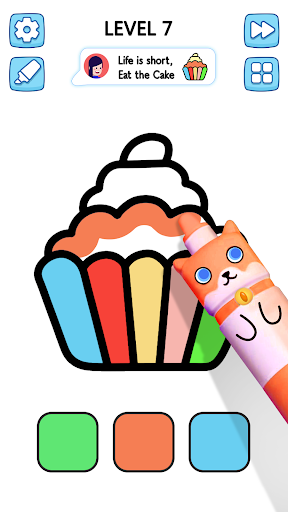
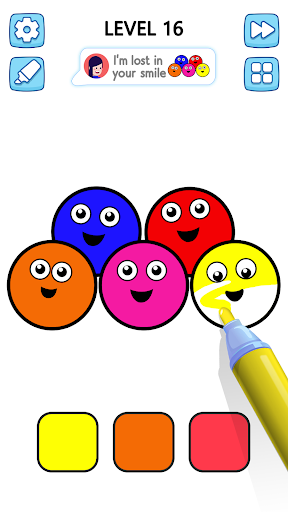
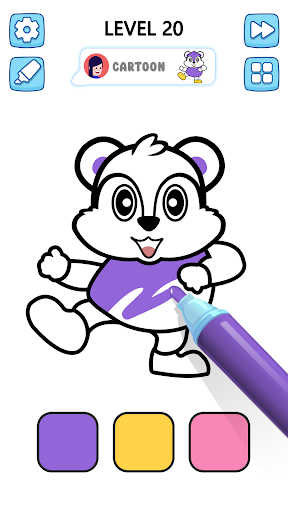
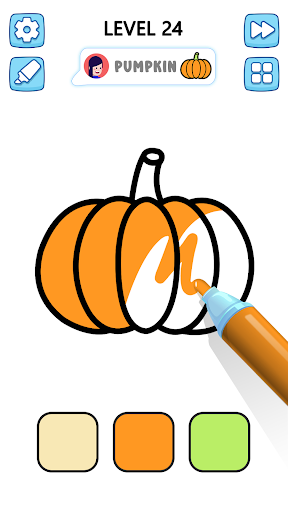
全新 ASMR 涂色世界,轻松愉悦,让您尽情享受涂色的乐趣。如果您正在寻找一款令人满足的游戏,希望每一笔都让您的画作更加绚丽多彩,那么这款 ASMR 涂色游戏将为您带来完美的涂色体验,让您在享受乐趣的同时放松身心。每一笔都让您的草图慢慢蜕变成杰作。
每一种铅笔颜色都能让您体验涂色的乐趣,放松与创造力在此交融。涂色时,您可以聆听宁静的 ASMR 音效和舒缓的视觉效果。在简洁的页面上展现您的创造力,绘制色彩缤纷的有趣作品,享受涂色的艺术。
解锁 VIP 关卡,探索独特的绘画,用马克笔涂色。挑战惊喜关卡,让您的创意之旅更加时尚。部分关卡提供擦除工具,方便您边画边用。使用喷雾器增强您的作品,创作出更整洁、更时尚的画作。
令人满意的涂色质量特点:
流畅便捷的操作,只需轻触即可填充。
每笔都伴随着舒缓的 ASMR 音效。
多个涂色页面,展现您的创造力。
只需轻敲、涂色、放松即可,无需额外技能。
更多

1. 下载逍遥安装器并完成设置

2. 启动逍遥后打开位于桌面上的谷歌商店

3. 在谷歌商店中搜索Satisfying Coloring
Install
4. 下载并安装Satisfying Coloring
5. 下载完成后点击图标来启动

6. 通过逍遥在电脑上享受Satisfying Coloring
逍遥安卓是优秀的安卓模拟器,全球超过5000万用户的优先选择。逍遥安卓以虚拟化技术为核心,为用户打造突破手机配置局限的游戏平台!
大屏精细展示;无限待机,超越电池和流量限制
键鼠、手把操作全面支持,操作更精准
用逍遥多开同时运行多个游戏、应用。
Play Satisfying Coloring on PC by following steps: