AirCodum VSCode Remote Control
更新日期
当前版本
2.5.2
提供者

想体验AirCodum VSCode Remote Control,可是手机屏幕太小,用一会就变烫,怎么办?使用逍遥模拟器,在电脑的大屏幕上畅快体验!在电脑上下载安装AirCodum VSCode Remote Control,不用担心电量问题,想体验多久就多久,顺畅用一天~全新的逍遥模拟器9,绝对是您体验AirCodum VSCode Remote Control电脑版的好选择。完美的按键映射系统让AirCodum VSCode Remote Control如PC端般运行;强大的多开功能可同时使用多个应用;独家虚拟化技术更能彻底发挥电脑效能,保障长时间稳定运作。我们致力于不让设备限制您的体验,用起来轻松高效,畅快无比!
更多
使用逍遙模擬器在電腦上享受AirCodum VSCode Remote Control的卓越體驗。這是一款功能強大的免費安卓模擬器,為您提供數千款安卓應用程式的桌面版本。與好友互動,有效率完成工作,盡情享受! AirCodum: Remote Control for VS Code.
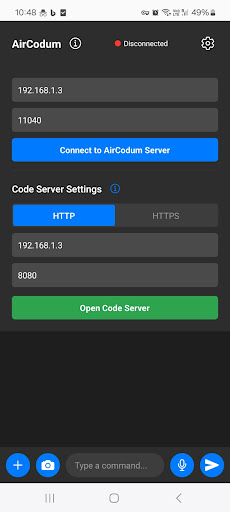
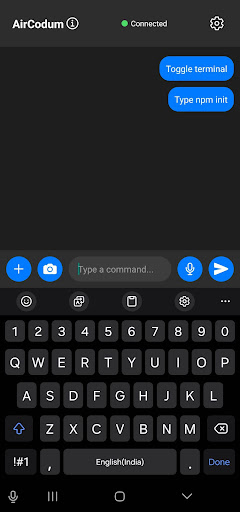
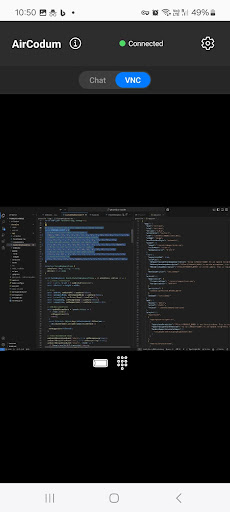
AirCodum: Remote Control for VS Code
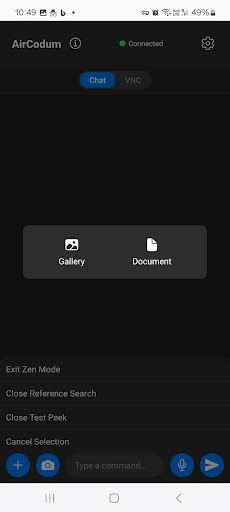
Connect your Android phone or tablet to Visual Studio Code on your own computer. View and control the desktop, send commands, and transfer text, images and documents into your development environment.
Features:
- Desktop viewing with pinch-to-zoom, pan, scroll, right-click and explicit drag controls.
- Saved named computers and VS Code windows with one-tap switching.
- A remote keyboard composer: edit a draft on your phone, then send it. Enter is a separate control.
- VS Code commands for navigating and editing your workspace.
- File, image and text transfer to the selected desktop connection.
- Speech input using your device's speech recognition service.
- Optional AI and image-to-text features using the provider configured in the desktop extension.
Setup:
1. Install the AirCodum extension in VS Code. Find it at aircodum.com or https://github.com/priyankark/AirCodum/releases.
2. Start its server and choose a Local Wi-Fi or Tailscale address.
3. In the phone app choose Add computer or window. Scan the extension's QR code, or enter its displayed address, port and pairing token. Each VS Code window may use a different port.
4. Connect and choose command or VNC mode. Save additional computers and switch from the current session's top bar.
Local Wi-Fi requires devices on the same trusted network and uses unencrypted traffic. Tailscale or a configured TLS endpoint provides encrypted transport.
AirCodum requires a running, reachable computer with VS Code and its compatible extension. VS Code actions and file transfers target the selected window. VNC, desktop typing and keyboard shortcuts control the computer’s foreground desktop. Multiple windows on one computer do not create separate virtual desktops. Scroll and right-click require the updated extension.
Pairing tokens are saved in secure device storage. Optional AI or OCR features may forward content to the provider configured on your desktop. Speech recognition uses your device's speech service.
Learn more at aircodum.com.
更多

1. 下载逍遥安装器并完成设置

2. 启动逍遥后打开位于桌面上的谷歌商店

3. 在谷歌商店中搜索AirCodum VSCode Remote Control
Install
4. 下载并安装AirCodum VSCode Remote Control
5. 下载完成后点击图标来启动

6. 通过逍遥在电脑上享受AirCodum VSCode Remote Control
逍遥安卓是优秀的安卓模拟器,全球超过5000万用户的优先选择。逍遥安卓以虚拟化技术为核心,为用户打造突破手机配置局限的游戏平台!
大屏精细展示;无限待机,超越电池和流量限制
键鼠、手把操作全面支持,操作更精准
用逍遥多开同时运行多个游戏、应用。
Use AirCodum VSCode Remote Control on PC by following steps: