Events AI App
更新日期
当前版本
2.0.2
提供者

想体验Events AI App,可是手机屏幕太小,用一会就变烫,怎么办?使用逍遥模拟器,在电脑的大屏幕上畅快体验!在电脑上下载安装Events AI App,不用担心电量问题,想体验多久就多久,顺畅用一天~全新的逍遥模拟器9,绝对是您体验Events AI App电脑版的好选择。完美的按键映射系统让Events AI App如PC端般运行;强大的多开功能可同时使用多个应用;独家虚拟化技术更能彻底发挥电脑效能,保障长时间稳定运作。我们致力于不让设备限制您的体验,用起来轻松高效,畅快无比!
更多
透过逍遥模拟器,在电脑上下载Events AI App,享受大荧屏的畅快体验。 Welcome to Event AI, the innovative mobile app designed to enhance your event experience from start to finish.
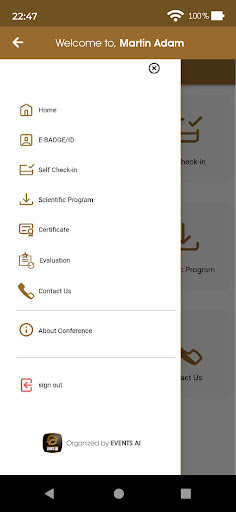
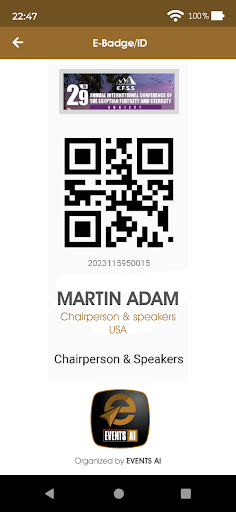
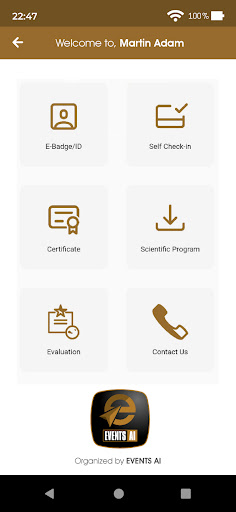
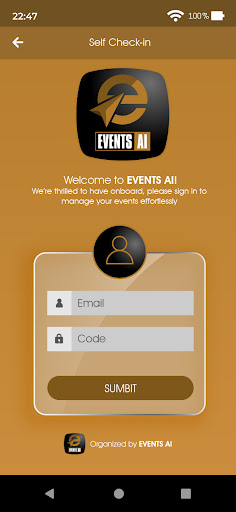
Welcome to Event AI, the innovative mobile app designed to enhance your event experience from start to finish. Whether you're attending a conference, seminar, or any professional gathering, Event AI seamlessly integrates every aspect of the Event into one user-friendly application. With Event AI, you can engage more deeply with the Event, network efficiently, and maximize your attendance.
Features:
- Seamless Login: Start your event journey smoothly by logging in with your email and unique registration code.
- User-Friendly Interface: Easily navigate the app's features with an intuitive interface for a hassle-free user experience.
- E-Name Tag for Efficient Networking: Access your personalized Nametag with a QR code and visitor data, making networking at the Event simpler and more effective.
- Self-Check-In Skip the lines and enjoy the convenience of self-check-in by scanning an encrypted QR code directly from your mobile device.
- Event Program Access: Stay informed and plan your day with a detailed event program available as a downloadable PDF.
- Certificate of Attendance: You will receive a certificate of attendance in PDF format, which will be a valuable addition to your professional portfolio.
- Conference Insights: Delve into comprehensive information about the conference, including themes, schedules, and speaker bios.
- Evaluation and Feedback: Your opinions matter. Quickly access the evaluation link to share your event experience and suggestions for improvement.
- Contact Us: Have questions or need assistance? Our dedicated "Contact Us" feature ensures you're always just a tap away from the support you need.
Event AI is more than just an app; it's your personal event assistant, designed to enhance your conference experience, facilitate networking, and provide valuable resources. Download Event AI now and take the first step towards a more engaging and productive event experience.
Support:
If you have any inquiries or need support, please contact us at info@purespot.org or through the app. We're here to ensure your event experience is nothing short of amazing.
更多

1. 下载逍遥安装器并完成设置

2. 启动逍遥后打开位于桌面上的谷歌商店

3. 在谷歌商店中搜索Events AI App
Install
4. 下载并安装Events AI App
5. 下载完成后点击图标来启动

6. 通过逍遥在电脑上享受Events AI App
逍遥安卓是优秀的安卓模拟器,全球超过5000万用户的优先选择。逍遥安卓以虚拟化技术为核心,为用户打造突破手机配置局限的游戏平台!
大屏精细展示;无限待机,超越电池和流量限制
键鼠、手把操作全面支持,操作更精准
用逍遥多开同时运行多个游戏、应用。
Use Events AI App on PC by following steps: