My Online TV and Satellite电脑版

My Online TV and Satellite电脑版下载

My Online TV and Satellite电脑版

My Online TV and Satellite

  • 更新日期

  • 当前版本

    3.0.8

  • 提供者

    My Online TV and Satellite电脑版

My Online TV and Satellite电脑版简介

想体验My Online TV and Satellite,可是手机屏幕太小,用一会就变烫,怎么办?使用逍遥模拟器,在电脑的大屏幕上畅快体验!在电脑上下载安装My Online TV and Satellite,不用担心电量问题,想体验多久就多久,顺畅用一天~全新的逍遥模拟器9,绝对是您体验My Online TV and Satellite电脑版的好选择。完美的按键映射系统让My Online TV and Satellite如PC端般运行;强大的多开功能可同时使用多个应用;独家虚拟化技术更能彻底发挥电脑效能,保障长时间稳定运作。我们致力于不让设备限制您的体验,用起来轻松高效,畅快无比!

更多

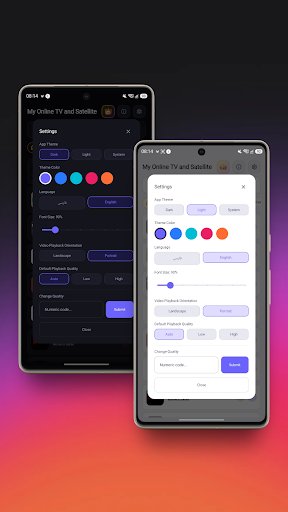
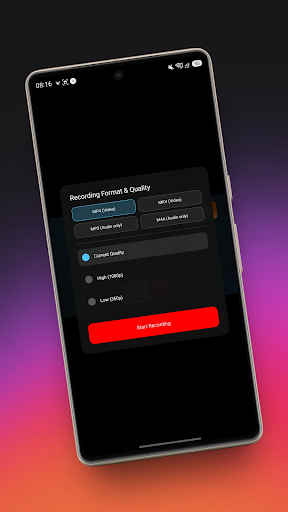
My Online TV and Satellite电脑版截图&视频

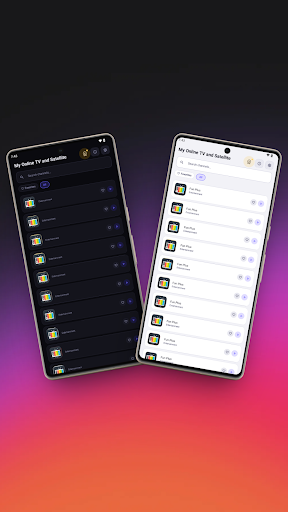
透过逍遥模拟器,在电脑上下载تلویزیون و ماهواره آنلاین من,享受大荧屏的畅快体验。 通过 My TV 独家波斯语广播频道,体验极致娱乐享受。
应用信息

通过 My TV 独家波斯语广播频道,体验极致娱乐享受。

畅享先进功能,获得难忘的观看体验,并探索 My TV 上丰富的视频库。

注意:仅提供 My TV 自有的视频库。

免责声明:本应用仅提供公开可用的视频流,不托管或推广任何受版权保护或受限的内容。

更多

在电脑上下载My Online TV and Satellite

  • My Online TV and Satellite电脑版

    1. 下载逍遥安装器并完成设置

  • My Online TV and Satellite电脑版

    2. 启动逍遥后打开位于桌面上的谷歌商店

  • My Online TV and Satellite电脑版

    3. 在谷歌商店中搜索My Online TV and Satellite

  • My Online TV and Satellite电脑版 Install

    4. 下载并安装My Online TV and Satellite

  • My Online TV and Satellite电脑版

    5. 下载完成后点击图标来启动

  • My Online TV and Satellite电脑版
    My Online TV and Satellite电脑版 My Online TV and Satellite电脑版

    6. 通过逍遥在电脑上享受My Online TV and Satellite

为什么用逍遥体验My Online TV and Satellite

逍遥安卓是优秀的安卓模拟器,全球超过5000万用户的优先选择。逍遥安卓以虚拟化技术为核心,为用户打造突破手机配置局限的游戏平台!

  • 大屏精细展示;无限待机,超越电池和流量限制

  • 键鼠、手把操作全面支持,操作更精准

  • 用逍遥多开同时运行多个游戏、应用。

准备体验了吗?

热门话题

My Online TV and Satellite - FAQs

  • How to use My Online TV and Satellite on PC?

    Use My Online TV and Satellite on PC by following steps:

    • Download MEmu, then install and launch it
    • Login to Google Play Store, install the app
    • Enjoy using the app on PC with MEmu
  • What are the minimum system requirements to run My Online TV and Satellite on PC?
    • Intel or AMD Processor
    • Microsoft Windows 7 and above
    • 2GB of memory
    • 5GB of free disk space
    • Hardware Virtualization Technology
lyzs
lyzs