
NetGuard - no-root firewall
更新日期
当前版本
2.334
提供者

想体验NetGuard - no-root firewall,可是手机屏幕太小,用一会就变烫,怎么办?使用逍遥模拟器,在电脑的大屏幕上畅快体验!在电脑上下载安装NetGuard - no-root firewall,不用担心电量问题,想体验多久就多久,顺畅用一天~全新的逍遥模拟器9,绝对是您体验NetGuard - no-root firewall电脑版的好选择。完美的按键映射系统让NetGuard - no-root firewall如PC端般运行;强大的多开功能可同时使用多个应用;独家虚拟化技术更能彻底发挥电脑效能,保障长时间稳定运作。我们致力于不让设备限制您的体验,用起来轻松高效,畅快无比!
更多
使用逍遙模擬器在電腦上享受NetGuard - no-root firewall的卓越體驗。這是一款功能強大的免費安卓模擬器,為您提供數千款安卓應用程式的桌面版本。與好友互動,有效率完成工作,盡情享受! NetGuard 是一款互联网安全应用程序,它提供了简单而高级的方法来限制应用程序对互联网的访问。
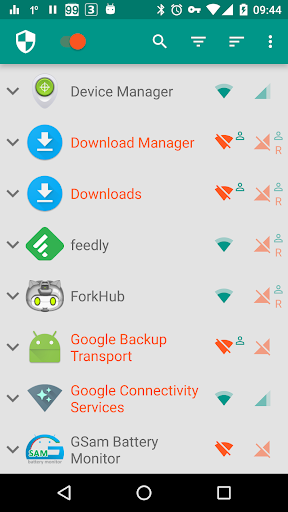
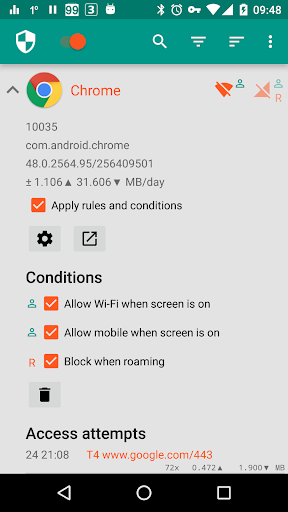
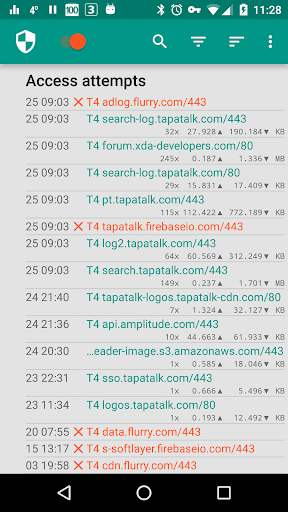
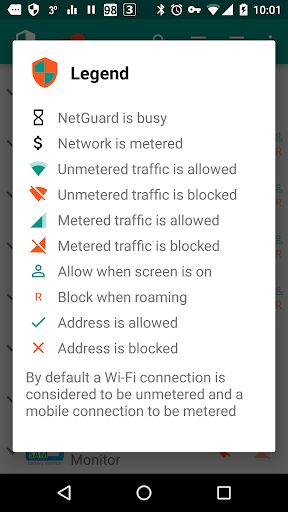
NetGuard 是一款互联网安全应用程序,它提供了简单而高级的方法来限制应用程序对互联网的访问。
可以单独允许或拒绝应用程序和地址访问您的 Wi-Fi 和/或移动连接。不需要 root 权限。
阻止对互联网的访问可以帮助:
&公牛;减少您的数据使用量
&公牛;节省电池
&公牛;增加您的隐私
特征:
&公牛;使用简单
&公牛;无需root
&公牛; 100% 开源
&公牛;不打电话回家
&公牛;没有跟踪或分析
&公牛;无广告
&公牛;积极开发和支持
&公牛;支持Android 5.1及更高版本
&公牛;支持 IPv4/IPv6 TCP/UDP
&公牛;支持网络共享
&公牛;屏幕打开时可选择允许
&公牛;漫游时可选择阻止
&公牛;可选择阻止系统应用程序
&公牛;可选择在应用程序访问互联网时发出通知
&公牛;可选择记录每个地址每个应用程序的网络使用情况
&公牛;材质设计主题有浅色和深色主题
专业版特点:
&公牛;记录所有传出流量;搜索和过滤访问尝试;导出 PCAP 文件以分析流量
&公牛;允许/阻止每个应用程序的单独地址
&公牛;新应用通知;直接从通知配置 NetGuard
&公牛;在状态栏通知中显示网络速度图
&公牛;从浅色和深色版本的五个附加主题中进行选择
没有其他无根防火墙可以提供所有这些功能。
如果您想测试新功能,可以参加测试计划:https://play.google.com/apps/testing/eu.faircode.netguard
此处描述了所有必需的权限:https://github.com/M66B/NetGuard/blob/master/FAQ.md#user-content-faq42
NetGuard 使用 Android VPNService 将流量路由到自身,因此可以在设备上而不是在服务器上过滤流量。只有一个应用程序可以同时使用此服务,这是 Android 的限制。
完整的源代码可以在这里找到:https://github.com/M66B/NetGuard
更多

1. 下载逍遥安装器并完成设置

2. 启动逍遥后打开位于桌面上的谷歌商店

3. 在谷歌商店中搜索NetGuard - no-root firewall
Install
4. 下载并安装NetGuard - no-root firewall
5. 下载完成后点击图标来启动

6. 通过逍遥在电脑上享受NetGuard - no-root firewall
逍遥安卓是优秀的安卓模拟器,全球超过5000万用户的优先选择。逍遥安卓以虚拟化技术为核心,为用户打造突破手机配置局限的游戏平台!
大屏精细展示;无限待机,超越电池和流量限制
键鼠、手把操作全面支持,操作更精准
用逍遥多开同时运行多个游戏、应用。
Use NetGuard - no-root firewall on PC by following steps: