One S24 Camera -Galaxy S24 cam
更新日期
当前版本
7.0
提供者

想体验One S24 Camera -Galaxy S24 cam,可是手机屏幕太小,用一会就变烫,怎么办?使用逍遥模拟器,在电脑的大屏幕上畅快体验!在电脑上下载安装One S24 Camera -Galaxy S24 cam,不用担心电量问题,想体验多久就多久,顺畅用一天~全新的逍遥模拟器9,绝对是您体验One S24 Camera -Galaxy S24 cam电脑版的好选择。完美的按键映射系统让One S24 Camera -Galaxy S24 cam如PC端般运行;强大的多开功能可同时使用多个应用;独家虚拟化技术更能彻底发挥电脑效能,保障长时间稳定运作。我们致力于不让设备限制您的体验,用起来轻松高效,畅快无比!
更多
透过逍遥模拟器,在电脑上下载One S24 Camera -Galaxy S24 cam,享受大荧屏的畅快体验。 One S24 Camera is a S24 style camera with many features.
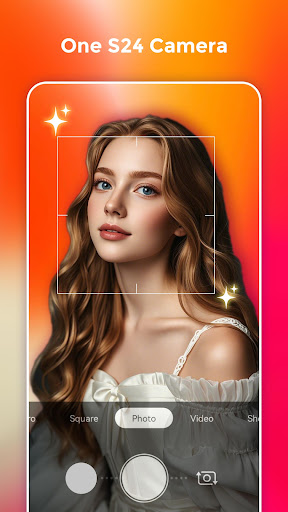
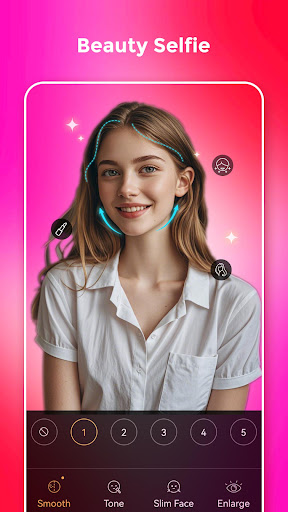
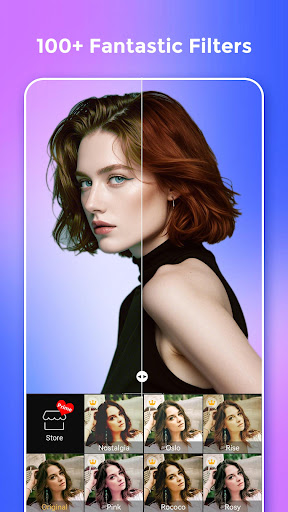
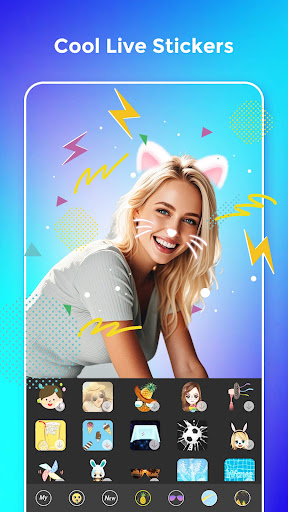
One S24 Camera is a S24 style camera with many features. You may get many fantastic camera features with S24 Camera which inspired by Galaxy S24 camera.
One S24 Camera will help you take cool photos like you have a Galaxy S24 phone, One S24 Camera can run on all Android 5.0+ devices!
One S24 Camera features:
- One S24 Camera has 100+ wonderful filters and also have a filter store which has many advanced filters
- One S24 Camera support live AR stickers, Emoji stickers for you to take cool and funny photos or videos
- Make up with skin tone, smooth, big eyes, face-lift, etc.
- Taking beauty and funny selfie with mask stickers
- Cool seal sticker and watermark
- Long press shutter to create short video
- Support UHD camera
- Support FHD video record
- One S24 Camera support HDR mode, help you take better photos
- Pinch to zoom or move shutter button left-right to zoom
- Auto-focus or Touch to focus
- Auto flash on/off
- Professional mode: Scene modes, ISO, White balance, Exposure adjustment, and etc.
- Silent capture mode
- S24 Camera support take selfie handily by using volume key
- S24 Camera support burst shot and timer shot
- S24 Camera has a floating shutter button for easy capturing
- Fill light in front camera to take better selfie
- One S24 Camera support resolution adjustment for Camera & Video
- Efficient album manage for your photos
- Default camera setting & reset
- Support Vignette function
- Support Tilt-shift photography
- Stamp photos with time and date tags
- White screen flash for front camera
- Grid line
- One S24 Camera has selfie mirror mode
One S24 Camera contain powerful photo editor features:
+ Add amazing filters to photos
+ One S24 photo editor support crop and rotate photo, adjust photo size
+ One S24 photo editor support many photo adjustment, such as contrast, saturation, brightness, tone, and etc.
+ One S24 photo editor support crop and rotate photo
+ Support photo adjustment: Contrast, Saturation, Brightness and Tone
+ Doodle and text in S24 photo editor
+ Config backgrounds, fonts and tags
+ Adjust tilt-shift and vignette
+ Adjust photo size
+ Choose photo save format
Notice:
1. Android™ is a registered trademark of Google, Inc.
2. One S24 Camera is inspired by Samsung™ Galaxy S24 camera, it is NOT official Galaxy S24 camera
3. Camera permission: take photos and record videos
4. Access Storage permission: manage photos, album
5. Location permission: needed when you enable geographic info tag
Please rate us, you make One S24 Camera better and better, thanks!
更多

1. 下载逍遥安装器并完成设置

2. 启动逍遥后打开位于桌面上的谷歌商店

3. 在谷歌商店中搜索One S24 Camera -Galaxy S24 cam
Install
4. 下载并安装One S24 Camera -Galaxy S24 cam
5. 下载完成后点击图标来启动

6. 通过逍遥在电脑上享受One S24 Camera -Galaxy S24 cam
逍遥安卓是优秀的安卓模拟器,全球超过5000万用户的优先选择。逍遥安卓以虚拟化技术为核心,为用户打造突破手机配置局限的游戏平台!
大屏精细展示;无限待机,超越电池和流量限制
键鼠、手把操作全面支持,操作更精准
用逍遥多开同时运行多个游戏、应用。
Use One S24 Camera -Galaxy S24 cam on PC by following steps: