Privat24 – mobile bank
更新日期
当前版本
2
提供者

想体验Privat24 – mobile bank,可是手机屏幕太小,用一会就变烫,怎么办?使用逍遥模拟器,在电脑的大屏幕上畅快体验!在电脑上下载安装Privat24 – mobile bank,不用担心电量问题,想体验多久就多久,顺畅用一天~全新的逍遥模拟器9,绝对是您体验Privat24 – mobile bank电脑版的好选择。完美的按键映射系统让Privat24 – mobile bank如PC端般运行;强大的多开功能可同时使用多个应用;独家虚拟化技术更能彻底发挥电脑效能,保障长时间稳定运作。我们致力于不让设备限制您的体验,用起来轻松高效,畅快无比!
更多
透过逍遥模拟器,在电脑上下载Privat24 – mobile bank,享受大荧屏的畅快体验。 下载Privat24移动银行。
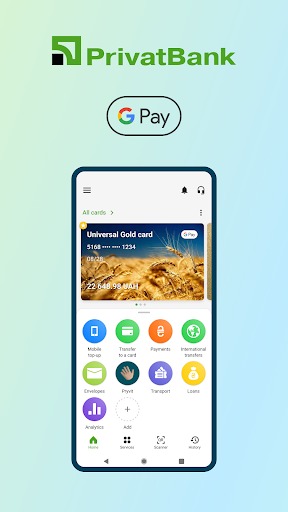

下载Privat24移动银行。付款和汇款、贷款、公用事业和移动充值 — 全部在应用程序中在线完成!
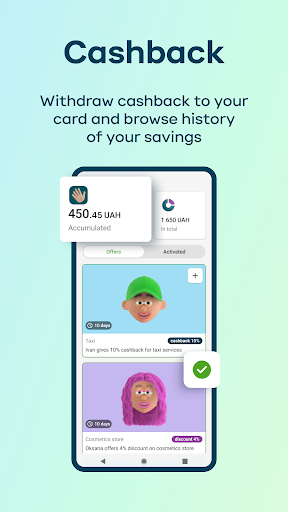
还有现金返还、存款和储蓄:
• «Pryvit» 忠诚度计划:专为您提供的个性化折扣和优惠;
• “信封”服务:设定并实现您的捐赠财务目标,省钱并管理您自己的开支;
• 使用“National Cashback”卡累积现金返还;
• 在线存款多种货币:乌克兰格里夫纳、美元、欧元。
移动应用程序中的付款和转账:
• 转账至 Visa 和 Mastercard 卡;
• 为任何乌克兰移动运营商的号码进行移动充值;
• 公用事业、互联网服务、电视、教育、交通罚款等;
• 在应用程序中在线兑换货币;
• 发送和接收即时转账和非现金支付;
• SWIFT 国际转账。
管理卡和账户:
• 设置限额——在线支付和现金提取;
• 提取和订购现金;
• 在线开卡和补发卡;
• 添加通过Google Pay 付款的卡;
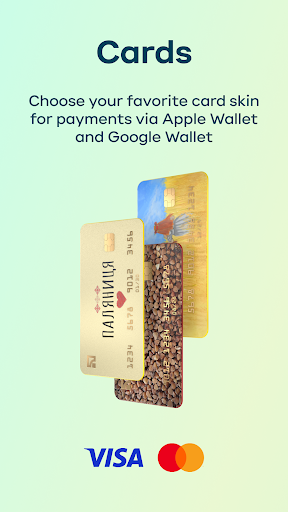
• 为卡选择虚拟设计(皮肤)。
贷款:
• 管理和更改信用额度;
• 根据《分批付款》和《即时分期付款》进行付款;
• 申请现金贷款、抵押贷款和汽车贷款。
控制和计划费用:
• 通过“Analytics”服务进行收入和支出统计;
• 自动支付:移动充值、卡转账、水电费和其他支付。
附加服务:
• 在线购买火车票和汽车票;
• 公共交通票价支付;
• 保险(汽车第三方责任保险(MTPL)、绿卡、健康保险、旅行保险)。
企业家可用的可能性:
• 从个体工商户账户转移资金;
• 查看帐户的余额和报表;
• 向交易对手发送账户详细信息。
加入我们——还有更多精彩等着您!
© 2024 PrivatBank NBU 许可证 22,日期为 2011 年 10 月 5 日
更多

1. 下载逍遥安装器并完成设置

2. 启动逍遥后打开位于桌面上的谷歌商店

3. 在谷歌商店中搜索Privat24 – mobile bank
Install
4. 下载并安装Privat24 – mobile bank
5. 下载完成后点击图标来启动

6. 通过逍遥在电脑上享受Privat24 – mobile bank
逍遥安卓是优秀的安卓模拟器,全球超过5000万用户的优先选择。逍遥安卓以虚拟化技术为核心,为用户打造突破手机配置局限的游戏平台!
大屏精细展示;无限待机,超越电池和流量限制
键鼠、手把操作全面支持,操作更精准
用逍遥多开同时运行多个游戏、应用。
Use Privat24 – mobile bank on PC by following steps: