Skyline Emulator
تم التحديث
الإصدار الحالي
1.0.0
تقديم

مع كل شغفك للعب Skyline Emulator ,يديك لايجب ان تكون محدودة بشاشة صغيرة علي تليفونك. العب كمحترف واحصل علي تحكم كامل علي لعبتك عن طريق لوحة المفاتيح والفأره. MEmuيقدم جميع الاشياء التي تتوقعها.حمل والعب Skyline Emulator علي جهاز الحاسوب الخاص بك العب كماتريد ,لايوجد حدود علي البطارية والباقة ولا يوجد اتصالات مزعجة النسخة الجديدة من MEmu7 هو افضل وسيلة للعب Skyline Emulator علي جهاز الحاسب معد عن طريق خبراتنا , لوحة المفاتيح المعده مسبقا تجعل Skyline Emulator العبة لعبة كمبيوتر حقيقة تم برمجتها باقصي استيعابنا .المتحكم في عدة نوافذ يجعل لعب لعبتين او اكثر او استعمال اكثر من حساب اسهل واهم شئ ان المحرك الخاص بنا يمكن ان يخرج كل امكانيات جهازك ويجعل كل شئ اكثر سلاسة نحن لانهتم بكيف تلعب فقط بل ايضا بالسعادة التي تغمرك من اللعب
أظهر المزيد
قم بتنزيل Skyline Emulator على الكمبيوتر بإستخدام جهاز مقلد أندروز MEmu.استمتع بمتعة اللعب على الشاشة الكبيرة. Turn your Android phone or tablet into a portable Switch gaming machine.
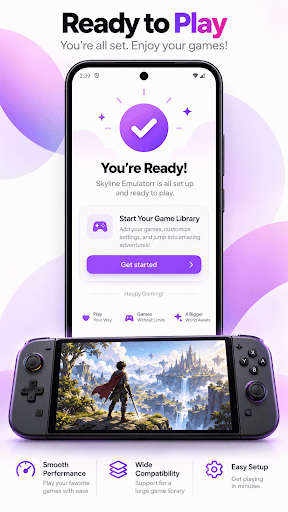
Turn your Android phone or tablet into a portable Switch gaming machine. Skyline Emulator is a fast, modern emulator that runs demanding Switch games right on your device, so you can enjoy the titles you love wherever you happen to be.
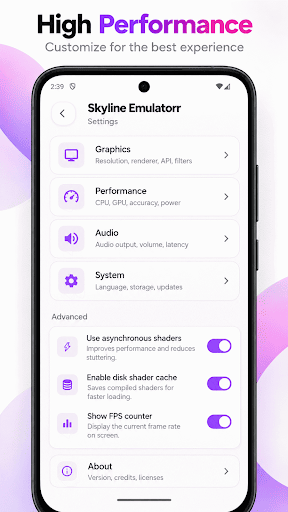
Powered by a high-performance emulation core and the Vulkan graphics API, Skyline Emulator gets real speed out of everyday hardware. On supported devices you can install custom GPU drivers for smoother frame rates and better accuracy, bringing a console-quality Switch experience to the palm of your hand.
WHY PLAYERS CHOOSE IT
The idea behind Skyline Emulator is simple: powerful emulation that stays easy to use. No confusing menus and no clutter — just a clean, modern interface that takes you from your library to gameplay in a couple of taps. Whether you own a flagship phone or a mid-range device, it is tuned to help you get the most out of it.
KEY FEATURES
- High-performance core built for demanding Switch games
- Vulkan renderer for fast, accurate graphics
- Custom GPU driver support for extra performance and compatibility
- Resolution scaling for sharper, cleaner visuals on large screens
- Full physical controller support, plus fully customizable on-screen controls
- User profile management and reliable save-data handling
- Local multiplayer rooms so you can play together with friends
- Clean, modern interface designed for both phones and tablets
- Lightweight and focused, with no unnecessary extras weighing it down
PERFORMANCE THAT ADAPTS TO YOUR DEVICE
Every phone is different, so Skyline Emulator hands you the controls to match performance to your hardware. Adjust the resolution, swap in custom drivers, and fine-tune graphics options to strike the balance between speed and quality that feels right for you. As you upgrade to newer hardware, the emulator scales right along with it — no reinstalling and no fuss.
A LIBRARY THAT STAYS ORGANIZED
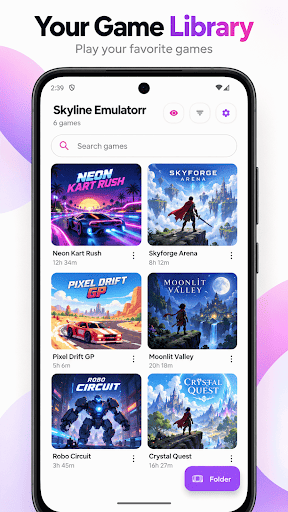
Point the app at the folder that holds your files and it scans and lists everything it recognizes, complete with cover art where available. Search, sort, and jump straight into any title. Everything you play stays neatly in one place, so your collection is always a single tap away.
PLAY YOUR WAY
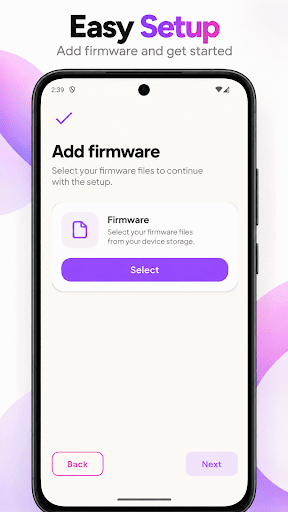
Skyline Emulator is an emulator only. It does not come with any games or content of its own — you simply bring the files you already have and start playing right away. Nothing extra to figure out, and nothing standing between you and your library.
BUILT FOR SPEED AND SIMPLICITY
From the moment it launches, Skyline Emulator is designed to stay out of your way. Fast start-up, an intuitive library, and sensible defaults mean less time setting up and more time playing. Install it today and take your Switch games with you everywhere you go.
أظهر المزيد

1. قم بتنزيل برنامج MEmu واكمال تثبيته

2. قم بتشغيل برنامج MEmu وفتح Google Play على الصفحة الرئيسية

3. ابح Skyline Emulator في Google Play
Install
4. تنزيل وتثبيت Skyline Emulator
5. انقر على الرمز للتشغيل بعد اكتمال التثبيت

6. استمتع بلعب *** على الكمبيوتر Skyline Emulator تخدام برنامج MEmu
تطبيق MEmuهو افضل محاكى اندرويد مجانى وبالفعل 50 مليون شخص يستمتعون حاليا بتجربه اللعب عليه. تمكّنك تقنية MEmu الافتراضية من تشغيل آلاف ألعاب Android بسلاسة على الكمبيوتر الشخصي ، حتى أكثرها استخدامًا للرسومات.
شاشة أكبر وجرافيك افضل ووقت أطول بدون حدود البطارية وباقة التليفون
لوحة مفاتيح كاملة تدعم تحكم كامل عن طريق لوحة المفاتيح و الفأره وجيم باد
عدة العاب وحسابات ومهمات علي جهاز الكمبيوتر في وقت معين عن طريق Memu متعدد النوافذ
Play Skyline Emulator on PC by following steps: