AMBOSS Knowledge Library
تم التحديث
الإصدار الحالي
2.101.2.4335
تقديم

لا داعي للقلق بشأن الشحن الزائد عند استخدام AMBOSS Knowledge Library على هاتفك. تحرر من قيود الشاشة الصغيرة واستمتع به على شاشة أكبر باستخدام لوحة المفاتيح والفأرة. يوفر MEmu جميع الميزات الرائعة التي تتوقعها: تثبيت سريع، إعداد سهل، أدوات تحكم بديهية، ودون قيود على عمر البطارية، أو استخدام البيانات، أو المكالمات الواردة. يُعد MEmu 9 الجديد الخيار الأمثل لتجربة AMBOSS Knowledge Library على جهاز الكمبيوتر. بفضل تقنية التشفير الفريدة، يتيح لك مدير الحسابات المتعددة تشغيل حسابين أو أكثر في وقت واحد. والأهم من ذلك، أن محرك المحاكاة الفريد يستغل أداء جهاز الكمبيوتر بالكامل، مما يُحسّن تجربة التطبيق ويجعل كل شيء سلسًا للغاية.
أظهر المزيد
قم بتنزيل AMBOSS Knowledge Library على الكمبيوتر بإستخدام جهاز مقلد أندروز MEmu.استمتع بمتعة اللعب على الشاشة الكبيرة. The AMBOSS Medical Knowledge Library app is the ultimate resource for medical students and clinicians.
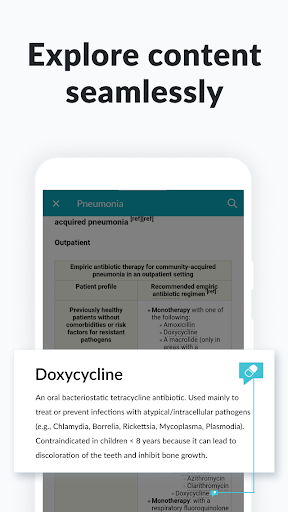
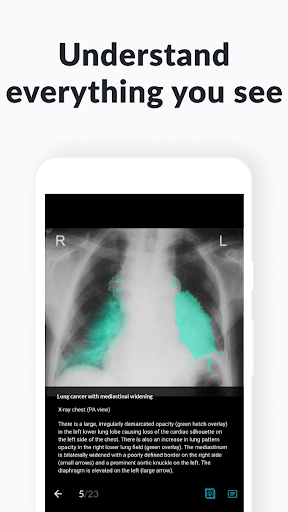
The AMBOSS Medical Knowledge Library app is the ultimate resource for medical students and clinicians. This comprehensive library works on the go and offline so students and doctors can find the medical answers they need anytime, anywhere.
AMBOSS MEDICAL KNOWLEDGE IN THE CLINIC
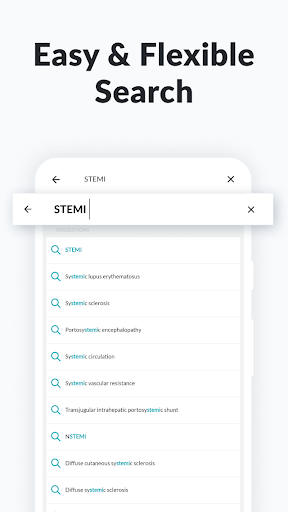
- Find clinical answers in as little as 5 seconds with the high-powered search function.
- Boost efficiency with accessible medical insights and information.
- Improve patient outcomes with uptodate medical knowledge and guidelines.
- Make more informed decisions with diagnostic flowcharts, management checklists, drug dosing, clinical calculators, warning signs, and more.
- Always have access as the app works offline.
AMBOSS MEDICAL KNOWLEDGE FOR STUDENTS
- Dive into our comprehensive exam preparation resource and study for USMLE® Step 1, Step 2 CK, Step 2 CS, and NBME® Shelf exams.
- Find answers to your study questions and look up diagnostic and treatment information in seconds with our “Medical Wiki.”
- The AMBOSS Medical Knowledge Library app is crosslinked with the AMBOSS Qbank app so you can jump seamlessly between them, answer practice questions, and master high-yield topics for your USMLE Step and NBME Shelf exams.
- Be prepared for every clinical rotation with the AMBOSS Clerkship Survival Guides.
THE BEST FEATURES
- Find the most important information on any topic with the Highlighting tool and High-Yield mode.
- Bridge knowledge gaps by turning on the Learning Radar which will highlight weaknesses from your Qbank sessions.
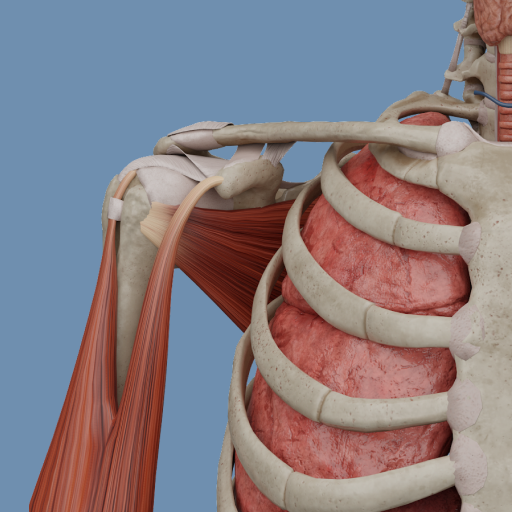
- Enhance your learning with interactive tables and medical imaging with digital overlays that highlight key anatomical and pathological structures.
GETTING STARTED
- Create your account at amboss.com/us.
- Download the AMBOSS Medical Knowledge Library app.
- Once that’s done, you’ll have 5 days to explore the platform for FREE.
- When your 5-day free trial is up, choose the membership that’s right for you and become part of the AMBOSS medical community.
IN CASE YOU NEED HELP
If you have any questions, check out our Help Center or get in touch and we’ll be happy to assist.
support.amboss.com/hc/en-us
أظهر المزيد

1. قم بتنزيل برنامج MEmu واكمال تثبيته

2. قم بتشغيل برنامج MEmu وفتح Google Play على الصفحة الرئيسية

3. ابح AMBOSS Knowledge Library في Google Play
Install
4. تنزيل وتثبيت AMBOSS Knowledge Library
5. انقر على الرمز للتشغيل بعد اكتمال التثبيت

6. استخدم MEmu لتجربة AMBOSS Knowledge Library على جهاز الكمبيوتر الخاص بك.
تطبيق MEmuهو افضل محاكى اندرويد مجانى وبالفعل 50 مليون شخص يستمتعون حاليا بتجربه اللعب عليه. تمكّنك تقنية MEmu الافتراضية من تشغيل آلاف ألعاب Android بسلاسة على الكمبيوتر الشخصي ، حتى أكثرها استخدامًا للرسومات.
شاشة أكبر وجرافيك افضل ووقت أطول بدون حدود البطارية وباقة التليفون
لوحة مفاتيح كاملة تدعم تحكم كامل عن طريق لوحة المفاتيح و الفأره وجيم باد
عدة العاب وحسابات ومهمات علي جهاز الكمبيوتر في وقت معين عن طريق Memu متعدد النوافذ
Use AMBOSS Knowledge Library on PC by following steps: