
Arzamina
تم التحديث
الإصدار الحالي
1.2.1
تقديم

لا داعي للقلق بشأن الشحن الزائد عند استخدام Arzamina على هاتفك. تحرر من قيود الشاشة الصغيرة واستمتع به على شاشة أكبر باستخدام لوحة المفاتيح والفأرة. يوفر MEmu جميع الميزات الرائعة التي تتوقعها: تثبيت سريع، إعداد سهل، أدوات تحكم بديهية، ودون قيود على عمر البطارية، أو استخدام البيانات، أو المكالمات الواردة. يُعد MEmu 9 الجديد الخيار الأمثل لتجربة Arzamina على جهاز الكمبيوتر. بفضل تقنية التشفير الفريدة، يتيح لك مدير الحسابات المتعددة تشغيل حسابين أو أكثر في وقت واحد. والأهم من ذلك، أن محرك المحاكاة الفريد يستغل أداء جهاز الكمبيوتر بالكامل، مما يُحسّن تجربة التطبيق ويجعل كل شيء سلسًا للغاية.
أظهر المزيد
استمتع بتجربة رائعة لاستخدام Arzamina على جهاز الكمبيوتر مع MEmu Play. إنه محاكي أندرويد قوي ومجاني يوفر لك آلاف تطبيقات أندرويد لإصدار سطح المكتب. استمتع بالتواصل مع أصدقائك وحسّن عملك بكفاءة أعلى! Arzamina helps you discover films by mood instead of scrolling through endless lists.
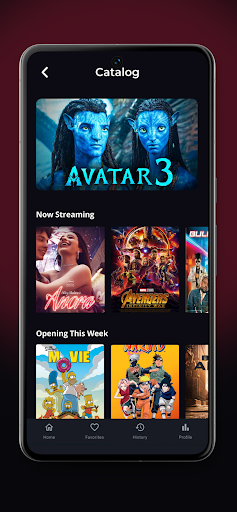
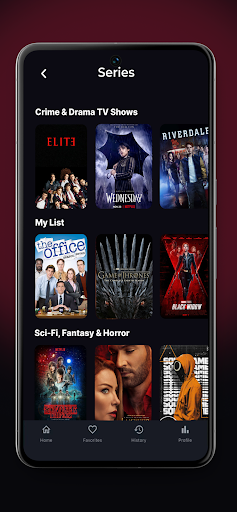
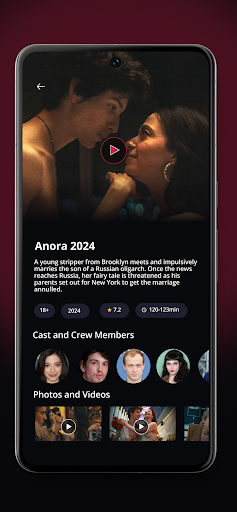
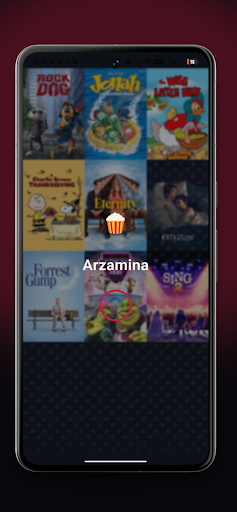
Arzamina helps you discover films by mood instead of scrolling through endless lists. The app is built for people who want to quickly find something that matches the moment — whether you feel like watching something dark, epic, romantic, cozy, light, or truly mind-blowing.
Choose a mood and get a curated selection of films that fit its atmosphere. If you do not want to decide, open the daily pick for a ready-made recommendation set, or use the surprise option to discover something unexpected. Each film card presents essential information in a simple and readable format, including description, genres, rating, and similar titles, making it easier to decide what to watch next.
Arzamina also helps you organize your personal movie journey. Save titles to favorites, mark films as watched, and keep a viewing history in one place. Over time, the app builds a clearer picture of your habits through lightweight stats, such as how many films you have watched, which moods you choose most often, and how much time you spend watching.
Arzamina is designed as a movie recommendation and personal tracking companion for cinema lovers. It does not provide streaming or playback. Instead, it focuses on discovery, selection, and helping you build a more intentional watching routine.
أظهر المزيد

1. قم بتنزيل برنامج MEmu واكمال تثبيته

2. قم بتشغيل برنامج MEmu وفتح Google Play على الصفحة الرئيسية

3. ابح Arzamina في Google Play
Install
4. تنزيل وتثبيت Arzamina
5. انقر على الرمز للتشغيل بعد اكتمال التثبيت

6. استخدم MEmu لتجربة Arzamina على جهاز الكمبيوتر الخاص بك.
تطبيق MEmuهو افضل محاكى اندرويد مجانى وبالفعل 50 مليون شخص يستمتعون حاليا بتجربه اللعب عليه. تمكّنك تقنية MEmu الافتراضية من تشغيل آلاف ألعاب Android بسلاسة على الكمبيوتر الشخصي ، حتى أكثرها استخدامًا للرسومات.
شاشة أكبر وجرافيك افضل ووقت أطول بدون حدود البطارية وباقة التليفون
لوحة مفاتيح كاملة تدعم تحكم كامل عن طريق لوحة المفاتيح و الفأره وجيم باد
عدة العاب وحسابات ومهمات علي جهاز الكمبيوتر في وقت معين عن طريق Memu متعدد النوافذ
Use Arzamina on PC by following steps: