City Ekhoni Account
تم التحديث
الإصدار الحالي
2.0.1
تقديم

لا داعي للقلق بشأن الشحن الزائد عند استخدام City Ekhoni Account على هاتفك. تحرر من قيود الشاشة الصغيرة واستمتع به على شاشة أكبر باستخدام لوحة المفاتيح والفأرة. يوفر MEmu جميع الميزات الرائعة التي تتوقعها: تثبيت سريع، إعداد سهل، أدوات تحكم بديهية، ودون قيود على عمر البطارية، أو استخدام البيانات، أو المكالمات الواردة. يُعد MEmu 9 الجديد الخيار الأمثل لتجربة City Ekhoni Account على جهاز الكمبيوتر. بفضل تقنية التشفير الفريدة، يتيح لك مدير الحسابات المتعددة تشغيل حسابين أو أكثر في وقت واحد. والأهم من ذلك، أن محرك المحاكاة الفريد يستغل أداء جهاز الكمبيوتر بالكامل، مما يُحسّن تجربة التطبيق ويجعل كل شيء سلسًا للغاية.
أظهر المزيد
قم بتنزيل City Ekhoni Account على الكمبيوتر بإستخدام جهاز مقلد أندروز MEmu.استمتع بمتعة اللعب على الشاشة الكبيرة. For the first time in Bangladesh, City Bank brings a revolutionary digital onboarding app – Ekhoni Account, through which a customer can instantly open a bank account anywhere and start banking right away.
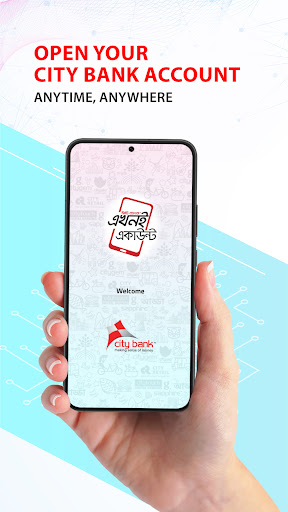
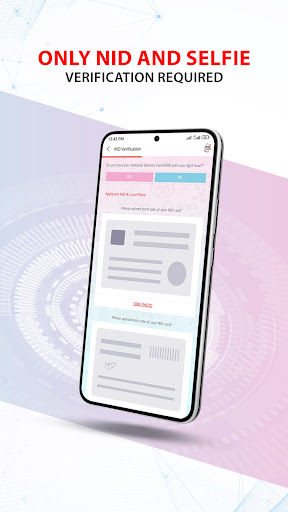
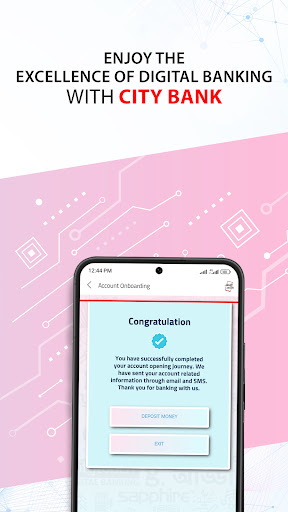
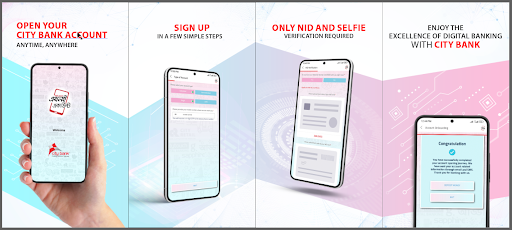
For the first time in Bangladesh, City Bank brings a revolutionary digital onboarding app – Ekhoni Account, through which a customer can instantly open a bank account anywhere and start banking right away. Just as the app name “Ekhoni” implies, you’ll be able to do everything instantly – from signing up for Citytouch Digital Banking services to requesting for a debit card, all without having to visit the bank branch in person.
Benefits of Ekhoni Account app:
- Open a bank account instantly anytime, from anywhere in Bangladesh
- Sign up for Citytouch Digital Banking services instantly
- Start your banking transactions right away
- Get instant debit card from any City Bank branch
- No need to visit the bank branch for opening an account
- Request for chequebook instantly
Requirements:
- Original National Identity Card (NID)
- The applicant’s front-facing photo/selfie
- Nominee’s photo
- e-TIN copy (optional)
- Supporting documents for source of fund (only applicable if the applicant’s monthly transactions are more than BDT 100,000)
Eligibility:
Any Bangladeshi individual aged 18 years or above with a valid NID card Available list of accounts:
- General Savings Account
- High Value Savings Account
- Savings Delight Account
- Seniors’ Savings Account (only for customers aged 50 years or above)
- Alo General Savings Account (only for women)
- Alo High Value Savings Account (only for women)
- Alo Savings Delight Account (only for women)
Simply download the app and try it out today to see how convenient and easy it is to use!
أظهر المزيد

1. قم بتنزيل برنامج MEmu واكمال تثبيته

2. قم بتشغيل برنامج MEmu وفتح Google Play على الصفحة الرئيسية

3. ابح City Ekhoni Account في Google Play
Install
4. تنزيل وتثبيت City Ekhoni Account
5. انقر على الرمز للتشغيل بعد اكتمال التثبيت

6. استخدم MEmu لتجربة City Ekhoni Account على جهاز الكمبيوتر الخاص بك.
تطبيق MEmuهو افضل محاكى اندرويد مجانى وبالفعل 50 مليون شخص يستمتعون حاليا بتجربه اللعب عليه. تمكّنك تقنية MEmu الافتراضية من تشغيل آلاف ألعاب Android بسلاسة على الكمبيوتر الشخصي ، حتى أكثرها استخدامًا للرسومات.
شاشة أكبر وجرافيك افضل ووقت أطول بدون حدود البطارية وباقة التليفون
لوحة مفاتيح كاملة تدعم تحكم كامل عن طريق لوحة المفاتيح و الفأره وجيم باد
عدة العاب وحسابات ومهمات علي جهاز الكمبيوتر في وقت معين عن طريق Memu متعدد النوافذ
Use City Ekhoni Account on PC by following steps: