
BSPlayer
تم التحديث
الإصدار الحالي
يتباين بحسب الجهاز
تقديم

لا داعي للقلق بشأن الشحن الزائد عند استخدام BSPlayer على هاتفك. تحرر من قيود الشاشة الصغيرة واستمتع به على شاشة أكبر باستخدام لوحة المفاتيح والفأرة. يوفر MEmu جميع الميزات الرائعة التي تتوقعها: تثبيت سريع، إعداد سهل، أدوات تحكم بديهية، ودون قيود على عمر البطارية، أو استخدام البيانات، أو المكالمات الواردة. يُعد MEmu 9 الجديد الخيار الأمثل لتجربة BSPlayer على جهاز الكمبيوتر. بفضل تقنية التشفير الفريدة، يتيح لك مدير الحسابات المتعددة تشغيل حسابين أو أكثر في وقت واحد. والأهم من ذلك، أن محرك المحاكاة الفريد يستغل أداء جهاز الكمبيوتر بالكامل، مما يُحسّن تجربة التطبيق ويجعل كل شيء سلسًا للغاية.
أظهر المزيد
قم بتنزيل BSPlayer على الكمبيوتر بإستخدام جهاز مقلد أندروز MEmu.استمتع بمتعة اللعب على الشاشة الكبيرة. BSPlayer FREE is top hardware accelerated video player for Android smartphones and tablet PCs.
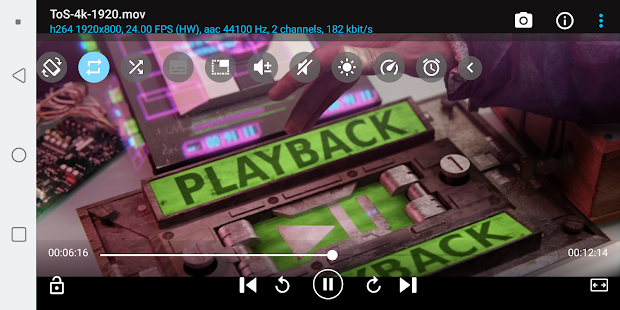
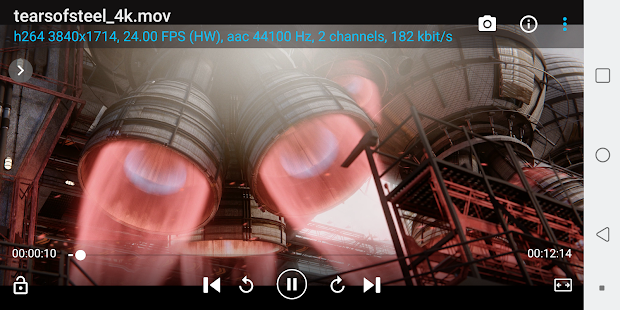
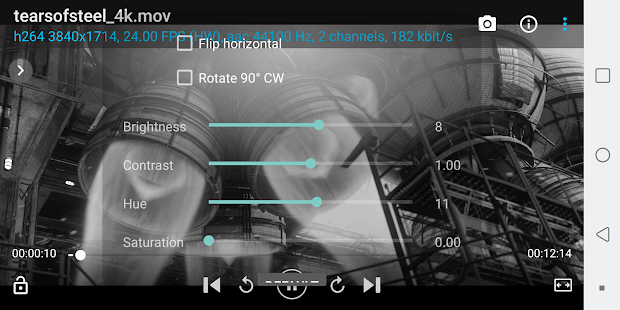
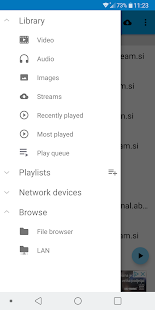
BSPlayer FREE is top hardware accelerated video player for Android smartphones and tablet PCs.
Main features:
- multi-core (dual and quad-core) HW decoding support - significantly improves playback speed
- background playback in popup window (long tap on button Back to playback video and audio in popup video)
- hardware accelerated video playback - increases speed and reduces battery consumption*
- Multiple audio streams and subtitles.
- Playlist support and various playback modes.
- External and embedded subtitles ssa/ass, srt, sub. txt...
- Find subtitles automatically (mobile data or wi-fi must be enabled to work)
- Playback media files such as videos and mp3's directly via Wi-Fi from your network shared drives/folders (such as external USB drives, Samba (SMB/CIFS) shared drives, PC shared folders, NAS servers (Synology and others)) - no need to convert video files and copy media files to SD card anymore!
- Playback files directly from uncompressed RAR files
- Lock screen to prevent accidental change of videos (children lock)
- support for USB OTG (On-The-Go) for example: Nexus media importer, USB OTG Helper, USB Host Controller... and much more!
This package includes support for ARMv7 with VFP and NEON. For other CPU types please download appropriate package. Application will notify you which package you need.
BSPlayer FREE version is ad-supported video player. BSPlayer full version without advertisements with added functionality is available on Google Play.
NOTE: When reporting error please add info about your smartphone brand and model. Also you can send us more detailed bug report on e-mail android@bsplayer.com. We are trying to improve the player for the users and your feedback is appreciated.
This software uses code of FFmpeg licensed under the LGPLv2.1 and its source can be downloaded from BSPlayer website.
Dedicated forum can be found here: http://forum.bsplayer.com/bsplayer-android/.
*Hardware acceleration support depends on device video decoder capability. Hardware accelerated playback in portrait mode may be corrupted on some HTC models (HD and others - hardware issue). Also on some devices (Samsung galaxy S2) zoom/stretch may not work on all video types.
Translations and corrections of the translations can now be submitted here: http://crowdin.net/project/bsplayer-android!
Don't forget to vote 5 stars if you like it and if you don't - let us know why! :)
Screenshots taken from following movies under Creative Commons license:
Sintel - © copyright Blender Foundation | durian.blender.org
Tears of Steel - (CC) Blender Foundation | mango.blender.org
أظهر المزيد

1. قم بتنزيل برنامج MEmu واكمال تثبيته

2. قم بتشغيل برنامج MEmu وفتح Google Play على الصفحة الرئيسية

3. ابح BSPlayer في Google Play
Install
4. تنزيل وتثبيت BSPlayer
5. انقر على الرمز للتشغيل بعد اكتمال التثبيت

6. استخدم MEmu لتجربة BSPlayer على جهاز الكمبيوتر الخاص بك.
تطبيق MEmuهو افضل محاكى اندرويد مجانى وبالفعل 50 مليون شخص يستمتعون حاليا بتجربه اللعب عليه. تمكّنك تقنية MEmu الافتراضية من تشغيل آلاف ألعاب Android بسلاسة على الكمبيوتر الشخصي ، حتى أكثرها استخدامًا للرسومات.
شاشة أكبر وجرافيك افضل ووقت أطول بدون حدود البطارية وباقة التليفون
لوحة مفاتيح كاملة تدعم تحكم كامل عن طريق لوحة المفاتيح و الفأره وجيم باد
عدة العاب وحسابات ومهمات علي جهاز الكمبيوتر في وقت معين عن طريق Memu متعدد النوافذ
Use BSPlayer on PC by following steps: