NEXT+
تم التحديث
الإصدار الحالي
1.0.8
تقديم

لا داعي للقلق بشأن الشحن الزائد عند استخدام NEXT+ على هاتفك. تحرر من قيود الشاشة الصغيرة واستمتع به على شاشة أكبر باستخدام لوحة المفاتيح والفأرة. يوفر MEmu جميع الميزات الرائعة التي تتوقعها: تثبيت سريع، إعداد سهل، أدوات تحكم بديهية، ودون قيود على عمر البطارية، أو استخدام البيانات، أو المكالمات الواردة. يُعد MEmu 9 الجديد الخيار الأمثل لتجربة NEXT+ على جهاز الكمبيوتر. بفضل تقنية التشفير الفريدة، يتيح لك مدير الحسابات المتعددة تشغيل حسابين أو أكثر في وقت واحد. والأهم من ذلك، أن محرك المحاكاة الفريد يستغل أداء جهاز الكمبيوتر بالكامل، مما يُحسّن تجربة التطبيق ويجعل كل شيء سلسًا للغاية.
أظهر المزيد
استمتع بتجربة رائعة لاستخدام NEXT+ على جهاز الكمبيوتر مع MEmu Play. إنه محاكي أندرويد قوي ومجاني يوفر لك آلاف تطبيقات أندرويد لإصدار سطح المكتب. استمتع بالتواصل مع أصدقائك وحسّن عملك بكفاءة أعلى! Next+ is a modern IPTV player designed to help users access and organize their own IPTV playlists using their personal provider credentials.
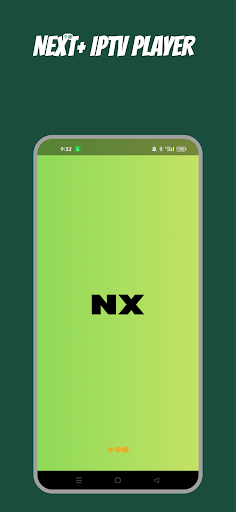
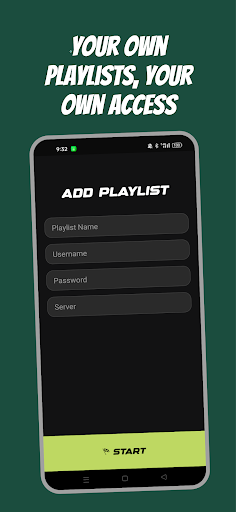
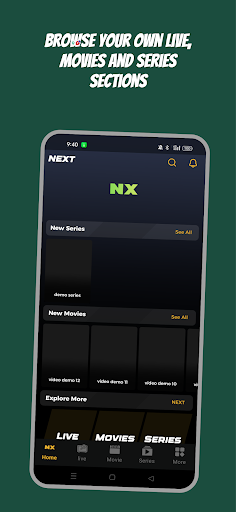
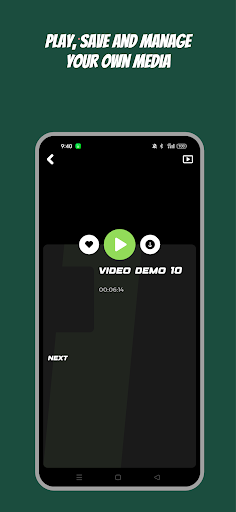
Next+ is a modern IPTV player designed to help users access and organize their own IPTV playlists using their personal provider credentials.
The app does not provide, sell, host, or include any TV channels, movies, series, playlists, subscriptions, or streaming content. Users must add their own legal IPTV service details, including host/server URL, username, and password.
With Next+, users can enjoy a smooth and organized viewing experience for their own content sources.
Key Features:
• Login using your own host, username, and password
• Organized Live TV, Movies, and Series sections
• Favorites and watch history
• Continue watching
• Fast and smooth media playback
• Clean and simple interface
• Multi-screen support
• EPG and catch-up support when available from the user’s provider
Legal Disclaimer:
Next+ is a media player only. It does not provide any IPTV subscriptions, channels, movies, series, playlists, or any other media content. The user is responsible for adding their own legally authorized content or provider credentials. The screenshots shown in this store listing are for UI demonstration only and do not represent real or provided content.
أظهر المزيد

1. قم بتنزيل برنامج MEmu واكمال تثبيته

2. قم بتشغيل برنامج MEmu وفتح Google Play على الصفحة الرئيسية

3. ابح NEXT+ في Google Play
Install
4. تنزيل وتثبيت NEXT+
5. انقر على الرمز للتشغيل بعد اكتمال التثبيت

6. استخدم MEmu لتجربة NEXT+ على جهاز الكمبيوتر الخاص بك.
تطبيق MEmuهو افضل محاكى اندرويد مجانى وبالفعل 50 مليون شخص يستمتعون حاليا بتجربه اللعب عليه. تمكّنك تقنية MEmu الافتراضية من تشغيل آلاف ألعاب Android بسلاسة على الكمبيوتر الشخصي ، حتى أكثرها استخدامًا للرسومات.
شاشة أكبر وجرافيك افضل ووقت أطول بدون حدود البطارية وباقة التليفون
لوحة مفاتيح كاملة تدعم تحكم كامل عن طريق لوحة المفاتيح و الفأره وجيم باد
عدة العاب وحسابات ومهمات علي جهاز الكمبيوتر في وقت معين عن طريق Memu متعدد النوافذ
Use NEXT+ on PC by following steps: