Camera Scanner - Fast PDF Scanner App
تم التحديث
الإصدار الحالي
1.0.6
تقديم

لا داعي للقلق بشأن الشحن الزائد عند استخدام Camera Scanner - Fast PDF Scanner App على هاتفك. تحرر من قيود الشاشة الصغيرة واستمتع به على شاشة أكبر باستخدام لوحة المفاتيح والفأرة. يوفر MEmu جميع الميزات الرائعة التي تتوقعها: تثبيت سريع، إعداد سهل، أدوات تحكم بديهية، ودون قيود على عمر البطارية، أو استخدام البيانات، أو المكالمات الواردة. يُعد MEmu 9 الجديد الخيار الأمثل لتجربة Camera Scanner - Fast PDF Scanner App على جهاز الكمبيوتر. بفضل تقنية التشفير الفريدة، يتيح لك مدير الحسابات المتعددة تشغيل حسابين أو أكثر في وقت واحد. والأهم من ذلك، أن محرك المحاكاة الفريد يستغل أداء جهاز الكمبيوتر بالكامل، مما يُحسّن تجربة التطبيق ويجعل كل شيء سلسًا للغاية.
أظهر المزيد
قم بتنزيل Camera Scanner - Fast PDF Scanner App على الكمبيوتر بإستخدام جهاز مقلد أندروز MEmu.استمتع بمتعة اللعب على الشاشة الكبيرة. Camera Scanner - Fast PDF Scanner App is a document scanner app that you can use to scan documents, photos, id cards, receipts, bills, business cards, whiteboards and other papers also make pdf of scanned documents.
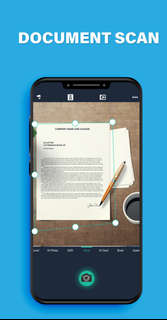
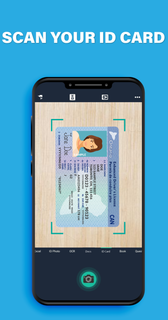
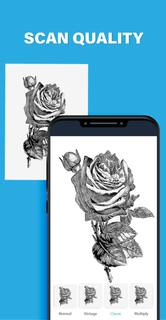
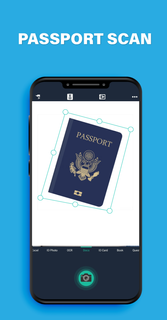
Camera Scanner - Fast PDF Scanner App is a document scanner app that you can use to scan documents, photos, id cards, receipts, bills, business cards, whiteboards and other papers also make pdf of scanned documents. Camera Scanner : Use your Camera as a scanner for scanning of anything, anywhere. The Simple Scanner is a PDF document scanner application that turns your phone into a portable scanner. you can scan documents, photos, receipts, reports, or just about anything. The scan will be saved to the device in image or PDF format. Name and organize your scan to a folder, or share it in the following ways: Fast Scanner turns your Android devices into a multiple pages scanner for documents, receipts, notes, invoices, business cards, whiteboards and other paper text. With Fast Scanner, you can quickly scan your document, then print or email them as multiple pages PDF or JPEG files. Moreover you can save the PDF files in your device or open them in other apps. Features of App: 1.Mobile scanner Capture phone text, automatically delete cluttered backgrounds, convert to sharp JPEG or PDF format.Multiple image processing modes, manual adjustment of image parameters, and mobile use can quickly turn paper documents into sharp electronic copies. 2.Image-to-Text Tool Phones, tablets, and many other devices can view and manage documents at any time.Sort labels, handwritten annotations, add imprints and digitally sign documents, keep documents safe, convenient, efficient and safe. 3.Filters : - In-built filters to enhance the quality after scan as per need. You can use modes which are Enhance, Color, Color+, B/W, B/W+, Smooth, Sharpen and Gray to clear scan. 4.Search : - Quick search by name of scan. 5.Share: - Select multiple and share using Email, Dropbox, Google Drive, OneDrive, Evernote etc. 6.Export to PDF : - This feature is free yes! it's free. You can export scanned documents to unlimited pdf files for free. The Document Scanner application has all the features you need: - Mobile phone document, automatically remove the clutter background, generate high-definition JPEG pictures or PDF files. - A variety of image processing modes, you can manually adjust the image parameters, with a mobile phone can be paper documents, quickly turned into a clear electronic draft. - Scan color, grayscale, or black and white - Can be used in office, school, home and any place you want - Automatically detects page edges - 5 levels of contrast for clear monochrome text - Set the PDF page size (Letter, Legal, A4, etc.) - Thumbnail or list view, sorted by date or title - Simple scanners are optimized to run very fast. - Quick search by document title - Use a password to protect your documents - General - A single application that works on your phone! If you like Simple scanner or have any other comments, please take a moment to write us a comment, which will help us improve our products and give you a better experience. .
أظهر المزيد

1. قم بتنزيل برنامج MEmu واكمال تثبيته

2. قم بتشغيل برنامج MEmu وفتح Google Play على الصفحة الرئيسية

3. ابح Camera Scanner - Fast PDF Scanner App في Google Play
Install
4. تنزيل وتثبيت Camera Scanner - Fast PDF Scanner App
5. انقر على الرمز للتشغيل بعد اكتمال التثبيت

6. استخدم MEmu لتجربة Camera Scanner - Fast PDF Scanner App على جهاز الكمبيوتر الخاص بك.
تطبيق MEmuهو افضل محاكى اندرويد مجانى وبالفعل 50 مليون شخص يستمتعون حاليا بتجربه اللعب عليه. تمكّنك تقنية MEmu الافتراضية من تشغيل آلاف ألعاب Android بسلاسة على الكمبيوتر الشخصي ، حتى أكثرها استخدامًا للرسومات.
شاشة أكبر وجرافيك افضل ووقت أطول بدون حدود البطارية وباقة التليفون
لوحة مفاتيح كاملة تدعم تحكم كامل عن طريق لوحة المفاتيح و الفأره وجيم باد
عدة العاب وحسابات ومهمات علي جهاز الكمبيوتر في وقت معين عن طريق Memu متعدد النوافذ
Use Camera Scanner - Fast PDF Scanner App on PC by following steps: